GB.48
MAKING, RECEIVING A CALL (6/7)
Call a contact from your call
log history
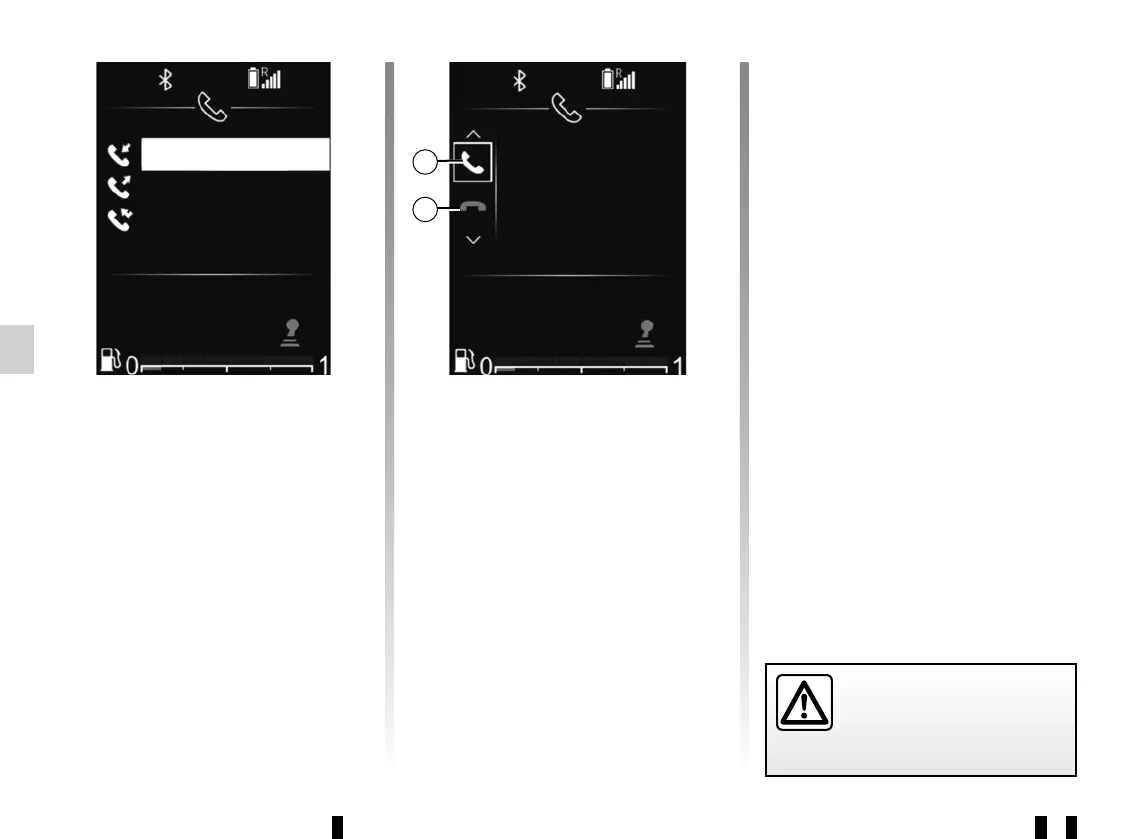
To display the call history:
– Access the “Phone” menu by press-
ing 32, then using 33 or 34 select
“Phone”, and press 35 to confirm;
– select “Call list” using 33 or 34, then
press 35 to confirm;
– select the contact or the number to
call using 33 or 34, then press 35 to
start the call.
+33 6 24 68 XX XX
+33 6 85 46 XX XX
+33 1 73 24 XX XX
It is recommended that you
stop your vehicle before en-
tering a number or search-
ing for a contact.
Receiving a call
When receiving a call, the caller's
number is displayed on the audio
system screen (this function depends
on the options you have subscribed to
with your telephone service provider).
If the caller's number is in one of the
memories, the name of the caller is dis-
played instead of the number.
If the caller's number cannot be dis-
played, the message 'Private number' is
displayed on the audio system screen.
Benoit
Incoming Call
37
To accept an incoming call:
– select 37 using 33 or 34, then
press 35 to confirm;
or
– briefly press 28.
To reject an incoming call:
– select 38 using 33 or 34, then
press 35 to confirm;
or
– press and hold 28.
38



 To Next Page