control instruments ....................................
(up to the end of the DU)
indicators:
instrument panel ..................................
(up to the end of the DU)
instrument panel messages.......................
(up to the end of the DU)
trip computer and warning system.............
(up to the end of the DU)
instrument panel ........................................
(up to the end of the DU)
warning lights.............................................
(up to the end of the DU)
1.109
ENG_UD65748_1
Ordinateur de bord : généralités (X82 PH2 - Renault)
Trip computer
ON-BOARD COMPUTER: general information (1/2)
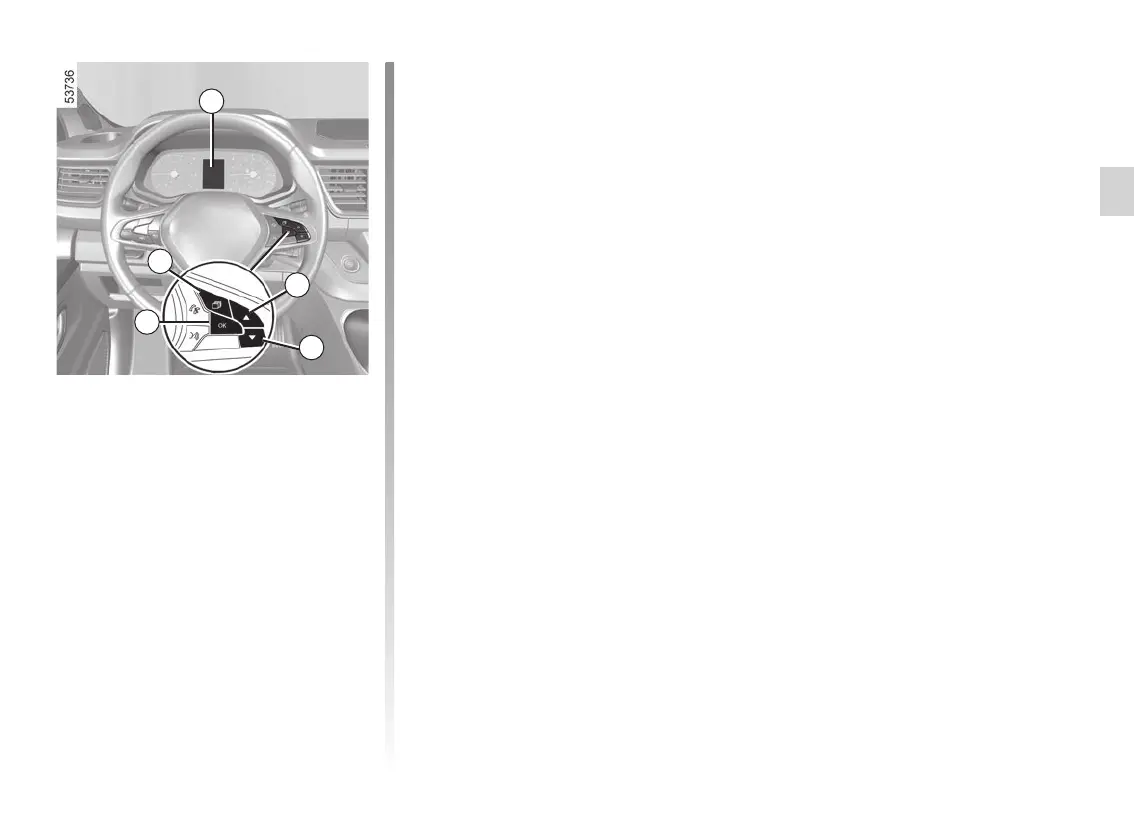
On-board computer 1
Depending on the vehicle, this includes
the following functions:
– distance travelled;
– journey settings;
– information messages;
– operating fault messages (con-
nected to the
© warning light);
– warning messages (connected to the
® warning light).
All these functions are described on the
following pages.
1
2
3
4
5
Vehicle fitted with trip computer 1
Press the switch 2 as many times as re-
quired to reach the “Vehicle” tab.
Repeatedly press the 3 or 4 switches.
Selections
(the display depends on the vehicle
equipment and country)
a) Trip log, operating faults and infor-
mation message readout;
b) current fuel consumption and aver-
age fuel consumption;
c) trip mileage recorder and average
speed;
d) Reset the tyre pressure;
e) set the time;
f) distance before service;
– distance before service;
– mileage before oil change.
g) Estimated range with remaining rea-
gent.














 To Next Page