keys ...........................................................
(up to the end of the DU)
radio frequency remote control/key
use .......................................................
(up to the end of the DU)
central door locking ...................................
(up to the end of the DU)
doors/tailgate .............................................
(up to the end of the DU)
locking the doors .......................................
(up to the end of the DU)
1.5
ENG_UD72168_2
Clés, télécommandes à radiofréquence : utilisation (X82 PH2 - Renault)
Unlocking the luggage
compartment only on the
combi version
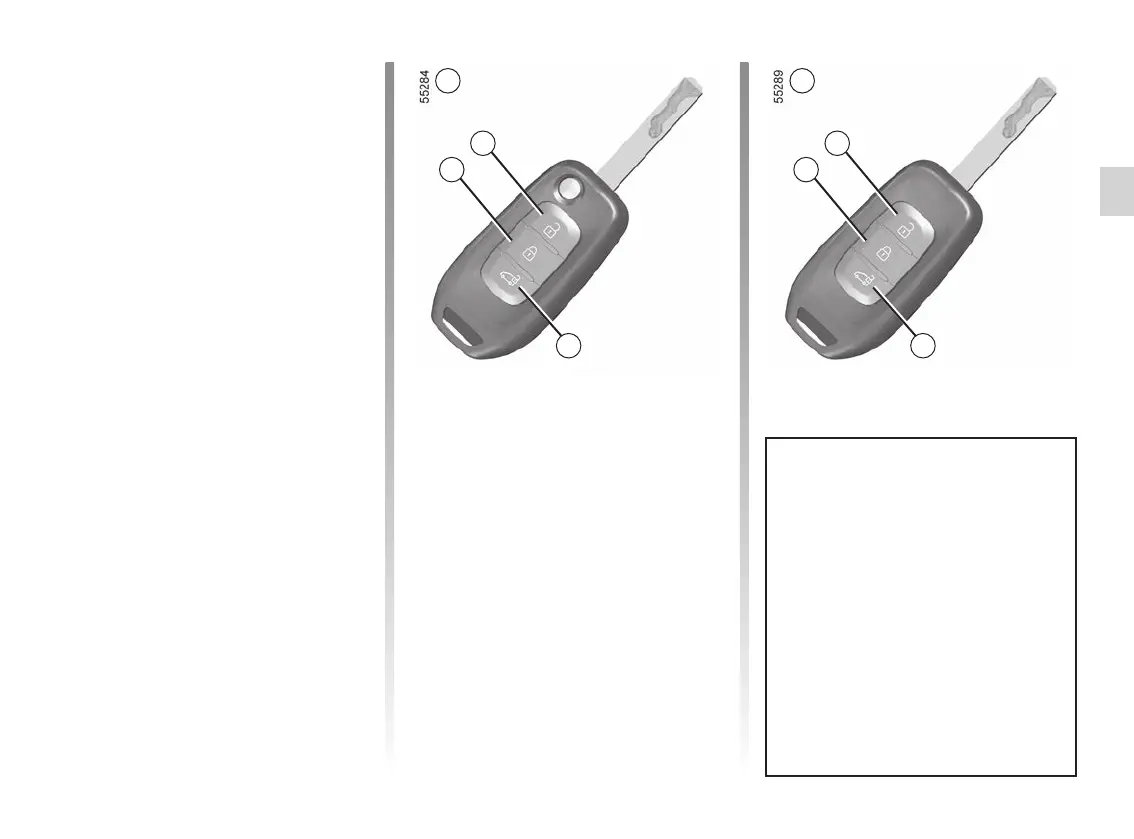
Using remote control A or B, press
the 3 button to unlock the luggage com-
partment door only.
Unlocking the loading area
on the van version
Using remote controls A or B, press
the 3 button to unlock the sliding side
doors and the rear hinged doors or the
tailgate.
Remote control A or, depending on the
vehicle, remote control B locks or un-
locks the doors. It is powered by a bat-
tery which can be replaced ➥ 5.28.
Locking the doors
Press locking button 1.
The hazard lights and side repeaters
flash twice to indicate that the doors
have locked and, on some vehicles,
the door mirrors fold in automatically.
Note: if a door or the boot is open or not
properly shut, locking is not carried out.
The hazard warning lights and indicator
lights do not flash, and no beep sounds.
KEYS, RADIO FREQUENCY REMOTE CONTROL: use (1/2)
2
3
1
A
Remote controls A or B on the
van version
There are two ways to use the
remote control: Access mode and
Secure mode.
To switch between the remote
control user modes, access the
“Access” menu from the trip com-
puter or, depending on the vehicle,
from the multimedia screen. The de-
fault mode is Access mode.
2
3
1
B














 To Next Page