2.75
ENG_UD78588_4
Régulateur de vitesse adaptatif (X82 PH2 - Renault)
6
7
ADAPTIVE CRUISE CONTROL (4/14)
Adjusting the following
distance
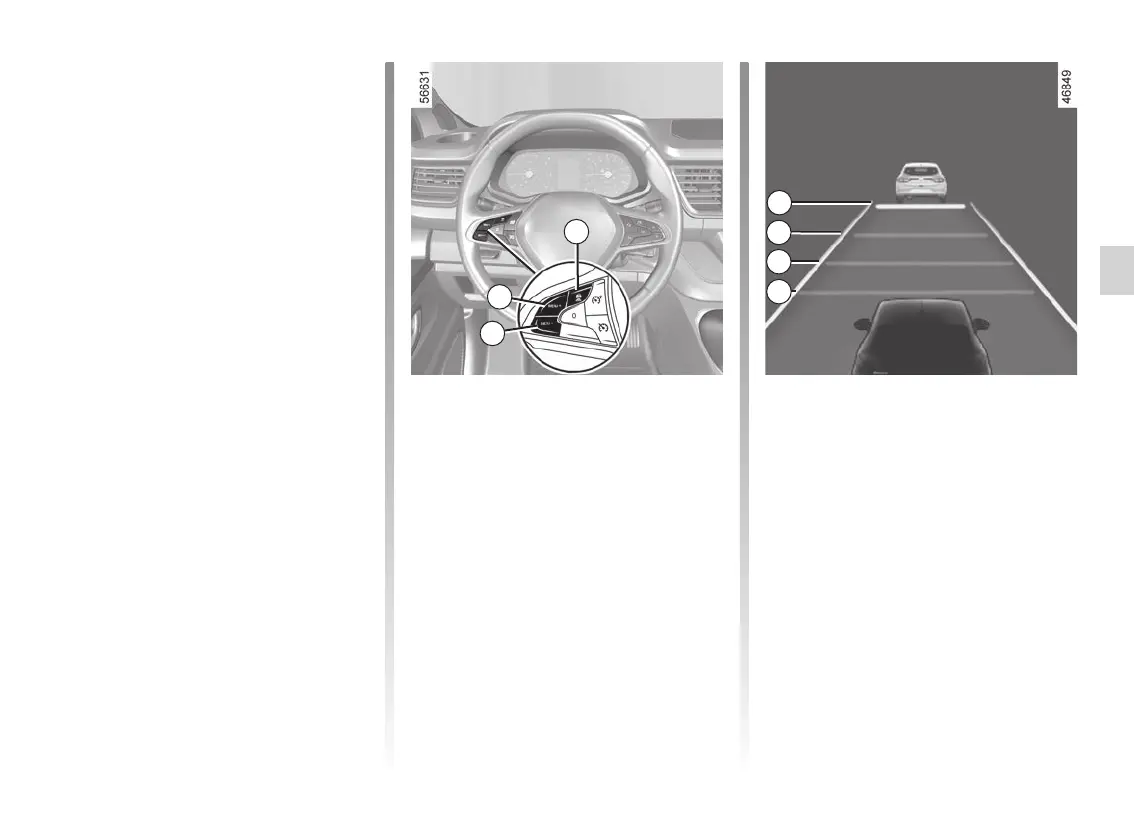
You can vary the safe distance from the
vehicle in front at any time by pressing
switch 3 repeatedly.
The horizontal distance gauge on the
instrument panel indicates the various
available safe distances:
– distance gauge A: long distance
(corresponding to approximately 2.4
seconds);
Setting the cruising speed
You can vary the speed by repeatedly
pressing (for a small variation) or press-
ing and holding (for a larger variation)
switch 6 or 7:
– use the (SET/-) switch 6 to reduce
the speed;
– use the (RES/+) switch 7 to increase
the speed.
Safe distance control
activation
As soon as cruise control is activated,
the default safe distance 10 is displayed
in green on the instrument panel. The
default safe distance corresponds to
approximately two seconds (see follow-
ing pages).
If the system detects a vehicle in your
lane, an outline of a vehicle 9 appears
above the distance gauge 10 on the in-
strument panel.
Your vehicle adapts its speed to that
of the vehicle in front and applies the
brakes if necessary (the brake lights
come on) in order to maintain the dis-
tance displayed on the instrument
panel.
Note: the size of the 9 outline varies ac-
cording to the distance separating you
from the vehicle in front. The larger the
outline, the closer the vehicle in front.
A
B
C
D
3














 To Next Page