Configuring the PLC network 11
Renkforce PL500D duo
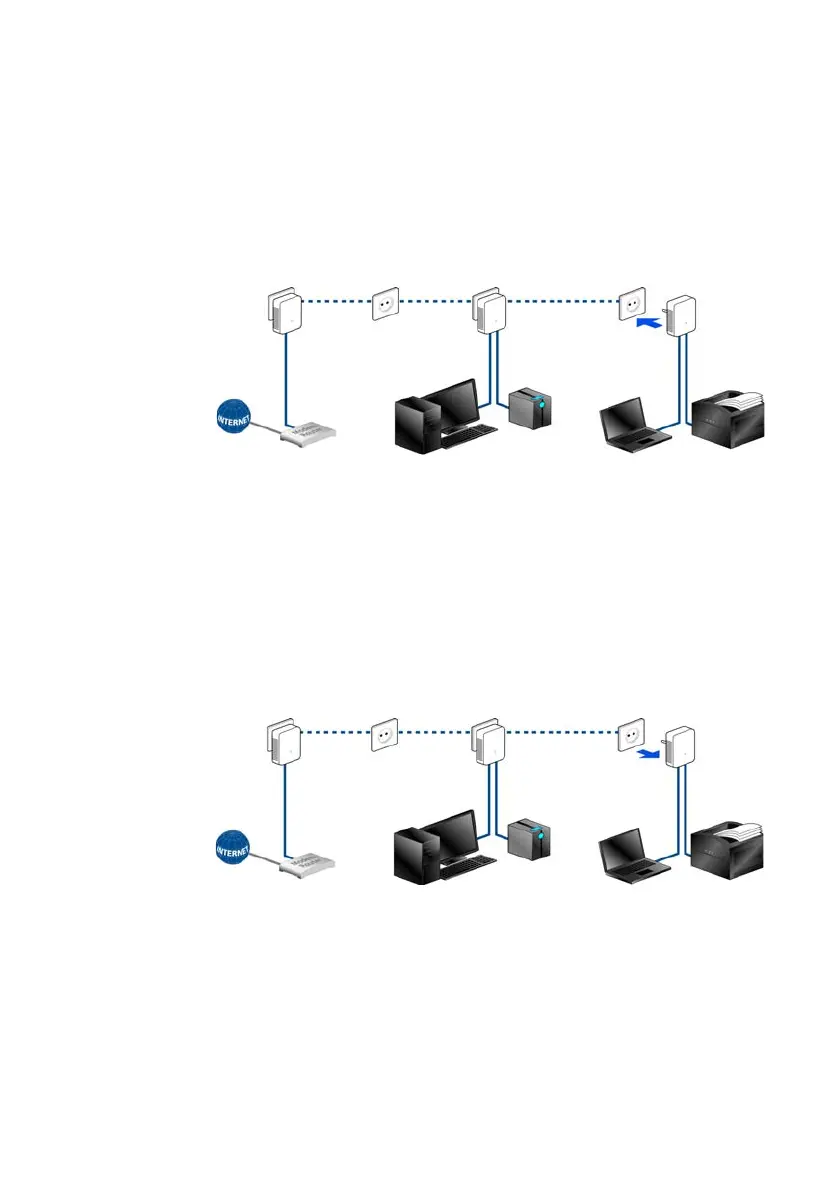
Expanding an existing PLC network with a new adapter
If you have already secured your existing PLC network using the
PLC button,
use the same method to integrate other adapters. Once you have success-
fully connected the new adapter, first press the PLC button of one of your
net-
work’s existing adapters (one second), th
en press the PLC button of your
new adapter (one second) within two minutes. That's it! The new adapter
is now integrated in your network.
To integrate additional adapters in your network, repeat the abo
ve steps.
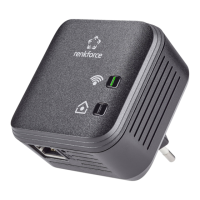
Excluding a adapter from your network
To exclude a adapter from an existing network, press its encryption button fo
r
at least ten seconds. The device will be assigned a new randomly gener-
ated password and will thus no longer be able to access the network. To inte-
grate the adapter in a different PLC network, follow the steps described
above, depending on
whether you are setting up a new network or adding the
adapter to an existing one.


 To Next Page