8 Installation
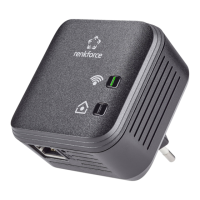
Renkforce PL500D duo
3Installation
This chapter describes the connection and display elements of the adapter
and how to connect it.
3.1 System requirements
• Operating systems: Windows Vista Home Premium (32 bit/64 bit),
• Windows 7 (32 bit/64 bit),
Windows 8 (32 bit/64 bit), Windows 8 Pro (32 bit/
64 bit) or any other operating system with network support
• Network connection
Please note that your computer or other device mu
st feature a network
adapter with an Ethernet port.
3.2 Connection and display elements
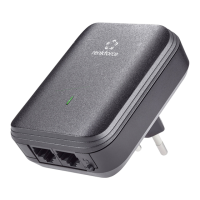
The adapter is fitted with one control lamp (LED) as well as two network con-
nection and an encryption button. The LED shows
all of the statuses for the
PL500D duo by illuminating and/or flashing in different ways:
• Etherne
t connections
These are the connection points on the adapter for connecting it to a com-
puter and/or another network device with the network cable.
• PLC button
Data encryption at the touch of a button; For more information on the func-
tions of the encryption button, please see the chapter 'Encrypting the PLC
network at the touch of a button'.
PL500D duo
Power The LED flashes at uniform intervals (of 2 s) if the adapter is connected
to t
he mains supply but there is no PLC connection.
The LED lights up if the adapter is ready to operate and there is a PLC
conn
ection.
The LED flashes quickly if the encryp
tion process (pairing) is being per-
formed in the PLC network.
The LED flashes at irregular intervals (1 s/15 s) if the adapter is in Pow-
erSave mode.


 To Next Page