10 Configuring the PLC network
Renkforce PL500D duo
4 Configuring the PLC network
To set up custom encryption for your network—either using the PLC button
or the Configuration Wizard.
4.1 Encrypting the PLC network at the touch of a but-
ton
To encrypt a PLC network simply press the PLC button that is located on the
device. Pressing this button will encrypt your network with a randomly gener-
ated password.
Adapters cannot be configured while in Standby mode.
The following section contains exact instructions o
n the basis of possible net-
work scenarios:
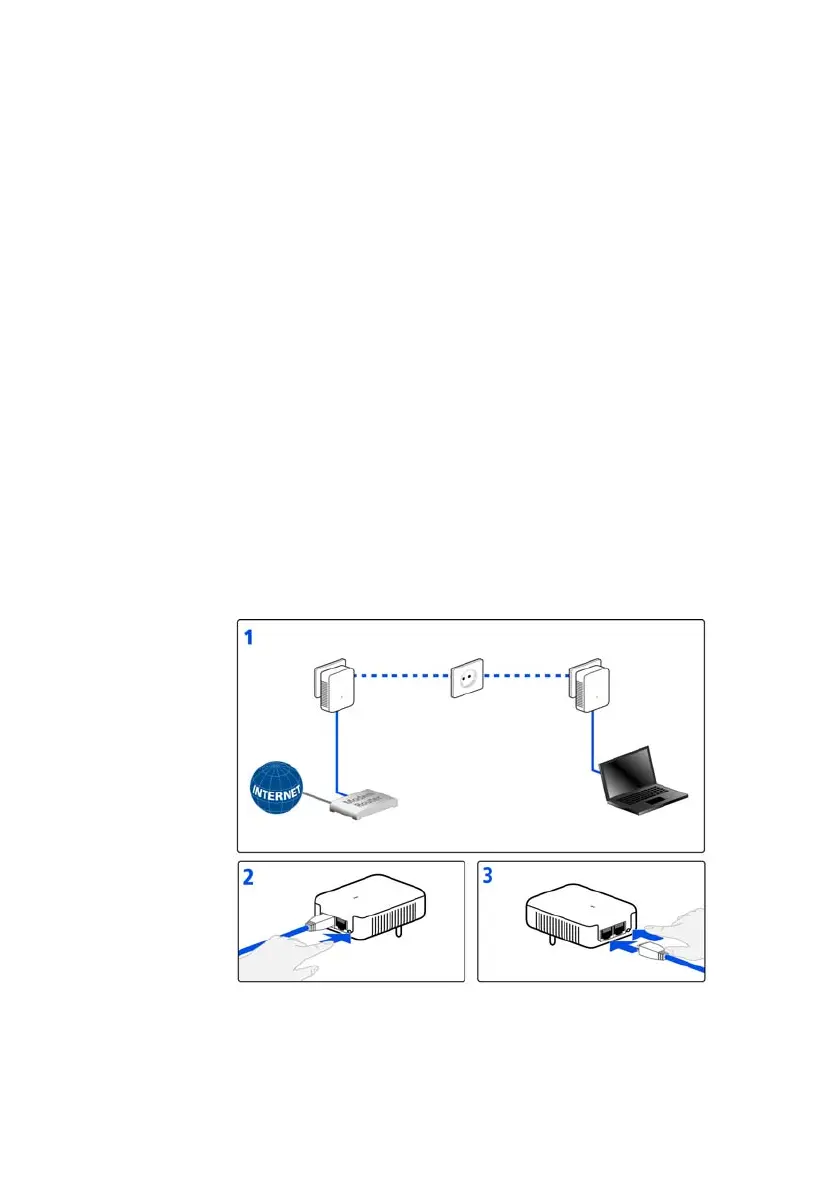
Encrypting a new PLC network consisting of two adapters
Once both adapters have been successfully connected, press each PLC but-
ton for one second
within two minutes of one another. That's it! Your PLC
network is now protected against unauthorized access.


 To Next Page