EasyManua.ls Logo

Renkus-Heinz P3500 - User Manual

Default Icon
16 pages
Print Icon
To Next Page IconTo Next Page
Loading...
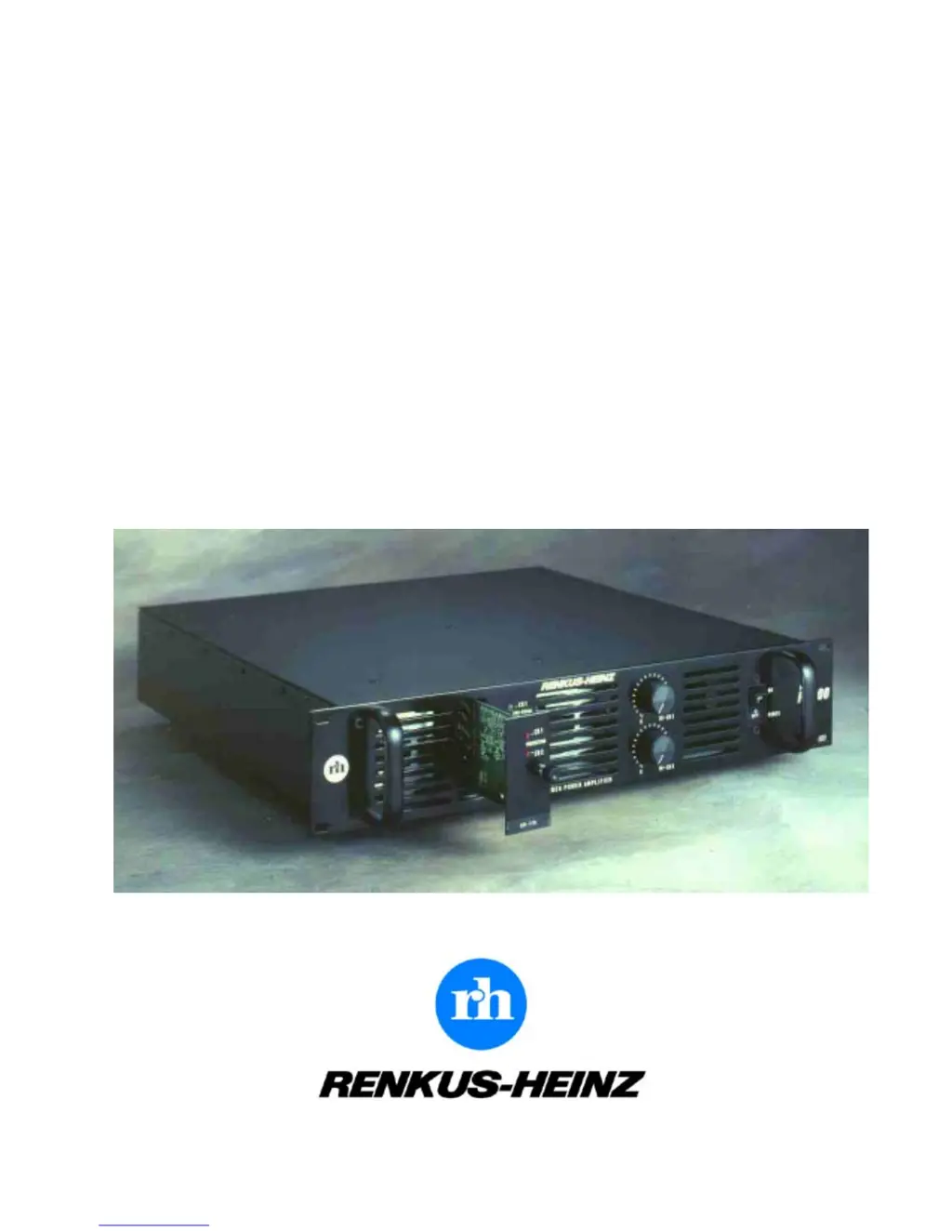
OPERATION MANUAL
P3500 • P3501
Dual Channel Power Amplifiers
PK-xxx-A
Plug-In Controller Modules

Questions and Answers

  • S
    stokesterranceAug 6, 2025
    What to do if the protective circuitry is activated on a Renkus-Heinz P3500 Amplifier?
    • P
      Patrick WilliamsAug 6, 2025
      If the protective circuitry for a channel in your Renkus-Heinz Amplifier has been activated, it indicates a potential issue. First, check the channel for a shorted line. Then, turn the amplifier off and on again to see if the circuitry resets. If it does reset, overheating was likely the cause, and the temperature has now returned to a safe level.
  • D
    Denise SmithAug 10, 2025
    What to do if my Renkus-Heinz P3500 is being overdriven?
    • S
      scottlewisAug 11, 2025
      If your Renkus-Heinz Amplifier indicates it's being overdriven, reduce the system level and avoid extreme equalization. Consider adding more amplifiers and/or loudspeakers to the system to handle the load.
  • P
    prayAug 16, 2025
    What to do if my Renkus-Heinz P3500's loudspeaker is receiving too much power?
    • B
      Brandon BushAug 16, 2025
      If the loudspeaker connected to a channel of your Renkus-Heinz Amplifier is receiving too much power, and the controller's protective circuitry has activated, reduce the signal level.
  • P
    Pamela AlexanderAug 21, 2025
    Why won't the power switch stay on for my Renkus-Heinz Amplifier?
    • A
      april35Aug 21, 2025
      If the power switch on your Renkus-Heinz Amplifier won't stay on, it indicates a failure. Immediately disconnect the amplifier from operation and have it serviced by a qualified technician. Do not attempt to hold the switch on, as this may cause significant damage.
  • J
    Jonathan JohnsonAug 27, 2025
    What to do if my Renkus-Heinz Amplifier is not receiving a signal?
    • R
      ramirezcrystalAug 27, 2025
      If your Renkus-Heinz Amplifier isn't receiving a signal, ensure the source is sending a signal and that the interconnecting wiring is not faulty. Check all connections to ensure they are secure and functioning correctly.
  • E
    Erik FrancisAug 31, 2025
    How to troubleshoot a Renkus-Heinz P3500 that won't turn on?
    • L
      Laura PierceAug 31, 2025
      If your Renkus-Heinz Amplifier appears to be off or not receiving power, check that the power cord is properly connected to a suitable outlet and verify that the outlet provides the correct voltage. Also, ensure that the amplifier is switched to the "on" position.

Summary

General Safety Information

Electrical Shock and Fire Hazards

Warnings against inserting objects into openings and exposing the unit to rain or moisture.

Servicing and User Access

Instructions on not opening the unit and referring servicing to qualified personnel.

Introduction

Technical Specifications

Front Panel Features

LED Indicators

Explains Protection, Signal, and Output LEDs for channel status and protective circuits.

Front Panel Controls

Standby, Attenuators, and Power Switch

Details the Standby LED, Output Attenuators, and the On/Off Switch/Circuit Breaker.

Rear Panel Features

Power Cord and Output Connectors

Details AC power cord, output binding posts, Neutrik connectors, and blank plate.

Looping Outputs and Name Plate

Describes XLR outputs for processed signals and the unit identification plate.

Rear Panel Connectivity and Modes

Input Connectors

Details balanced 3-pin female XLR input connectors and connection methods.

Mode Selector Operation

Explains the functions of Stereo, Mono, and Bridge modes for amplifier operation.

Loudspeaker Controller Modules

PK-xxx-A and PK-BLANK-A Modules

Details the function and differences between controller modules and blank cards.

Block Diagrams

P3500 and P3501 Signal Paths

Illustrates the signal flow and component paths within the P3500 and P3501 amplifiers.

Amplifier Setup and Operation

Installation and Cooling

Covers rack mounting requirements and essential cooling considerations for the amplifiers.

Wiring and Operation Verification

Details speaker wire gauge recommendations and steps for verifying proper operation.

Trouble Shooting

Common Issues and Solutions

Lists common problems like no sound, LEDs not lit, and their potential causes and solutions.

System Wiring Diagrams

Typical Stereo System Wiring

Illustrates a stereo system setup with passive loudspeakers and mode selector settings.

Typical Two-Way System Wiring

Shows setup for active 2-way or 3-way systems with mid/high crossover, using Mono mode.

Advanced System Wiring

Bridge Mode Wiring for Subwoofers

Wiring diagram for bridge mode operation, commonly used for subwoofers.

3;4-Way System Configurations

Diagrams illustrating 3/4-way systems using two controller modules and Mono mode.

Multi-Controller System Wiring

4-Way System with Three Controllers

Wiring diagram for 4-way systems utilizing three controller modules and Bridge mode.

Renkus-Heinz P3500 Specifications

General IconGeneral
Channels2
Signal to Noise Ratio>100dB
Frequency Response20 Hz - 20 kHz
Input Impedance20 kOhms balanced
Output ConnectorsSpeakon
CoolingFan-cooled
Voltage120V

Related product manuals