EasyManua.ls Logo

RENPHO ES-BR003 - User Manual

Default Icon
29 pages
Print Icon
To Next Page IconTo Next Page
Loading...
Renpho Bluetooth Body Fat Scale
User Manual
This manual is for following scale models: ES-CS20M / ES-CS20M-W /
ES-32MD; ES-24M / ES-26GB-B / ES-BR003 / ES-28ML / ES-30M ...
PRECAUTION FOR USE
Safety Precautions
When using digital scale, certain basic safety precautions must be followed,
including the following:
1. The Bluetooth scale should not be used to diagnose or treat any medical
condition. You should consult a doctor prior to undertaking any diet or exercise
program.
2. If you are pregnant or suffer from Osteoporosis or have a pacemaker or
other internal device, you should not use the body fat function of this smart
scale. All body composition data is for reference and should not be used as a
substitute for advice from a licensed health care professional.
3. If the scale malfunctions, first check the battery power. Replace or charge
the batteries as necessary.
4. Check the device before every use. Do not use the device if damaged. The
continuous use of damaged unit may cause injury or improper results.
5. Please keep the scale dry. Be careful when use on the wet and slippery
surface.
6. Fragile, handle with care.
7. Scale is a high-precision measuring device. Never jump or stomp on the
scale or disassemble. Please handle the scale carefully to avoid breakage.
8. The scale is not waterproof, never immerse the scale in water. To clean the
surface, use a damp cloth or glass cleaner. Do not use soap or other
chemicals.
Question and Answer IconNeed help?

Do you have a question about the RENPHO ES-BR003 and is the answer not in the manual?

Summary

PRECAUTION FOR USE

Safety Precautions

Basic safety precautions for using the digital scale, including warnings and handling instructions.

Troubleshooting

Battery Model Troubleshooting

Guidance for troubleshooting issues specific to battery-powered scale models, including error codes.

Getting Started

Battery Model Setup

Instructions for inserting batteries for battery models and handling low battery indicators.

Rechargeable Model Charging

Instructions for charging rechargeable models before first use and placing the scale correctly.

App Download and Account Creation

Instructions for downloading the Renpho app and creating a user account for precise body composition calculation.

Bluetooth and Location Activation

Steps to enable Bluetooth and Location services on your smartphone for app connectivity.

Scale Pairing Procedure

Instructions for pairing the Renpho scale with the Renpho app via Bluetooth and initiating measurement.

Bluetooth Connectivity Troubleshooting

Resolving Connection Failures

Steps to resolve regular connection failures, including resetting the scale and Bluetooth connection.

Advanced Connectivity Solutions

Advanced steps for connectivity issues using the 'Bluetooth anomaly detection' function and contacting support.

Scale Recalibration

Customer Support and Contact

Frequently Asked Questions (FAQ)

Addressing Inaccurate Weight

Steps to troubleshoot inaccurate weight readings, including scale placement and calibration.

Data Privacy and Security

Information on how the Renpho app secures user data and its privacy policy.

Overview

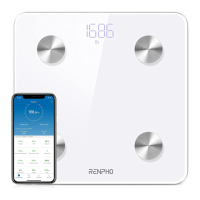
The Renpho Bluetooth Body Fat Scale is a high-precision measuring device designed to track various body composition metrics. It connects to a smartphone app (Renpho App) via Bluetooth, allowing users to monitor their health data over time.

Function Description:

The primary function of the Renpho Bluetooth Body Fat Scale is to measure body weight and, when used with bare and dry feet on its conductive area, calculate various body composition data. This data is then synchronized with the Renpho App, which provides a comprehensive overview of the user's health metrics. The scale is designed for personal use and should not be used for diagnosing or treating medical conditions. Users are advised to consult a doctor before starting any diet or exercise program. The body fat function should not be used by pregnant individuals, those with Osteoporosis, or individuals with pacemakers or other internal medical devices. All body composition data provided by the scale is for reference only.

Important Technical Specifications:

The manual lists several models, categorized by battery type:

  • Battery Models (AAA Battery):

    • Models: ES-CS20M, ES-32MD, ES-24M, ES-26GB
    • Size (inch): 11"x11"x1 (for ES-CS20M, ES-32MD); 10.2"x10.2"x0.91 (for ES-24M, ES-26GB)
    • Weight: 2.86 lbs / 1.3 kg (for ES-CS20M, ES-32MD); 2.43 lbs / 1.1 kg (for ES-24M, ES-26GB)
    • Batteries: 3 * 1.5V AAA
  • Rechargeable Models (Li-ion Battery):

    • Models: ES-30M, ES-28ML, ES-BR003
    • Size (inch): 11"x11"x1 (for ES-30M, ES-28ML); 10.2"x10.2"x0.91 (for ES-BR003)
    • Weight: 3.09 lbs (for ES-30M, ES-28ML); 2.43 lbs / 1.1 kg (for ES-BR003)
    • Batteries: Li-ion battery

Common Specifications for all models:

  • Capacity: 6.6-396 lbs / 3-180 kg
  • Division: 0.2 lb / 0.05 kg
  • Unit: Lb/kg/st (switchable via RENPHO App in Settings)
  • Accuracy Range:
    • 50 kg ± 0.3 kg
    • 100 kg ± 0.4 kg
    • 150 kg ± 0.5 kg
    • 110 lbs ± 0.66 lb
    • 220 lbs ± 0.88 lb
    • 330 lbs ± 1.1 lbs

Usage Features:

  • Getting Started:

    • Battery Models: Requires inserting AAA batteries according to polarity. Original batteries are not rechargeable. "LO" on display indicates low battery, requiring replacement.
    • Rechargeable Models: Requires charging for 2-3 hours before first use with the provided USB cable. A red light indicates charging, and a green light indicates charging is complete.
    • Placement: The scale must be used on a flat and stable surface, avoiding carpeting, to ensure accurate measurements.
    • App Download: Users need to download the "Renpho" app from their device's app store (App Store for iOS, Play Store for Android) or by scanning a QR code.
    • Account Creation: Create an account in the Renpho App with an email or log in as a Guest. Fill in personal information (gender, birthday, height, athlete mode) for precise body composition calculations.
    • Bluetooth Pairing: Turn on Bluetooth on the smartphone. For Android 6.0+, location services must also be enabled. For iOS 13+, Bluetooth needs to be enabled for the Renpho App in iPhone settings. To pair, tap "+" in the app, choose "Device management," step onto the scale with bare, dry feet, and tap the device name. Stand still for 5-10 seconds until "000" displays twice.
    • Continuous Monitoring: Once paired, body weight data will sync to the app anytime the user steps on the scale.
  • App Integration:

    • Health Data Tracking: The Renpho App displays various metrics such as weight, BMI, body fat, fat-free body weight, subcutaneous fat, visceral fat, body water, skeletal muscle, and muscle mass.
    • Multiple Fitness App Integration:
      • Samsung Health (Android only): Syncs data with Samsung Health.
      • Apple Health (iOS): For iOS 13 and above, open the Health App, click the user image, select "Apps" under Privacy, choose "Renpho," and enable all categories to allow data transfer. For previous iOS versions, open the Health app, tap "Data Sources," select "RENPHO," and customize data sharing.
      • Google Fit: Open the Renpho app, go to "My Account" > "Settings," select "Google Fit," log in to the Google Fit account, and allow access. Data will upload to Google Fit after each use.
      • Fitbit App: Open the Renpho app, go to "Settings," select "Fitbit," turn on the Fitbit button, log in to the Fitbit account, and select "Allow" to access the app. Weight and BMI data will sync to Fitbit.
    • Apple Watch Compatibility: The Renpho App can be used with Apple Watch (iOS 4.0 or above for ES-26BB Scale). Install and open the Renpho Apple Watch App, tap "Measuring," step on the scale, and stand still. Measurements will appear after 5-10 seconds.
    • Progress Tracking: Click "Trends" in the app to view progress history, select data from a calendar to compare or delete, and download data in CSV format.
    • Sharing Data: Users can share fitness data with friends via Facebook and Instagram from the Measuring page.
    • User Management: The app supports "Measurement Users" (different users sharing one scale, like family) and "Friends" (users with other Renpho scales, allowing data viewing). Users can add or delete accounts under "My Account."

Maintenance Features:

  • Safety Precautions:

    • Keep the scale dry and avoid use on wet/slippery surfaces.
    • Handle with care as it is fragile and a high-precision device. Avoid jumping or stomping on it, and do not disassemble it.
    • The scale is not waterproof; do not immerse it in water.
    • Clean the surface with a damp cloth or glass cleaner; do not use soap or other chemicals.
    • Check the device for damage before each use.
  • Troubleshooting:

    • Scale Malfunction: First check battery power and replace/charge if necessary.
    • Inaccurate Weight Measurement:
      1. Place the scale on a hard, flat surface (avoid soft floors like carpet).
      2. Step on with one foot until the LED lights up, then step off and wait for "CAL" and "0.00" to display for calibration.
      3. Keep weight centered on the scale during measurement.
      4. Wait for the scale to auto-shutoff (approx. 10 seconds) for accurate results in the app.
      5. If still inaccurate, it might be an internal error.
    • Resetting the Scale:
      • Battery Models: Remove one battery for 5 seconds, then reinsert it.
      • Rechargeable Models: Press the [RESET] button on the back for 5 seconds.
    • Unbalanced Surface: Ensure the scale is on a flat surface. Check legs/pads for obstructions.
    • Scale Won't Turn On:
      • Battery Models: Ensure batteries are correctly placed and try a different set. If it still doesn't turn on, contact support.
      • Rechargeable Models: Charge until the green battery icon appears. If it still won't turn on, contact support.
    • Bluetooth Connection Issues:
      1. Reset the scale (as described above).
      2. Reset Bluetooth connection: Ensure Bluetooth and GPS (Android only) are enabled. Open Renpho app, go to "Measurements" > "+" > "Device Management," find the scale model (starts with "ES"), slide left to forget, then tap "+" to enter pairing mode. Step on the scale to wake it up.
      3. If issues persist, use the "Bluetooth anomaly detection" function in "My Account" > "Settings" to submit an abnormality report and contact support.
    • Recalibration: If the scale has been moved or turned upside down, place it on a firm, flat surface, step on with one foot to wake it up, then step off when digits show. It will display "CAL," then "0.0" or "0.00," indicating calibration is complete.
    • No Body Fat Measured: Step on with dry and bare feet. Ensure Bluetooth is enabled and personal data is entered in the app.
    • Changing Units: Go to Renpho App, "My account" > "Settings" > "Weight Unit."
    • Password Setting: Find "Lock Password" under the Settings menu in the app.
    • Low Battery Indication ("LO"):
      • Battery Models: Replace batteries.
      • Rechargeable Models: Charge the scale.
  • Support:

    • Feedback Through App: Open Renpho App, go to "My Account" > "Help" to contact support.
    • Phone Support:
      • US Customer: 1-(844)-417-0149 (9 am to 4:30 pm)
      • UK Customer: 44-743-466-6088 GMT (9 am to 5 pm Mon-Fri)
    • Email Support:
      • US Customer: support@renpho.com
      • EU Customer: support-eu@renpho.com

The Renpho Bluetooth Body Fat Scale emphasizes user safety, data accuracy, and seamless integration with popular fitness applications to provide a comprehensive health monitoring experience.

RENPHO ES-BR003 Specifications

General IconGeneral
Display TypeLED
Auto-OffYes
MaterialTempered Glass
Power3 x AAA Batteries
ConnectivityBluetooth 4.0
Auto CalibrationYes
Weight Capacity180 kg
Weight Measurement Unitslb, kg, st
Weight1.6 kg
CompatibilityiOS and Android
Increments0.2 lb / 0.05 kg
App CompatibilityRENPHO Health App

Related product manuals