FlexiPanels
®
Advance HMI
Page 5 of 17
© Renu Electronics Pvt. Ltd.
Product Overview
This section of the manual provides an overview of FP4 series products, its front and back view,
installation details, dimensional details, mounting method and details.
Installing FP4 products
FP4 series products are designed for front panel mounting. Before installing the products, user should
review the panel guidelines, panel cutout dimensions, product dimensions and minimum clearances.
Panel Guidelines
The panel must be at least 2mm (12gauge), so that it can provide the required support and proper sealing
against water and dust. The panel surface must be flat, without any imperfection, to maintain adequate
seal and IP rating.
Maximum panel thickness allowed is 6mm (±0.2mm).
Panel Cutout Dimensions
The panel must be at least 2mm (12gauge), so that it can provide the required support and proper sealing
against.
Before making panel cutout, disconnect all electrical power from the panel.
Make sure that area surrounding the panel cutout is clear.
Make sure that metal cutting does not enter any component already installed in the
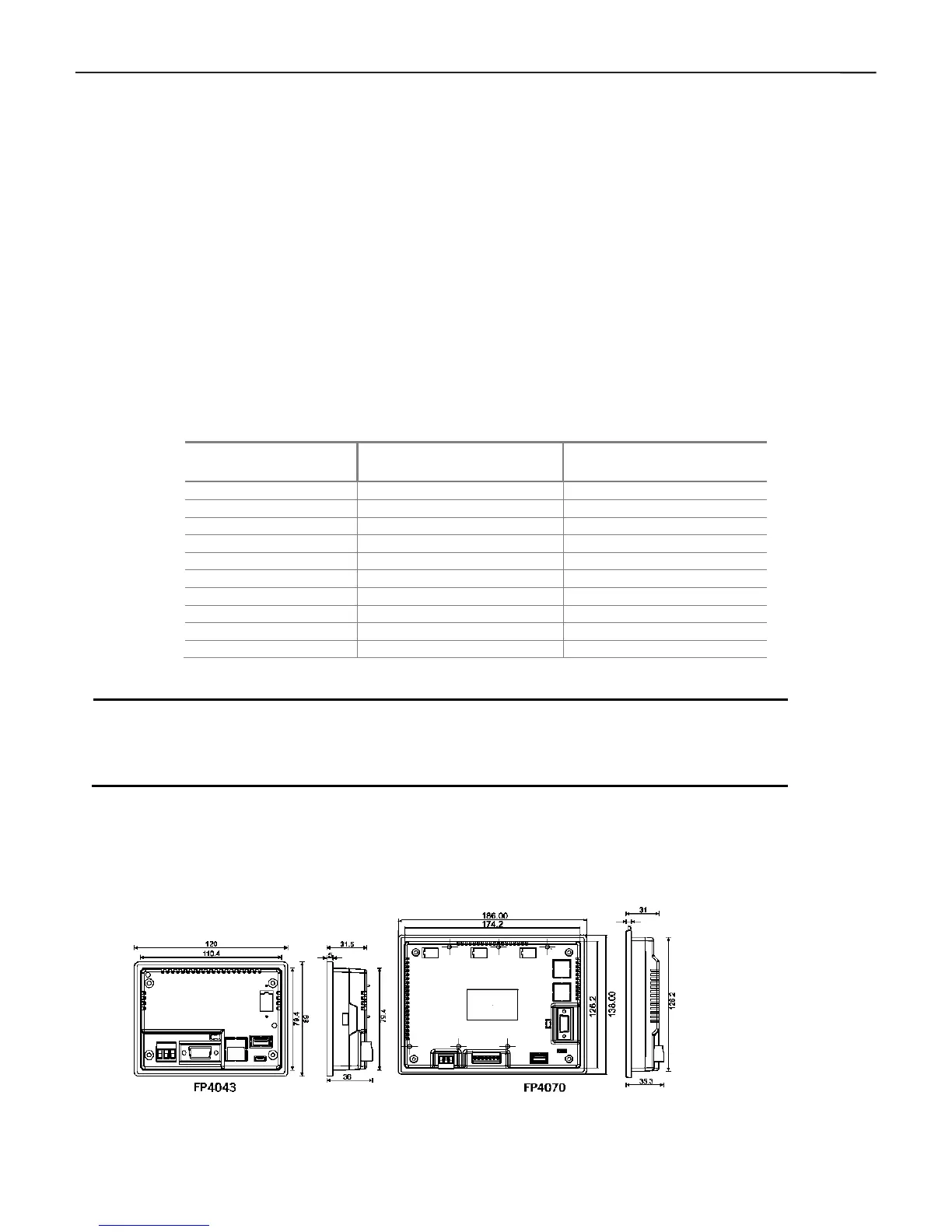
Product Dimensions
This section of the manual provides dimensional details of FP4 series products. All the dimensions shown
below are measured in mm.



 To Next Page