English English5 6
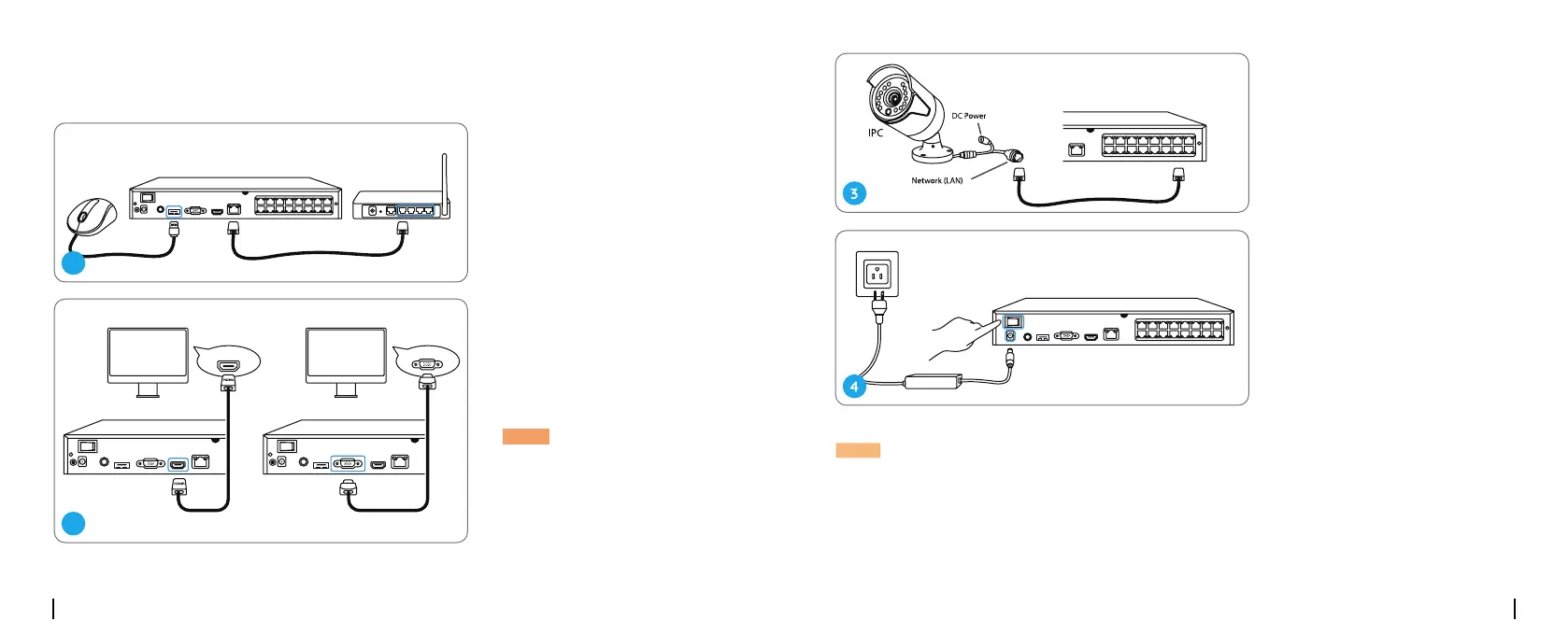
Connection Diagram
Connect the NVR (LAN port)
to your router with an Ethernet
cable. Next, connect the mouse
to the USB port of the NVR.
Connect the NVR to the monitor
with a VGA or HDMI cable.
2
1
VGAHDMI
NOTE: There is no VGA cable
included in the package.
NOTE: Some Reolink WiFi cameras also work with Reolink PoE NVR. For more information, visit
https://support.reolink.com and search Make Reolink WiFi Cameras Work with Reolink PoE-NVRs.
Connect cameras to PoE ports on
the NVR.
Connect the NVR to a power
outlet and turn on power switch.



 To Next Page