English English11 12
Specications
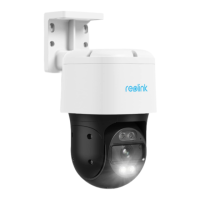
Pan & Tilt Is Not Working
If the pan & tilt feature is not working, please try the following solutions:
• Power cycle the camera and see if it will automatically pan/tilt. If not,
the camera may be faulty. If yes, please refer to the further steps.
• If the camera fails to pan/tilt via Reolink App/Client on the WAN
(remotely), try it on the LAN (locally) and see if it works.
• Upgrade the Reolink App/Client and the camera rmware to the latest
version.
• Restore the camera to factory settings and check the pan/tilt again.
If these won’t work, contact Reolink Support https://support.reolink.com.
Dimension:373*177*140mm (Ceiling Mount)
Weight:2.34kg
Operating Temperature: -10°C to 55°C (14°F to 131°F)
Operating Humidity: 10%-90%
For more Specifcations, visit https://reolink.com/.
• Restore the camera to factory settings and check out again.
If these won’t work, contact Reolink Support https://support.reolink.com/.
General
Troubleshooting
Camera Is Not Powering On
Picture Is Not Clear
If your camera is not powering on, please try the following solutions:
• Make sure your camera is powered on properly. The PoE camera should
be powered by a PoE switch/injector, a Reolink NVR or a 12V 2A power
adapter.
• If the camera is connected to a PoE device as listed above, connect it to
another PoE port and check again.
• Try again with another Ethernet cable.
If these won’t work, contact Reolink Support https://support.reolink.com.
If the picture from the camera is not clear, please try the following
solutions:
• Check the camera lens for dirt, dust or spiderwebs, please clean the
lens with a soft, clean cloth.
• Point the camera to a well-lit area, the lighting condition will aect the
picture quality a lot.
• Upgrade the rmware of your camera to the latest version.



 To Next Page
 Loading...