11
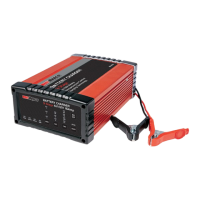
RBC16SS3
clamps, press the ON/OFF button to turn the
battery charger “OFF”, switch the mains supply
power to OFF, and disconnect (unplug) the battery
charger from the supply socket outlet.
Note - If left “ON” and connected to mains power,
the charger will monitor the battery and maintain
the battery ready for use - preventing slow
discharge over time, which is detrimental to lead
acid batteries.
BATTERY OUT OF THE VEHICLE
Remove the NEGATIVE (BLACK) connection first.
Then remove the POSITIVE (RED) terminal clamp.
BATTERY MOUNTED IN THE VEHICLE
Remove the chassis connection first. Then remove
the other battery clamp from the battery terminal.
STEP 12 - RECHECK THE ELECTROLYTE LEVELS
Recheck the electrolyte levels and top-up if
required - this is especially necessary for Calcium
type batteries.
FAQ’S
Q. What does Er1 signify?
A. Incorrect connection - check and reconnect.
Q. What does Er2 signify?
A. Bad Battery condition - unable to recover or
recharge.
Q. What does Er3 signify?
A. Not used for this model.
Q. What does Er4 signify?
A. Reverse polarity connection - +ve clamp connected
to –ve battery terminal and -ve clamp connected to
+ve battery terminal - check and rectify.
Q. What does FUL signify?
A. The battery is fully charged - disconnect or leave
for battery charger to monitor and maintain charge
condition. The FUL will extinguish after two (2)
minutes.
Q. What does 12P signify?
A. The battery charger is set to charge a 12 volt battery.
Q. What does 6P signify?
A. The battery charger is set to charge a 6 volt battery.
Q. Can I use the charger as a power supply?
A. Automatic chargers are designed to only supply
power to the battery clips when correctly
connected to a battery; this is to prevent sparks,
and enables the battery charger to check the
battery voltage and prevent damage to the charger
or battery if connected incorrectly.
Consequently, these safety feature normally prevent
the charger from being used as a ‘Power Supply’.
It should also be noted that the output voltage
can sometimes reach 16V which may irreparably
damage a 12V appliance.
Q. Why is there no output on the battery charger’s
battery clamps when it is turned on?
A. The charger incorporates reverse polarity and short
circuit protection that makes it much safer to use.
For this reason, the charger will only output power
when connected to a battery exhibiting a voltage
above 2 volts (2V).
Q. What is a Calcium type battery?
A. Calcium is added to all or some the lead plates
which allows the battery to operate at higher
ambient temperatures (experienced within modern
vehicles), contributes to a lower internal resistance
which increase Cold Cranking Amps slightly
(compared to a normal WET battery), and provides
an extremely low discharge rate (still capable to
start a vehicle after being left idle for 6 months or
more).
Calcium batteries require an additional charge
phase to recover batteries that have been used
excessively or have been left discharged for more
than a couple of days. Acid stratification causes
build up on the plates that is extremely difficult
to move, requiring a sustained high voltage for
a prolonged period, which extends the time to
achieve full charge (up to 48 hours).
The additional charge phase is required to ensure
correct and complete charging of the battery,
maximising output, preventing premature failure
and ensuring a long service life.
Q. The charger is making a “clicking” sound, is this
normal?
A. Switch mode chargers will often produce a clicking
sound as the microprocessor switches between
each stage.
Q. Why won’t the battery accept charge?
A. A number of conditions may cause this behaviour.
Check the voltage selection for the battery, and/or
ensure adequate time is provided to allow sufficient
charge cycles (up to 48 hours).
Q. What is a Faulty Cell?
A. 12 Volt batteries contain 6 cells (6 volt batteries
contain 3 cells) - one faulty cell is enough to ruin
your battery. If the LCD shows Er2, you should
test the cells using a hydrometer. If one reading
is lower than the rest it indicates a faulty cell. It is
pointless to continue charging, as the battery needs
replacing.


 To Next Page
 Loading...