6
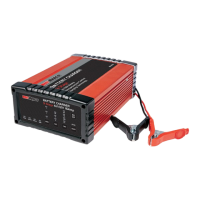
RBC16SS3
ADJUSTABLE CHARGE VOLTAGE
The Repco Battery Charger’s output voltage (V) can be
selected to suit the output voltage of the battery being
charged, ie. 6V or 12V.
ADJUSTABLE CHARGE CURRENT
The 16A Repco Battery Charger’s output current (A)
can be selected to suit the capacity of the battery
being charged, ie. 16A, 8A or 2A.
LIQUID CRYSTAL DISPLAY (LCD) - VOLTAGE (V),
CURRENT (A) & PERCENTAGE CHARGED (%)
The LCD provides three selectable display outputs.
The LED indicators on the fascia highlight the selected
characteristic being monitored and displayed.
LED INDICATORS
Four LED status indicators provide a charge status, ie.,
POWER - confirms the unit is connected and receiving
a power supply.
CHARGED - when illuminated, confirms the charge
cycle is complete and the battery is now fully charged.
The LCD will also show FUL. for 2 minutes.
CHARGING - when illuminated, confirms the battery
charger is charging the battery.
ERROR - will flash if the battery charger does not
detect a properly connected battery, or detects
an incorrect battery voltage, charging will not
commence.
Note - The LCD will show Er1, if the clamps are
“shorted”, loose or poorly connected, if the battery
voltage is less than 0.5V, or if the battery voltage is
>15.5V (for 12V mode) or >7.8V (for 6V mode).
The LCD will show Er2, if the battery is damaged or
unable to be charged.
The LCD will show Er4, if the clamps are connected
incorrectly, ie. reverse polarity (+ve clamp to –ve
battery terminal and -ve clamp to +ve battery terminal).
Note - Batteries with a battery voltage below 10.5V
may be permanently damaged - it is recommended
that batteries not be discharged to below 10.5V.
DE-SULPHATION FUNCTION
This feature provides a stepped or pulsed voltage to
help remove the sulphation of plates which can occur
when batteries are left discharged for prolonged
periods.
Note - If the battery is unable to be recovered (i.e.
the sulphation of the plates is too severe), the battery
charger will display the error message (Er2).
RECONDITIONING
When the battery has been left unattended for a
prolonged period, the sulphation of the plates may
be too severe for Stage 2: De-Sulphation cycle to
adequately clean the plates. In these instances, the
ANALYSIS stage will identify that sulphation of the
plates still exists and an additional RECONDITION
stage will provide a more concerted effort in an
attempt to recover the battery.
For Calcium batteries, the RECONDITION stage will
balance any differences in cell voltage, and repair cell
stratification of the Calcium battery.
Note - the inclusion of a RECONDITION stage may
significantly increase the charge time (up to 48 hours).
LIQUID CRYSTAL DISPLAY
A Liquid Crystal Display (LCD) provides a clear, easy-
to-read display.
CELL EQUALISATION
Repco Battery Chargers provide a low voltage PRE-
CHARGE function at a low current to allow the battery
cells to equalise.
OVER-TEMPERATURE CONTROLS
When the internal temperature of the Repco Battery
Charger reaches 50°C, sensors reduce the output
current to minimise damage due to overheating.
Note - this feature may cause an increased charge
time due interruptions to the charge cycles.
COOLING FAN
The Repco Battery Charger is fitted with a
thermostatically controlled fan to keep the on-board
electronics cool, and improve charging performance
during high ambient temperatures, when there’s a
high load on the battery, or when there is sufficient
heat build-up.
PERMANENT OR TEMPORARY CONNECTION
Two sets of connection leads are supplied - CLAMPS
for quick and easy connection, and EYELETS/RING
TERMINALS to allow permanent connection to a
battery.
Note - Additional EYELET/RING TERMINAL leads
are able to be purchased separately from your local
Repco Store.
AUTOMATIC MULTI-CYCLE CONDITIONING
If the battery will not hold charge at the completion
of the first cycle, the 9-stages of the cycle are
automatically repeated for up to a further two times to
achieve the battery’s maximum charge condition. This
minimises the need to monitor and repeat the charge
cycles if the condition of the battery is not optimum
after the first charge cycle.
Note - This feature may significantly increase the
charge time (up to 48 hours).


 To Next Page
 Loading...