9
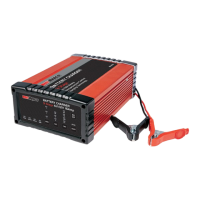
RBC25SS3
RBC5SS3
CHARGING INSTRUCTIONS
Note - BEFORE attaching the battery clamps,
disconnect (unplug) the battery charger from any
supply socket outlet, or ensure the mains supply
power is switched to OFF.
STEP 1 - BATTERY MANUFACTURER
RECOMMENDATIONS
Before using the battery charger, study the battery
manufacturer’s recommendations, rates of charge,
and any particular conditions peculiar to the
battery being charged.
STEP 2 - CHECK THE ELECTROLYTE LEVEL
Prior to charging the battery, remove the vent caps
and check the electrolyte level.
Note - For batteries without cell caps, follow the
battery manufacturer’s maintenance and charging
instructions.
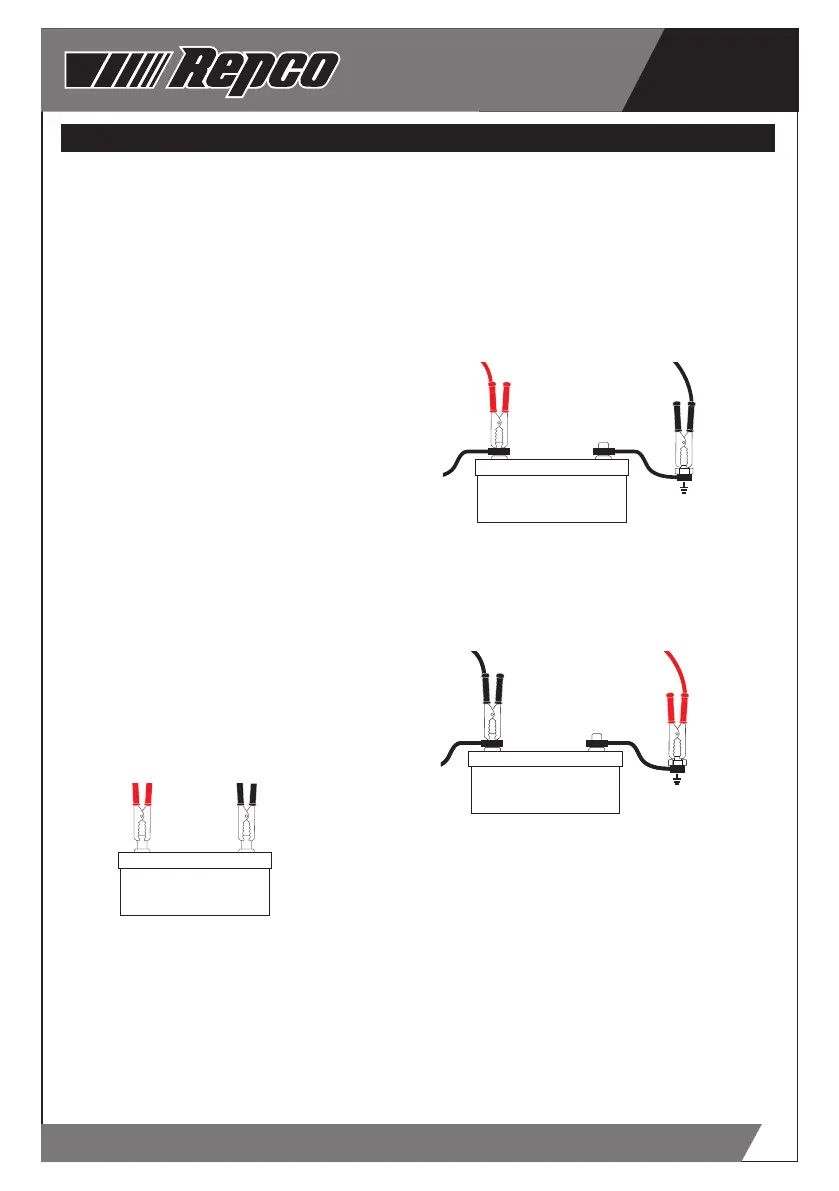
STEP 3A - CONNECTION WITH BATTERY OUT OF
THE VEHICLE
Connect the POSITIVE (RED) lead/battery-clamp
from the charger to the POSITIVE battery post.
Connect the NEGATIVE (BLACK) lead/battery-
clamp from the charger to the NEGATIVE battery
post.
Note - The POSITIVE terminal of a battery is
defined by the colour RED and may be represented
by POS, P or (+). The NEGATIVE terminal of a
battery is defined by the colour BLACK and may be
represented by NEG, N, or (-).
Wiggle or swivel the clamps several times - this
action ensures integrity of the connection and
minimizes sparks/arcing.
+
-
STEP 3B - CONNECTION WITH THE BATTERY
MOUNTED IN THE VEHICLE
Determine if the vehicle is Positively (+) or
Negatively (-) earthed.
Note - The battery terminal NOT connected to
the chassis MUST be connected to the Battery
Charger first (1st). The second (2nd) clamp from the
Battery Charger must be connected to the chassis,
away from the battery and fuel lines.
Refer to the following guides for correct battery
clamp connection sequence:
Negatively Earthed (Most Vehicles)
Note - Negatively earthed vehicles usually have a
cable (usually BLACK or GREEN) connecting the
Negative battery terminal to the vehicle’s chassis.
Connect the POSITIVE (RED) lead/battery clamp
from the battery charger to the Positive (+) battery
terminal. Connect the NEGATIVE (BLACK) lead/
battery clamp from the battery charger to the
vehicle’s chassis - away from the fuel lines or
moving parts.
+
-
Positively Earthed
Connect the NEGATIVE (BLACK) lead/battery clamp
from the battery charger to the Negative (-) battery
terminal. Connect the POSITIVE (RED) lead/battery
clamp from the battery charger to the vehicle’s
chassis - away from the fuel lines or moving parts.
+
-
+
-
STEP 4 - CONNECT TO MAINS POWER
Connect the battery charger to a 240V mains
powered socket and turn on the mains power.
The Liquid Crystal display (LCD) will illuminate
to confirm that the Battery Charger is receiving
power, and the actual battery voltage will be
displayed.



 To Next Page
 Loading...