10
Settings
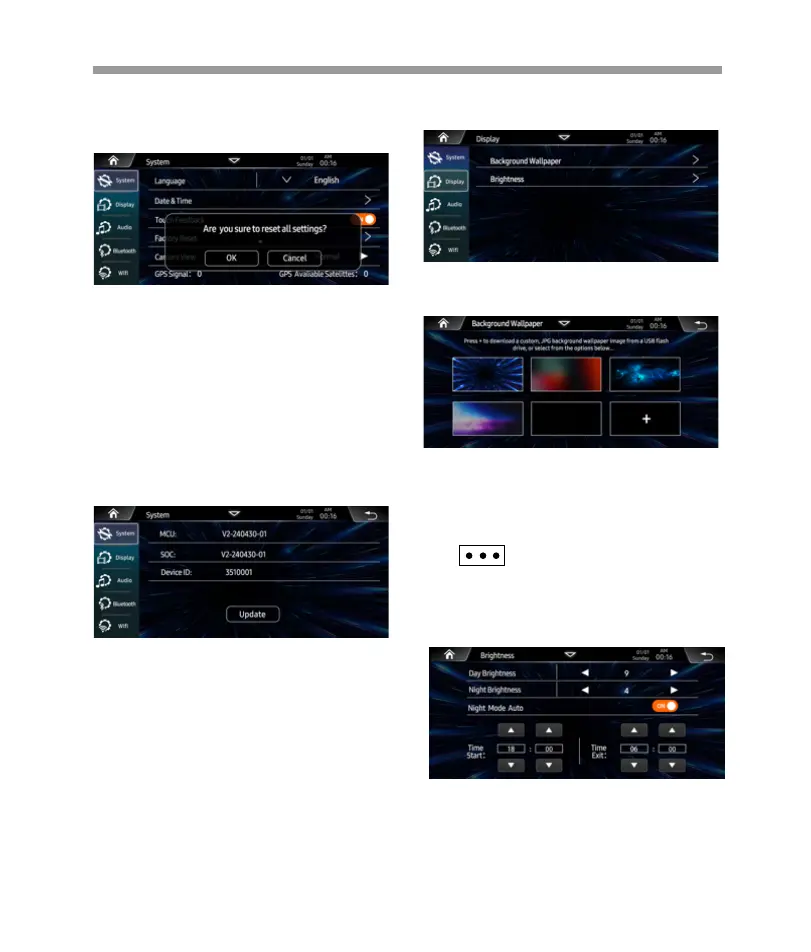
Background Wallpaper:
Display settings as below: Background wallpaper,
Brightness.
Select the prefer preset wallpaer .
Or you can press “+” to custom wallpa[er from USB
device.
Brightness:
Set the Day / Night time screen brightness.
Night Mode Auto is ON status, you can set the
Start / Exit time by manually.
Camera View:
Set the Camera View is Normal or Reverse.
GPS Signal:
Once receive the GPS signal, will display the
signal / satellite number.
Factory Reset:
Reset Factory Data, press it to pop-up dialog box,
you can select “OK” or “Cancel”.
About:
Press to display the headunit software information,
serial number.
And you can update the software via USB.
Select another picture for replacing
the current wallpaper.
Select a picture and touch ”OK” to add the
wallpaper.


 To Next Page
 Loading...