11
Settings
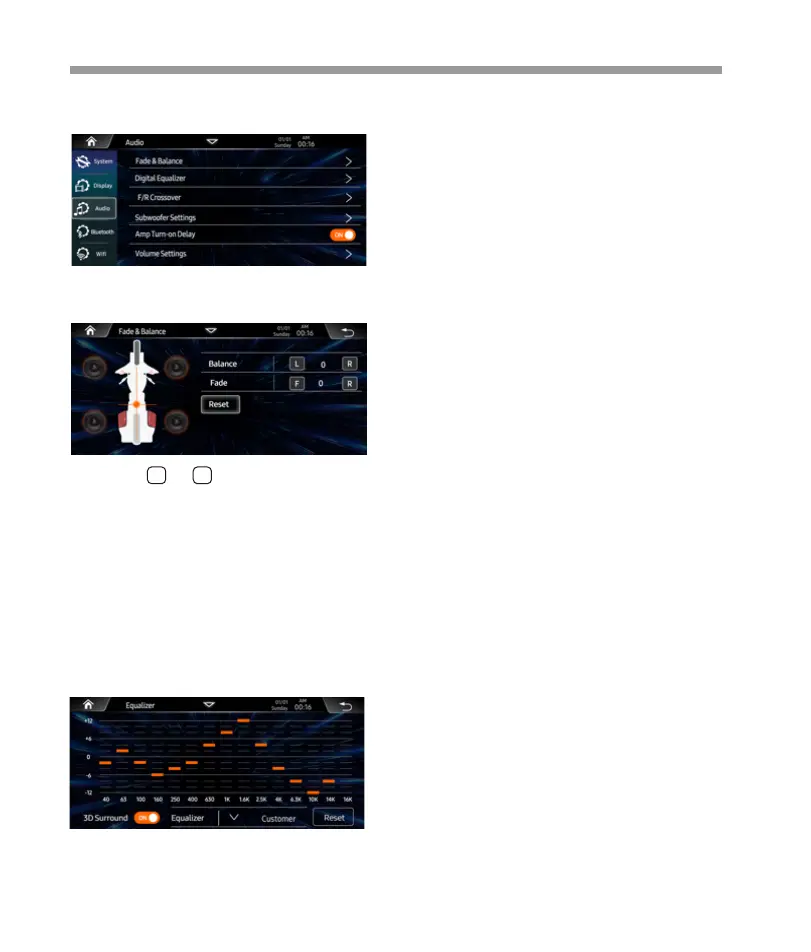
Below shown is the Audio serring Menu.
Audio Setting
Or user can touch “ ” at the bottom to activate
preser EQ list, then select the prefer one.
3D Surround is On / Off.
About the Crossover
This unit is equipped with an active crossover. The
crossover limits the frequencies delivered to the
outputs.
The crossover adjusts the HPF (high pass filter) or LPF
(low pass filter) of speakers and subwoofer, and also
the slope (how fast the filter rolls off the highs or
lows).
Adjustments should be made according to the
reproduction characteristics of the speakers.
Depending on the speakers, a passive network may
not be necessary. If you are unsure about this point,
please consult your authorized Alpine dealer.
• HPF (high pass filter): Cuts the lower frequencies and
allows the higher frequencies to pass.
• LPF (low pass filter): Cuts the higher frequencies and
allows the lower frequencies to pass.
• Slope: The level change (in dB) for a frequency change .
• The higher the slope value, the steeper the slope
becomes.
• Do not use a tweeter without the HPF set on, with a
high cut-off frequency, otherwise damage may occur to
the speaker due to the low frequency content.
• Adjustment should be made according to the
recommended crossover frequency of the connected
speakers. Determine the recommended crossover
frequency of the speakers. Adjusting to a frequency
range outside that recommended may cause damage
to the speakers.
For the recommended crossover frequencies of
speakers, refer to the respective Owner’s Manual.
We are not responsible for damage or malfunction of
speakers caused by using the crossover outside the
recommended value.
Fade & Balance:
Select the prefer language for operation.
Touch the or of Balance/ Fade to
tune for the driver and passenger
preference.
The value of Balance (Left 12 – Right 12)
and Fader (Front 12 – Rear 12).
Touch Reset to set both Balance and Fader
to zero.
L R
15-Band Equalizer:
15-band of EQ tuning, slide the EQ bar to tune
each band frequency level according to use
preference.
Touch Reset button to sell all Band to zero.
>


 To Next Page
 Loading...