iGo map Operation
3D terrain
Elevated roads
3D landmarks
3D buildings
Epsilon Linux device displays 3D
hills and mountains in the Naviga-
tion view, and illustrates them by
coloring and shading on the 2D
map.
Elevated roads are complex
intersections and vertically isolated
roads (such as overpasses or
bridges) displayed in 3D.
Landmarks are 3D representations of
prominent or well-known objects.
3D buildings are block representa-
tions of full town building data
containing actual building sizes and
positions on the map.
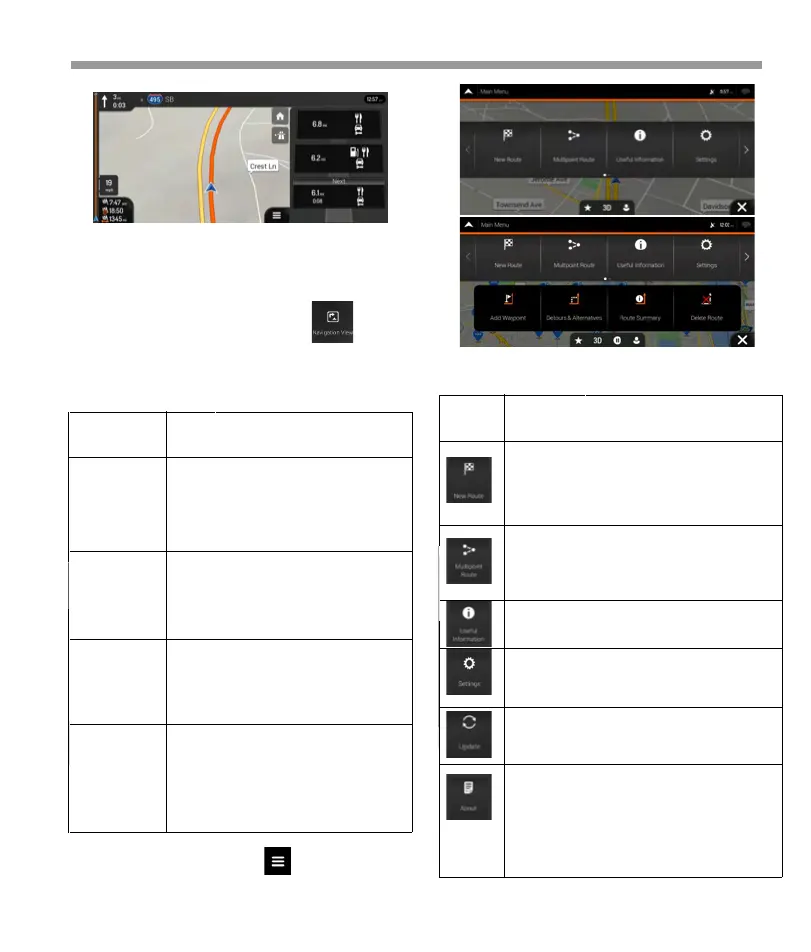
Type Description
Select your destination by entering an
address or its coordinates, or by selecting
a Place, a Saved Location, or a Saved
Route. You can also look up your recent
destinations from the History.
Build your route from one or more route
points. You can also plan a route
independently of your current GPS
position by setting a new starting point.
Access additional options and check
navigation-related information.
Customize the way the navigation
software works.
You can access the latest free map or
software updates here.
The About section pro you with product
information. Read the Software and
Database End User License Agreement, or
check the map and other contents of the
application. You can also access program
usage statistics.
Button Function
2.3.9 3D object types
Epsilon Linux device supports the following 3D object
types:
You can see the following menu options when you
are navigating without a planned route:
Tap any of them to display the exit area on the map.
You can now easily add this service station as a
waypoint to your route if necessary. If you want to
display other types of Places at the next few service
stations, you can change the icons in
2.4 Navigation menu
On the Navigation view, tap to open the
Navigation menu.
36


 To Next Page
 Loading...