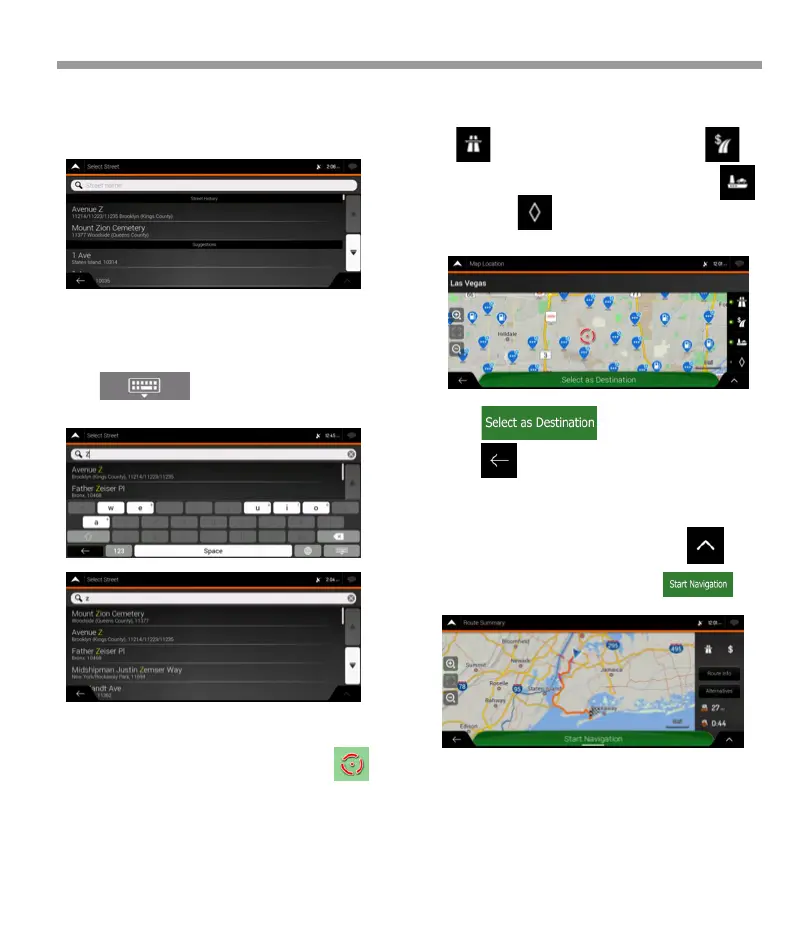
5. Enter the street name.
a. Tap the Street field. b. (optional) On the Select
Street screen, you can immediately select a street
from the list of suggestions.
3.1.2.2 Entering an address starting with the street
name
After you have selected the country and state, you
can leave the city or ZIP code field empty and start
the search with the street name. This way you can
search in all streets of a state. If you select the country
without a state, this function cannot work.
7.Check the settings for road types and change
them if necessary.
c. Otherwise, start entering the street name on the
keyboard, the names that match the string appear in
a list.
d.Tap to open the list of results. Select
the street from the list.
6. A full screen map appears with the selected point
in the middle. If necessary, tap the map somewhere
else to modify the destination. The cursor ( )
appears at the new location.
Tap to enable or avoid freeways, tap for
roads with Period Charge or Per-use Toll, tap for
ferries, or tap for carpool lanes.
8. Tap to confirm the destination,
or tap to select a different destination.
9. The route is calculated and the map appears
showing the entire route, where you can check route
information and route alternatives. Tap to
modify the route parameters, or tap to
start your journey.
iGo map Operation
41


 To Next Page
 Loading...