1. Tap on the Navigation view to access the
Navigation menu.
2. Tap and .
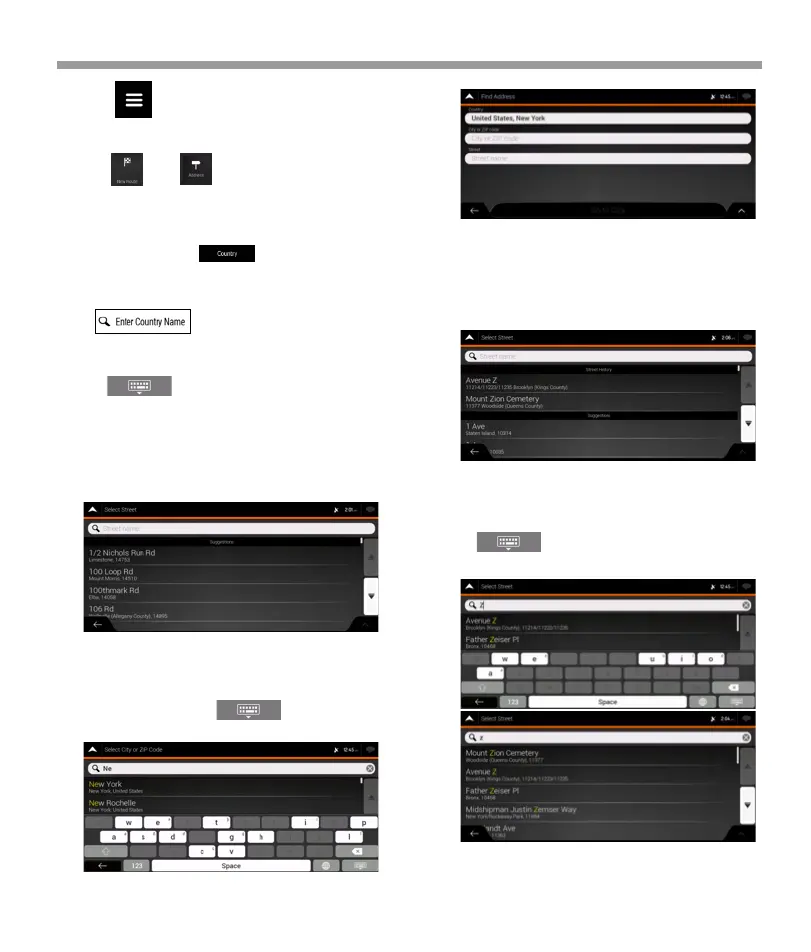
5. Enter the street name.
a. Tap the Street field.
b. (optional) On the Select Street screen, you can
immediately select a street from the list of sugges-
tions.
c. Otherwise, start entering the street name on the
keyboard, the names that match the string appear in
a list.
d. Tap to open the list of results. Select the
street from the list.
4. If needed, select a new city. a. Tap the City or ZIP
code field. b. (optional) In the Select City or ZIP code
screen, you can immediately select a city from the list
of suggestions.
c. Otherwise, start entering the first few letters of the
city on the keyboard. The names that match the
string appear in a list.
d. To open this list, tap and select the city.
a. In the Select Country screen, you can immediately
select a country from the list below the input field or
tap the button and start entering the
first few letters of the country on the keyboard.
b.Tap to open the list of results and select
one country from the list.
iGo map Operation
42


 To Next Page
 Loading...