iGo map Operation
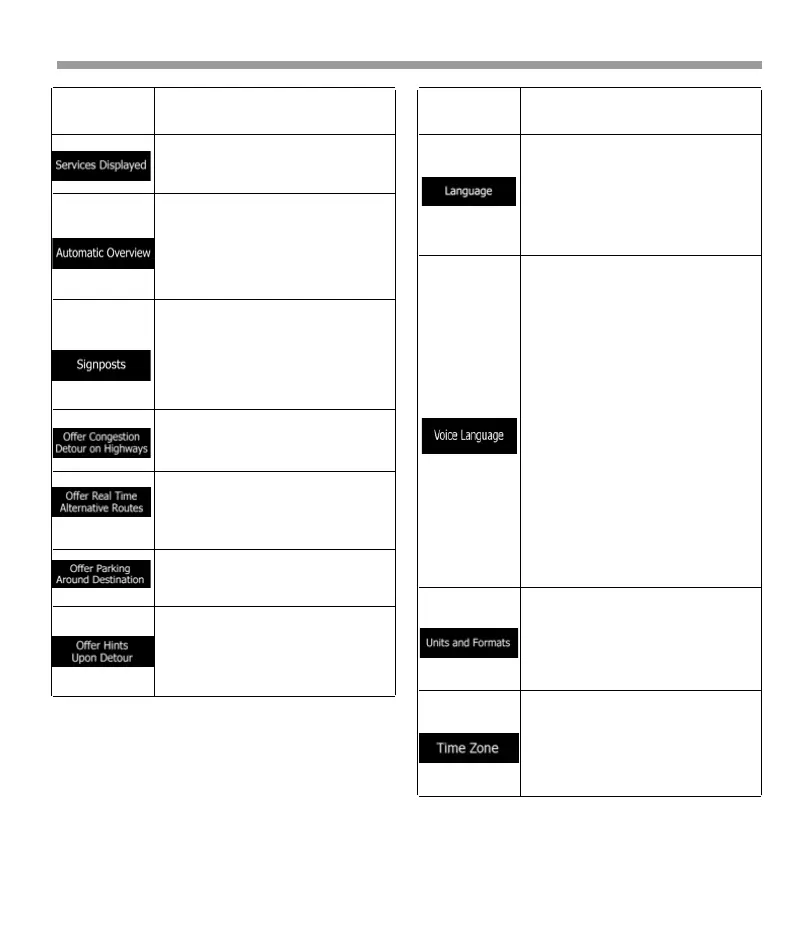
Select the service types displayed
for the freeway exits. Choose from
the Places categories.
Zoom out and show an overview
of the surrounding area if the next
maneuver is far and you are
driving on a freeway. When you
get close to the event, the normal
map view returns.
Whenever adequate information is
available, lane information similar
to the real ones on road signs
above the road is displayed at the
top of the map. Tap it to turn this
feature on or off.
In certain situations, Epsilon Linux
device offers a detour when there
is a traffic jam on a highway.
In certain situations, Epsilon Linux
device offers an alternative route
when there is a traffic jam on the
road.
In certain situations, Epsilon Linux
device offers parking Places when
you approach your destination.
In certain situations, Epsilon Linux
device offers different route
alternatives when you leave the
planned route and suddenly exit
the freeway.
Button Function
4.3.5 Regional settings
You can modify the following settings:
4.3.6 Trip Monitor settings
Trip logs contain useful information about your
recorded trips. You can enable and modify the
following settings:
It displays the current written
language of the user interface.
Tap it to select a new language
from the list of available languag-
es. The application restarts after
you change this setting and
confirm it.
It shows the current voice
guidance profile. Tap it to select a
new profile from the list of
available languages and speakers.
Tap any of these to hear a sample
voice prompt. Just tap when you
have selected the new spoken
language.
Different voice profiles are capable
of different levels of service:
*Natural Voice (street names not
announced): These pre-recorded
sounds can only tell you basic
information about turns and
distances.
*TTS Voice (street names
announced): These computed
voices can read out complex
instructions, street names or
system messages.
By default, the time zone is taken
from the map information and
adjusted by your current location.
Here you can manually set the
time zone and the daylight saving
time.
You can set the measurement
units and time/date format to be
used. Epsilon Linux device may not
support all the listed units in some
voice guidance languages.
Button Function
72


 To Next Page
 Loading...