iGo map Operation
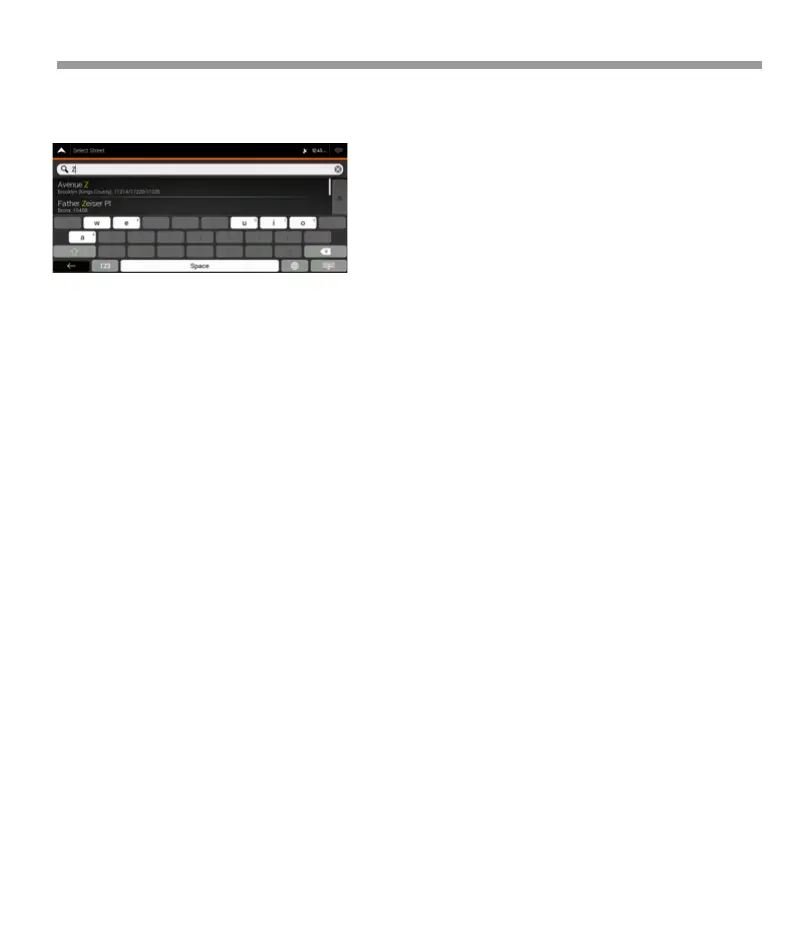
5.5 Keyboard buttons are grayed out Issue:
Some keyboard buttons are grayed out and cannot be
used.
Cause: V2 has a smart keyboard for address search,
which means that only those buttons are active that
can be used to type a name that is available on the map.
Solution: Check if you entered the name correctly. If the
name is correct, then the address you are looking for is
not available in the digital map data.
6 Copyright note
The product and the information contained herein are
subject to change without prior notification.
This manual may not, in whole or in part, be reproduced
or transmitted in any form either electronically or
mechanically, including photocopying and recording,
without the express written consent of Epsilon.
© 2024 - Epsilon © 2006 – 2024 TomTom.
All rights reserved. This material is proprietary and the
subject of copyright protection, database right protec-
tion and other intellectual property rights owned by
TomTom or its suppliers. The use of this material is
subject to the terms of a license agreement.
Any unauthorized copying or disclosure of this material
will lead to criminal and civil liabilities.
All rights reserved.
74


 To Next Page
 Loading...