EasyManua.ls Logo

Resource Data Management PR0710-MOB - User Manual

Default Icon
21 pages
Print Icon
To Next Page IconTo Next Page
Loading...
Mercury 2 & Intuitive Mercury Mobile
Controller
Installation & User Guide
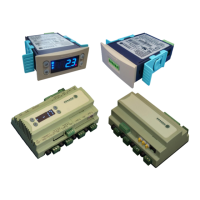
For Products: - PR0710, PR0711, PR0720, PR0721
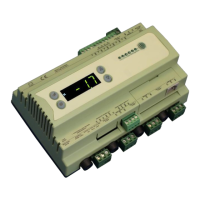
Mercury
PR0710-MOB
PR0720-MOB
UK OFFICE
Resource Data Management Ltd
80 Johnstone Avenue,
Hillington Industrial Estate,
Glasgow, Scotland, G52 4NZ, UK
+44(0)141 810 2828
sales@resourcedm.com
US OFFICE
Resource Data Management Inc
100 North Sixth Street,
Suite 820C,
Minneapolis, MN 55403, USA
Tel +1 612 354 2923
Fax +1 612 208 0922
usasales@resourcedm.com
Resource Data Management
Intuitive
PR0750-MOB
PR0760-MOB

Table of Contents

Question and Answer IconNeed help?

Do you have a question about the Resource Data Management PR0710-MOB and is the answer not in the manual?

Resource Data Management PR0710-MOB Specifications

General IconGeneral
BrandResource Data Management
ModelPR0710-MOB
CategoryController
LanguageEnglish

Summary

Front Display Features

Connections

Mercury Mk2 6-5 E and 6-5 M

Shows the input/output connections on the back and RS232 port on the side of the Mk2 controller.

Input and Output Allocation Tables

Input; Output allocation table

Details the functions of inputs and outputs based on controller type and lists digital inputs from switched resistors.

Setting up the controller

Setup through front buttons

Guides users on how to enter setup mode and navigate through the function menu using the controller's buttons.

Setup Function Menu

Recommended set-up method

Provides a recommended sequence for setting up the controller via its buttons if not connected to a network.

Parameter Tables

Parameter Descriptions

Relay State and functional operation

Relay and screen states during defrost

Defrost Type (P-91)

Details the effect of P-91 setting on compressor operation during electric or gas defrost cycles.

Defrost Termination

Describes the conditions under which a defrost cycle terminates, based on probe temperature or air-off probe.

Fan Delay after Defrost

Outlines how fan operation is managed after a defrost cycle, based on time or temperature settings.

Network Configuration

RS485 Legacy module; Intuitive Internal RS485 Network card

Explains how to connect and configure RS485 modules and internal cards for Genus or Wireless Mesh networks.

Wireless Mesh Communication Module

IP Futura module; Intuitive Internal IP Network card

IP-r

Messages

Network Alarms

Modifying controller states

Remote Commands

Specification

Power requirements

Details the supply voltage range, frequency, and maximum/typical current requirements for the controllers.

General

Covers operating and storage temperature ranges, environmental conditions, size, weight, safety, EMC, and ventilation.

Relay Specification

Provides detailed specifications for the mechanical type (M) relays, including max current, voltage, and fuse ratings.

Inputs

Installation

Dimensions

Related product manuals