Need help?
Do you have a question about the Resource Data Management PR0750-MOB and is the answer not in the manual?
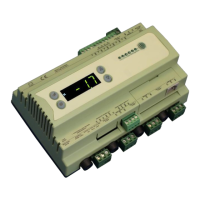
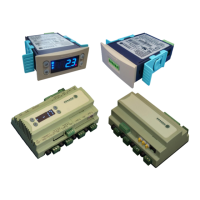
Describes different controller models available, including Mercury Mk2 and Intuitive Mercury types.
Lists compatible display units for Mercury and Intuitive Remote Display Controllers.
Details the two available controller configuration options: Integral controller HT and LT.
Lists network connection modules for controllers, including IP, RS485, and Wireless Mesh.
Explains the function of the status LEDs on the front panel for Cooling, Fans, Lights, and Defrost.
Describes the function of the front panel keys: Enter, Up, Down, and Defrost.
Details the 4-character LED display and its role in showing temperature and status messages.
Details the input/output and communication port connections for the Mercury Mk2 controller.
Lists optional internal network cards for the Intuitive Mercury controller (IP, RS485, Wireless Mesh).
Explains the part numbering scheme for ordering controllers with specific hardware configurations.
Details the functions assigned to controller inputs and outputs based on type.
Information on resistor values required for specific input functions like Plant Fault.
Outlines the different ways to access controller settings: front buttons, PC, or network.
Step-by-step guide for configuring the controller using its front panel buttons.
Lists and describes the available options in the setup menu, such as IO, PA/A, Unit, and nEt.
Steps to configure the controller's internal clock, including date and time settings.
Steps to select the controller's type, either High Temperature (HT) or Low Temperature (LT).
Guide to accessing and modifying controller parameters via the setup menu.
Steps to set temperature units (Celsius/Fahrenheit) and select probe types.
Lists parameters P-01 to P-44 with their range, step, units, and default values.
Describes how to configure the controller's display format for temperature readings.
Provides detailed explanations for various controller parameters, covering their function and use.
Explains parameters specific to defrost operation and fan control logic.
Explains parameters related to inputs, outputs, alarms, and probe logging functions.
Explains parameters for lighting modes, case off, and load shedding functions.
Describes the functional states of relays 1-5 under different operating conditions.
Shows controller states and relay activity during different defrost phases (Pump Down, Min, Max).
Explains the settings for defrost heater type (Electric, Gas) and their effects.
Details how defrost cycles are terminated based on probe temperature or settings.
Explains fan behavior following a defrost cycle, based on time or temperature.
Guides configuration for RS485 compatible networks, including network type and address.
Information on connecting a controller via a Wireless Mesh communication module.
Procedure for resetting network addresses and names in the controller.
Details on configuring IP network cards for the controller.
Steps to configure dynamic IP addressing via DHCP for IP networks.
Information on connecting and using the Mercury Switch device for network access.
How to view the current status of inputs and outputs on the controller.
How to view the highest and lowest control temperatures recorded since last power cycle.
Lists and explains system status messages and alarms displayed on the controller.
Lists and explains alarms related to network communication and status.
How to set the controller to operate in Fans Only mode.
How to set the controller to operate in Case Off mode.
How to set the controller to operate in Lights Only mode.
Details the electrical power requirements for both Mercury Mk2 and Intuitive Mercury controllers.
Covers operating temperature, environmental factors, size, safety, and EMC compliance.
Details the specifications for the controller's relays, including current, voltage, and type.
Describes input resistance and selectable input types for temperature probes.
Provides a wiring diagram example for using switched resistors on a probe input.
Specifies panel cut-out dimensions and clearance zones for flush mounting the Mercury Mk2.
Provides physical dimensions and diagrams for the Mercury Mk2 controller units.
Provides physical dimensions and diagrams for the Intuitive Mercury controller.
Details how to mount the Intuitive Mercury controller onto a DIN rail.
Guidance on how to clean the controller's front panel safely.
Legal notice regarding product specifications, changes, and liability.
Lists revisions and changes made to the user guide document over time.
 General
| Communication Protocol | Modbus RTU |
|---|---|
| Power Supply | 24 VDC |
| Mounting | DIN Rail |
| Input Voltage | 24 VDC |
| Protection | IP20 |
| Dimensions | 90mm x 70mm x 60mm |
| Weight | 200g |

 To Next Page