EasyManua.ls Logo

Resource Data Management PR0750-TDB - User Manual

Resource Data Management PR0750-TDB
53 pages
Print Icon
To Next Page IconTo Next Page
Loading...
PR0710
PR0711
PR0750-TDB
PR0751-TDB
PR0760-TDB
PR0761-TDB
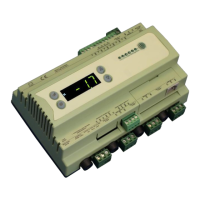
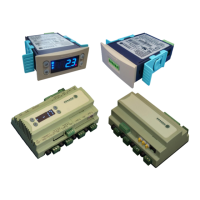
Intuitive Mercury TDB Controller
Installation & User Guide
UK OFFICE
Resource Data Management Ltd.
80 Johnstone Avenue,
Hillington Industrial Estate,
Glasgow, Scotland, G52 4NZ, UK
+44(0)141 810 2828
sales@resourcedm.com
US OFFICE
Resource Data Management USA Inc.
100 North 6th Street,
Suite 630B,
Minneapolis, MN 55403, USA
+1 612 354 3923
usasales@resourcedm.com
Resource Data Management

Table of Contents

Question and Answer IconNeed help?

Do you have a question about the Resource Data Management PR0750-TDB and is the answer not in the manual?

Resource Data Management PR0750-TDB Specifications

General IconGeneral
BrandResource Data Management
ModelPR0750-TDB
CategoryController
LanguageEnglish

Summary

The Intuitive Mercury Range

Intuitive Mercury TDB Controller

Describes the versatile TDB controller for HVAC, BMS, and Refrigeration applications.

Configuration and Network Interfaces

Explains controller configuration via Data Builder and compatible network interface modules.

Inputs, Outputs, and Remote Displays

Details available inputs/outputs and compatible remote displays for the controller.

Getting Started with TDB Control Editor

Software Requirements and Initial Setup

Guides users on initial setup, software requirements, and obtaining the TDB Control Editor.

Control Editor Interface and Program Operations

Designing and Building Applications

Configuring and Saving TDB Programs

Configuring Blocks and Properties

Explains how to use the Property Box to configure individual blocks and their settings.

Saving Programs and Password Protection

Details how to save the program and discusses password protection features.

Controller Setup and Network Configuration

Real Time Clock and Network Configuration

Details setting the RTC and configuring network settings for IP/WiFi modules.

Network Interface Configuration Details

Toolbox Menu and Basic Editing Tools

Online Mode and Simulation

Describes connecting to the controller online for monitoring and running program simulations.

Input;Output Object Configuration

Analogue Input Configuration

Details configuration and properties of analogue input blocks, including probe types.

Analogue Output Configuration

Explains configuration and properties of analogue output blocks, including mapping points.

Digital Input;Output Configuration

Describes configuration and properties of digital input and output blocks.

Networked Inputs and Specific Timer Blocks

Logic and Mathematical Blocks

Level Monitoring and Conversion Blocks

Custom Blocks and Program Editing Tools

Program Search, Replace, and Simulation

Running Program Simulation

Explains how to run a simulation of the TDB application to test its logic.

Network Data Mapping and Handling

Network Analogue Input and Data Manager Mapping

Explains receiving analogue values from Data Manager and mapping them.

Network Digital Input and Data Manager Mapping

Describes mapping digital values from Data Manager and handling network inputs.

Controller Specifications and Physical Details

Power, General, and Relay Specifications

Lists power, general operating, and relay specifications for the controller.

Physical Dimensions and Mounting Instructions

Shows controller dimensions and provides instructions for mounting.

Uploading;Downloading TDB Programs from Data Manager

Related product manuals