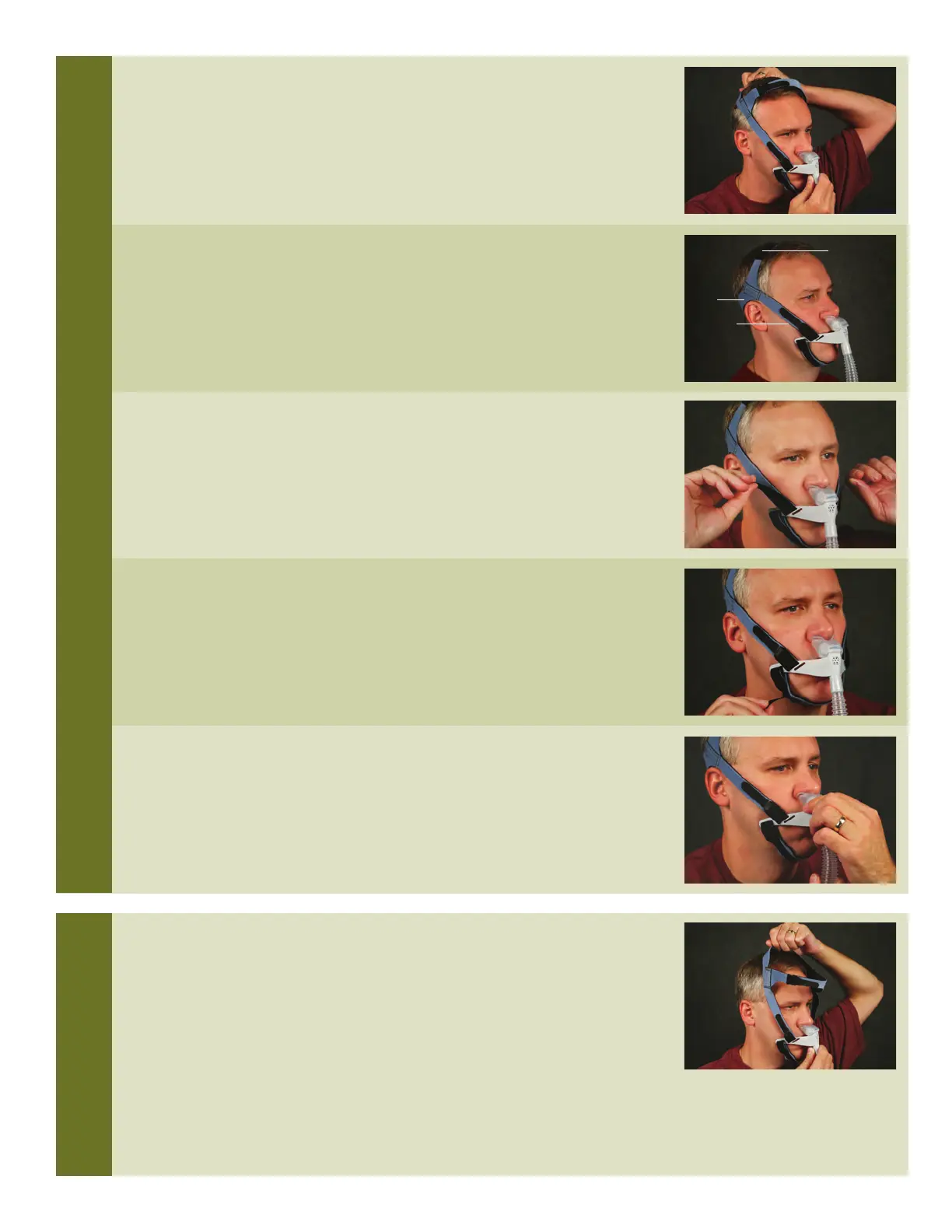
5. If necessary, rotate the cushion on the cushion attachment hub
for a comfortable fit.
Pull the headgear back strap and slide it forward over the head.
1. Place the nasal cushion into the nostrils. Hold the headgear back strap in
f
ront of the face and pull it over the head. The back strap has the
Respironics logo on the blue (outer) side of the headgear.
2. The back strap should be positioned on the back of the head; the
adjustable top strap should be positioned on the top of the head; and the
side straps should be positioned above the ears.
(If side straps are resting on or below the ears see “Fitting Tips” at the
end of this guide.)
3. Adjust the side straps to help move the pillows cushion comfortably into
the nostrils. Adjust the side straps evenly on both sides.
4. Adjust the chin support band so that it rests snugly against the chin.
DO NOT over tighten. The mouth should be able to open slightly without
pulling the pillows from the nostrils.
PUTTING ON AND ADJUSTING THE INTERFACE
REMOVING INTERFACE
T
OP STRAP
SIDE STRAP
BACK
S
TRAP



 To Next Page