EasyManua.ls Logo

Respironics REMstar Auto M Series - User Manual

Respironics REMstar Auto M Series
47 pages
Print Icon
To Next Page IconTo Next Page
Loading...
1050653
JR 1/22/08
EN-DOM
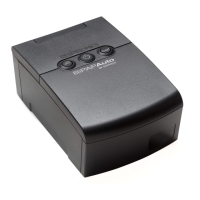
REMstar
®
Auto
M Series

Questions and Answers

  • A
    Amanda HarrisAug 16, 2025
    How to stop throat and nose dryness with Respironics REMstar Auto M?
    • I
      Isaac DanielsAug 16, 2025
      If you're experiencing throat or nose dryness while using your Respironics Respiratory Product, the air may be too dry. Increase the room humidity. Consult with your healthcare professional about using a Respironics humidifier with the device. If you already have a humidifier, ensure it is working properly by referring to its instructions.
  • E
    erica54Aug 19, 2025
    How to solve mask issues with Respironics REMstar Auto M?
    • S
      Scott AcostaSep 12, 2025
      If you're experiencing mask-related issues with your Respironics Respiratory Product, such as discomfort or air leakage, refer to your mask instructions for information on proper fitting. If the problem continues, contact your home care provider.
  • S
    Sandra FordAug 22, 2025
    What to do if Respironics REMstar Auto M Respiratory Product doesn't turn on?
    • K
      kristi21Aug 22, 2025
      If your Respironics Respiratory Product isn't turning on, check the following: * **AC Power:** Ensure the device is properly plugged into a working outlet and the power cord is securely connected to both the power supply and the device. * **DC Power:** Verify that your DC power cord and battery adapter cable connections are secure. Check your battery; it may need to be recharged or replaced. Also, inspect the DC cord's fuse. If using a humidifier, follow the power instructions provided with it. If the problem persists after checking these, contact your home care provider.
  • G
    Gabrielle FrazierAug 25, 2025
    Why is the air from my Respironics REMstar Auto M Respiratory Product mask too warm?
    • S
      Sydney ChungAug 26, 2025
      If the air from your Respironics Respiratory Product mask is warmer than usual, the air filters may be dirty, or the device may be operating in direct sunlight or near a heater. Clean or replace the air filters. Ensure the device is properly ventilated and away from direct sunlight and heating equipment. The air temperature can also vary based on your room temperature. If the problem continues, contact your home care provider.
  • J
    Jared BradleyAug 27, 2025
    What to do if Respironics REMstar Auto M display is erratic?
    • R
      Richard GarciaAug 28, 2025
      If your Respironics Respiratory Product's display is erratic, unplug the device and power supply, then reapply power. If the problem persists, relocate the device away from electronic equipment like cell phones, computers, and TVs to reduce Electromagnetic Interference (EMI). If the issue continues, contact your home care provider.
  • P
    Pedro MooreAug 30, 2025
    What to do if Respironics REMstar Auto M Respiratory Product doesn't start when I press the button?
    • M
      matthew15Aug 30, 2025
      If your Respironics Respiratory Product doesn't start when you press the button, ensure the device is powered correctly. If the audible indicator sounds and the button backlights turn on, but the airflow doesn't, there may be a problem with the blower. In this case, contact your home care provider for assistance. Note that a slight delay before the airflow turns on is normal.
  • J
    John GilbertSep 2, 2025
    How to fix air leaks on Respironics REMstar Auto M Respiratory Product tubing?
    • S
      Steve KingSep 2, 2025
      If you're experiencing excessive air leaks where the tubing connects to your Respironics Respiratory Product, the air outlet port may not be installed correctly. To resolve this: 1. Remove the port by putting your thumb underneath and inserting your index finger into the opening. 2. Unsnap the port, pivoting from the bottom, and pull it away. 3. Reattach the port, ensuring it's correctly oriented with the opening at the top. Insert the two latches at the bottom into the openings on the device. 4. Push the top of the port down to snap it into place. Reconnect your tubing, turn on the airflow, and check for any remaining leaks.
  • S
    sanchezangelaSep 4, 2025
    What to do if my Respironics Respiratory Product fell off the table?
    • J
      Joshua AcostaSep 4, 2025
      If your Respironics Respiratory Product has fallen off the table, ensure it's placed on a hard, flat surface so the feet can adhere properly. Keep it away from the edge and ensure the tubing doesn't cause it to fall. If using a humidifier, position both below your head and mask to allow condensation to drain back into the water chamber. If water gets into the device, drain it and let it dry completely before reapplying power. If the device doesn't operate correctly after drying, contact your home care provider.
  • W
    William HamiltonSep 7, 2025
    Why doesn't the Ramp feature work on my Respironics Respiratory Product?
    • J
      Jessica RobinsonSep 7, 2025
      If the Ramp feature isn't working on your Respironics Respiratory Product, it may not have been prescribed for you, or your CPAP pressure might already be at the minimum setting. Discuss this feature with your home care provider to see if they will change your prescription. If Ramp is enabled but still doesn't work, check the pressure setting on your Active Display screen. If it's at the minimum (4.0 cm H2O), the Ramp feature won't function.
  • A
    Adriana BaxterSep 12, 2025
    Why does my Respironics REMstar Auto M Respiratory Product reset automatically?
    • D
      Dawn MccallSep 12, 2025
      Your Respironics Respiratory Product comes with troubleshooting software that automatically monitors performance. Automatic resets pose no danger and ensure you receive prescribed therapy. If device damage is possible, it will shut down permanently and display a 'Service Required' alert, indicating it should be returned to your home care provider.

Summary

Introduction to REMstar Auto M Series

Warnings, Cautions, and Contraindications

Details safety instructions, potential hazards, and conditions that prohibit device use.

Device Controls and Displays

Controls and Displays Overview

Describes the primary control buttons and display navigation buttons on the device.

Setup Procedures

Installing Air Filters

Instructions for inserting and maintaining the device's air filters.

Connecting the Breathing Circuit

Step-by-step instructions for connecting the mask, tubing, and device.

Supplying Power to the Device

Explains how to connect the device to AC or DC power sources.

Device Operation

Starting the Device

Guides users on how to power on and begin therapy with the device.

Using Ramp and C-Flex Features

Explains how to utilize comfort features like ramp and C-Flex for personalized therapy.

Changing Device Settings

Details how to navigate and modify device settings via the display screens.

Device Alerts and Troubleshooting

Device Alerts Summary

Describes system alerts, their priority levels, and indicators.

Troubleshooting Common Issues

Provides solutions for common problems encountered with the device or mask.

Accessories for REMstar Auto M Series

Adding Supplemental Oxygen

Safety warnings and instructions for using supplemental oxygen with the device.

Cleaning and Maintenance

Respironics REMstar Auto M Series Specifications

General IconGeneral
BrandRespironics
ModelREMstar Auto M Series
CategoryRespiratory Product
LanguageEnglish

Related product manuals