EasyManua.ls Logo

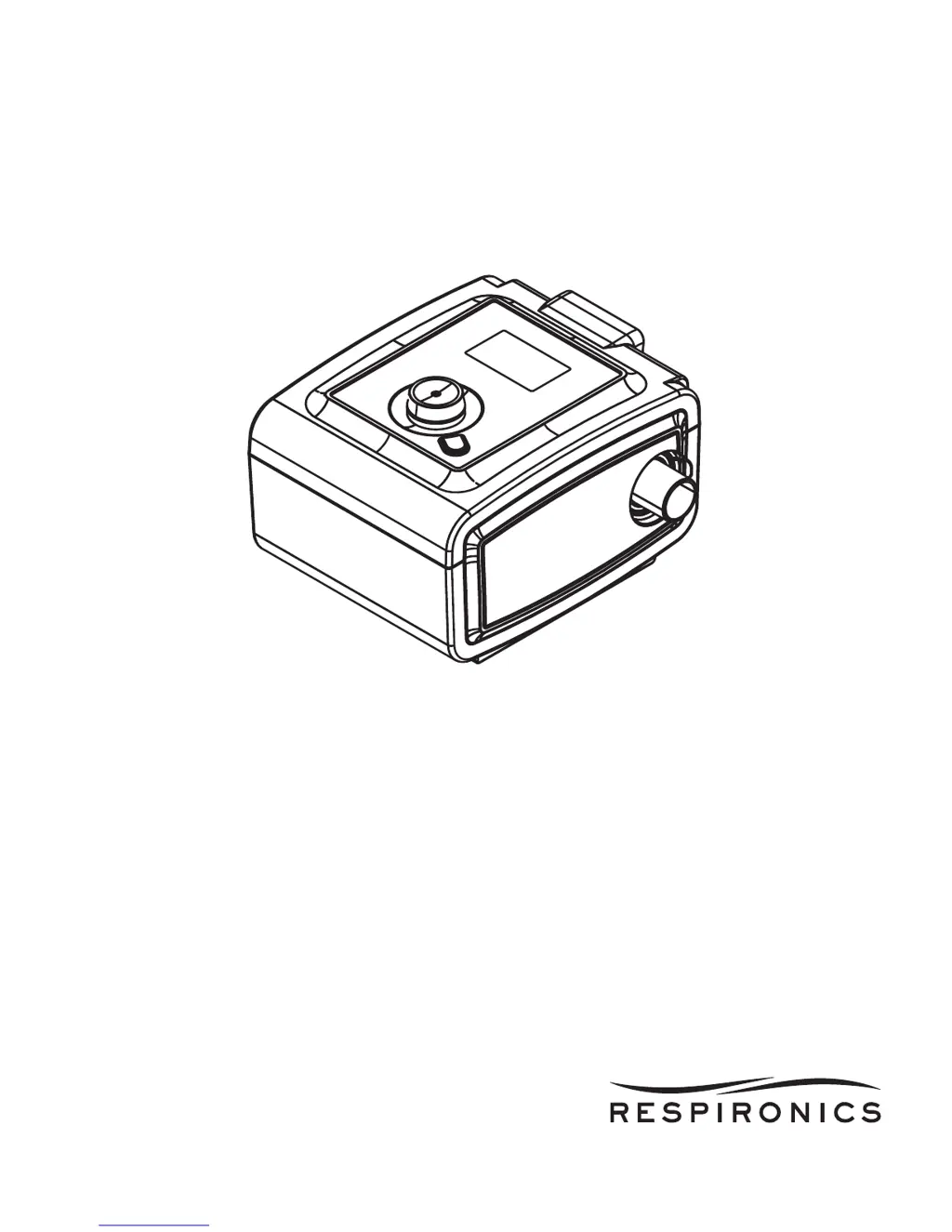
Respironics REMstar Pro - User Manual

Respironics REMstar Pro
24 pages
Print Icon
To Next Page IconTo Next Page
Loading...
REMstar Pro C-Flex +
USER MANUAL

Other manuals for Respironics REMstar Pro

Questions and Answers

  • D
    donhowardJul 26, 2025
    What to do if Respironics REMstar Pro Medical Equipment doesn't turn on?
    • M
      Mr. Sean LoveJul 26, 2025
      If your Respironics Medical Equipment isn't powering on, there might be a few reasons. First, if using AC power, ensure the device is properly plugged into a working outlet and that the AC power cord is correctly connected to both the power supply and the device. If using DC power, check that the DC power cord and battery adapter cable connections are secure, and inspect the battery's charge level, replacing or recharging it if necessary. Also, check the DC cord's fuse, replacing it if needed. The issue could be due to no power at the outlet, the device being unplugged, or a problem with the power supply.
  • J
    Jennifer MatthewsJul 31, 2025
    Why is Respironics REMstar Pro airflow much warmer than usual?
    • D
      darrell65Aug 1, 2025
      If the airflow from your Respironics Medical Equipment is warmer than usual, it might be due to dirty air filters, or the device operating in direct sunlight or near a heater. Try cleaning or replacing the air filters. Ensure the device is properly ventilated and away from bedding or curtains that could block airflow. Keep it away from direct sunlight and heating equipment. If you're using a humidifier, check its settings to ensure it's working correctly. The temperature of the air may vary somewhat based on your room temperature.
  • E
    edwardsdaleAug 7, 2025
    What to do if airflow does not turn on in Respironics Medical Equipment?
    • C
      Courtney EricksonAug 7, 2025
      If the airflow on your Respironics Medical Equipment isn't turning on, ensure the device is powered correctly and that 'Therapy' is highlighted when you press the control wheel to start the airflow. This issue may be caused by a problem with the blower.
  • D
    David JacksonAug 13, 2025
    What to do if Respironics REMstar Pro Medical Equipment display is erratic?
    • H
      Heather DuarteAug 13, 2025
      If your Respironics Medical Equipment's display is acting erratically, unplug the device and then reapply power. If the problem persists, try moving the device to an area with fewer Electromagnetic Interference (EMI) emissions, away from devices like cell phones, cordless phones, computers, TVs, electronic games, and hair dryers. This issue may be caused by the device being dropped or mishandled, or being located in an area with high EMI emissions.
  • M
    melissa35Aug 18, 2025
    How to fix Ramp feature on Respironics REMstar Pro?
    • D
      Daniel AcevedoAug 19, 2025
      If the Ramp feature isn't working on your Respironics Medical Equipment, it could be because your home care provider didn't prescribe it for you, or your CPAP pressure is already set to the minimum setting. If Ramp has been enabled, check the CPAP setting on your Active Display screen. If CPAP is set to the minimum setting (4.0 cm H2O), or the starting pressure is the same as the prescribed pressure, the Ramp feature will not work. Make sure that the ramp time setting is >0.

Summary

Intended Use and Warnings

Important Information

Key usage instructions and safety advice for the device.

Cautions, Contraindications, and Symbols

Symbol Key

Explains symbols used on the device and power supply.

System Overview and Contents

Device Controls

Controls Buttons

Details the function of each button on the device.

Available Therapies

Describes the different therapy modes offered by the device.

Device Setup Procedures

Installing Air Filters

Instructions for installing reusable gray foam and optional ultra-fine filters.

Connecting Breathing Circuit

Steps to connect the mask, tubing, and headgear.

Device Placement

Guidance on where to position the device for optimal performance.

Powering and Starting Therapy

Supplying AC Power

How to connect the device to AC power for operation.

Navigating Device Screens

How to move through and select options on the device display.

Starting Therapy

Step-by-step guide to begin a therapy session.

Advanced Features and Settings

Ramp and Flex Features

Explains the Ramp and Flex comfort features for therapy.

Setup Screen Navigation

How to access and use the device's setup menu.

Detailed Settings and Information

Setup Screen Options

Detailed explanation of settings accessible via the Setup Screen.

Info Screen Data

Accessing patient data and therapy information via the Info screen.

Data Summary Screens

Device Alerts Overview

High and Medium Priority Alerts

Describes high and medium priority alerts and their indicators.

Alert Summary Table

A table summarizing various alerts, causes, and patient actions.

Device Alerts - Patient and SD Card

Device Alerts - SD Card and Modem

Troubleshooting Common Problems

Power and Airflow Issues

Solutions for problems like no power or no airflow.

Device Performance Issues

Solutions for erratic display, ramp feature, or warm airflow.

Accessories, Oxygen, and DC Power

Optional Accessories

Information on optional accessories like humidifiers and modems.

Oxygen and DC Power Use

Guidance on adding oxygen and using DC power.

Travel, Cleaning, and Maintenance

Traveling and Airline Use

Tips for traveling and airline use with the device.

Cleaning and Servicing

Instructions for cleaning the device, filters, tubing, and service information.

Technical Specifications

Disposal and Contact Information

Disposal Instructions

How to properly dispose of the device.

Contact Respironics

Contact details for service and support.

EMC Information

EMC Information Continued

Limited Warranty

Respironics REMstar Pro Specifications

General IconGeneral
Device TypeCPAP Machine
Pressure Range4 to 20 cm H2O
Altitude CompensationAutomatic
Electrical Requirements100-240 V, 50/60 Hz
Altitude AdjustmentAutomatic
HumidifierOptional integrated humidifier
Ramp Time0 to 45 minutes (5-minute increments)
Therapy ModesCPAP
Data RecordingAHI, Leak
Power SupplyAC Power Supply
Dimensions7.5 x 6.5 x 3.5 inches (19 x 16.5 x 9 cm)

Related product manuals