EasyManua.ls Logo

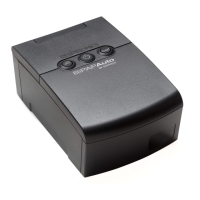
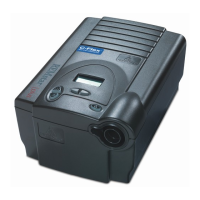
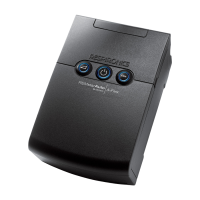
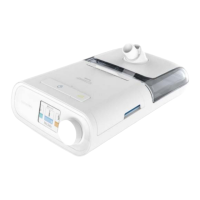
Respironics REMstar - User Manual

Respironics REMstar
47 pages
Print Icon
To Next Page IconTo Next Page
Loading...
1058374
JR 3/05/2009
EN-DOM
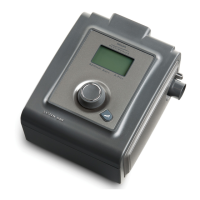
REMstar
M Series
with SmartCard

Other manuals for Respironics REMstar

Questions and Answers

  • K
    katie09Jul 26, 2025
    Why is the airflow from my Respironics Medical Equipment so warm?
    • R
      Ricky ZimmermanJul 26, 2025
      If the airflow from your Respironics Medical Equipment feels warmer than usual, it might be due to dirty air filters or the device being in direct sunlight or near a heater. Try cleaning or replacing the air filters. Ensure the device is well-ventilated and away from bedding or curtains that could block airflow. Also, keep it away from direct sunlight and heating equipment. If you're using a humidifier, check its settings to ensure it's working correctly. The temperature of the air may vary somewhat based on your room temperature. If the issue persists, contact your home care provider.
  • D
    Dr. Lisa SnyderAug 1, 2025
    What to do if the display on my Respironics Medical Equipment is erratic?
    • H
      haroldtuckerAug 1, 2025
      If your Respironics Medical Equipment's display is acting erratically, it could be due to the device being dropped or mishandled, or high Electromagnetic Interference (EMI). First, unplug the device and then reapply power. If the problem continues, try moving the device to an area with lower EMI emissions, away from electronic equipment like cell phones, cordless phones, computers, TVs, electronic games, and hair dryers. If the issue still occurs, contact your home care provider for assistance.
  • C
    Cheryl JohnsonAug 8, 2025
    How to fix airflow that doesn't turn on for Respironics Medical Equipment?
    • E
      Elizabeth EdwardsAug 8, 2025
      If your Respironics Medical Equipment isn't turning on, there might be a problem with the blower. Ensure the device is correctly powered. When pressing the control wheel to start airflow, make sure “Therapy” is highlighted. If the airflow still doesn't turn on, there could be a device issue. Contact your home care provider for assistance.
  • B
    Brianna JonesAug 13, 2025
    Why doesn't the Ramp feature work on my Respironics Medical Equipment?
    • R
      rwolfAug 13, 2025
      If the Ramp feature isn't working on your Respironics Medical Equipment when you press the Ramp button, it could be because your home care provider didn't prescribe it for you, or your CPAP pressure is already set to the minimum. If Ramp hasn't been prescribed, discuss it with your provider. If it has been enabled but still doesn't work, check the CPAP setting on your Active Display screen. If CPAP is at the minimum setting (4.0 cm H2O), or the starting pressure is the same as the prescribed pressure, Ramp won't work. Also, ensure the ramp time setting is >0.
  • F
    frenchmatthewNov 18, 2025
    How to troubleshoot power issues with Respironics Medical Equipment?
    • D
      dominique98Nov 18, 2025
      If your Respironics Medical Equipment isn't powering on, and the backlights on the buttons aren't lighting up, it could be due to a power issue. If using AC power, check the outlet and ensure the device is properly plugged in. Verify power is available at the outlet and the AC power cord is correctly connected to both the power supply and the device's power inlet. If the problem continues, contact your home care provider, returning both the device and power supply for assessment. If using DC power, ensure your DC power cord and battery adapter cable connections are secure. Check your battery; it may need recharging or replacement. If the problem persists, check the DC cord's fuse following the instructions supplied with your DC cord. The fuse may need to be replaced. If the problem still o...

Summary

Chapter 1: Introduction

System Contents

Lists the items included with the REMstar M Series system, such as the user manual, tubing, and filters.

Intended Use

Describes the purpose and target patient group for the REMstar M Series CPAP device.

Warnings, Cautions, and Contraindications

Details potential hazards, precautions, and conditions where the CPAP therapy device should not be used.

System Overview

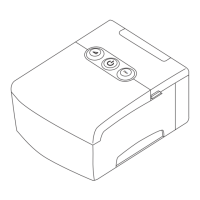
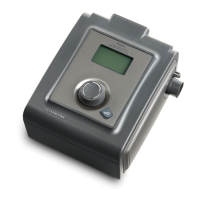
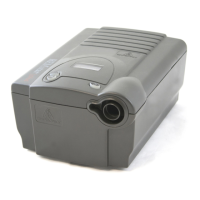
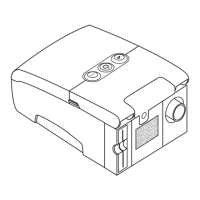
Provides a general description of the REMstar M Series device and its main components.

Glossary

Defines key terms and acronyms used throughout the REMstar M Series user manual.

Symbol Key

Explains the meaning of various symbols found on the device and its power supply.

Contacting Respironics

Provides contact information for Respironics customer service and technical support.

Chapter 2: Device Controls and Displays

Controls and Displays

Describes the primary control buttons, display interface, and panel inactivity of the REMstar M Series device.

Rear Panel

Details the connections and features located on the rear of the REMstar M Series device, including accessory slots and ports.

Chapter 3: Setup

Installing the Air Filters

Instructions for inserting and maintaining the device's air filters for optimal performance and air quality.

Device Placement

Guidance on selecting a suitable location for the device to ensure proper airflow and safe operation.

Connecting the Breathing Circuit

Steps for connecting the mask, tubing, and optional accessories to the REMstar M Series device.

Supplying Power to the Device

Instructions for connecting the device to AC or DC power sources for operation.

Complete Assembly Example

Illustrates the final setup of the device with the breathing circuit and power connected.

Chapter 4: Device Operation

Starting the Device

Step-by-step guide on powering on the REMstar M Series device and initiating therapy.

Using the Ramp Feature

Explains how to use the ramp feature for a more comfortable sleep onset by gradually increasing pressure.

Navigating and Changing Device Settings

Instructions for navigating screens and modifying patient settings like altitude, ramp, and alerts.

Completing the FOSQ Questionnaire

Guide to answering the 'quality of life' questionnaire for sleep disorder treatment assessment.

Patient Reminder Screen

Information on patient reminders for actions like mask replacement or filter changes.

Chapter 5: Alerts and Troubleshooting

Device Alerts

Explanation of the device's alert system, including high and medium priority audible and visual signals.

Troubleshooting Common Issues

Lists common problems with the device and mask, providing solutions and actions to take.

Chapter 6: Accessories

Adding a Humidifier

Information on using the M Series Heated or Pass-over humidifier to add moisture to airflow.

Using the SmartCard

Details on the SmartCard's function for recording and transferring therapy usage data.

Adding Supplemental Oxygen

Guidance and warnings for safely using supplemental oxygen with the REMstar M Series system.

Chapter 7: Cleaning and Maintenance

Cleaning the Device

Instructions for safely cleaning the exterior of the REMstar M Series device with a damp cloth.

Cleaning and Replacing Air Filters

Procedures for cleaning reusable foam filters and replacing disposable ultra-fine filters.

Cleaning the Tubing

Daily cleaning instructions for the flexible breathing circuit tubing using warm water and mild detergent.

Service Information

Information on device servicing requirements and when to contact a home care provider for issues.

Traveling with the System

Tips for traveling with the device, including carrying, security, and international travel considerations.

Chapter 8: Specifications

Environmental Specifications

Operating and storage temperature, humidity, and atmospheric pressure limits for the device.

Physical Specifications

Details the dimensions and weight of the REMstar M Series device.

Standards Compliance

Lists the safety and performance standards the device conforms to, such as IEC and EN standards.

Electrical Specifications

Details on power consumption, electrical shock protection, and fuse information.

Pressure Specifications

Information on pressure increments, stability, and maximum flow rate for the device.

Disposal Information

Guidance on how to dispose of the device in accordance with local regulations.

Appendix A: EMC Information

Electromagnetic Emissions Guidance

Information on the device's RF emissions and suitability for use in various electromagnetic environments.

Electromagnetic Immunity Guidance

Details on the device's immunity to electromagnetic disturbances and recommended environments.

RF Communications Equipment Separation Distances

Guidelines for maintaining safe distances from RF transmitters to prevent interference with the device.

Limited Warranty

Respironics REMstar Specifications

General IconGeneral
Water Chamber Capacity325 ml
Heating PlateIntegrated
CompatibilityCompatible with Respironics REMstar CPAP and BiPAP machines
DimensionsVaries by model
WeightVaries by model
Humidifier TypeIntegrated heated humidifier
Humidity LevelsAdjustable from 1 to 5

Related product manuals