EasyManua.ls Logo

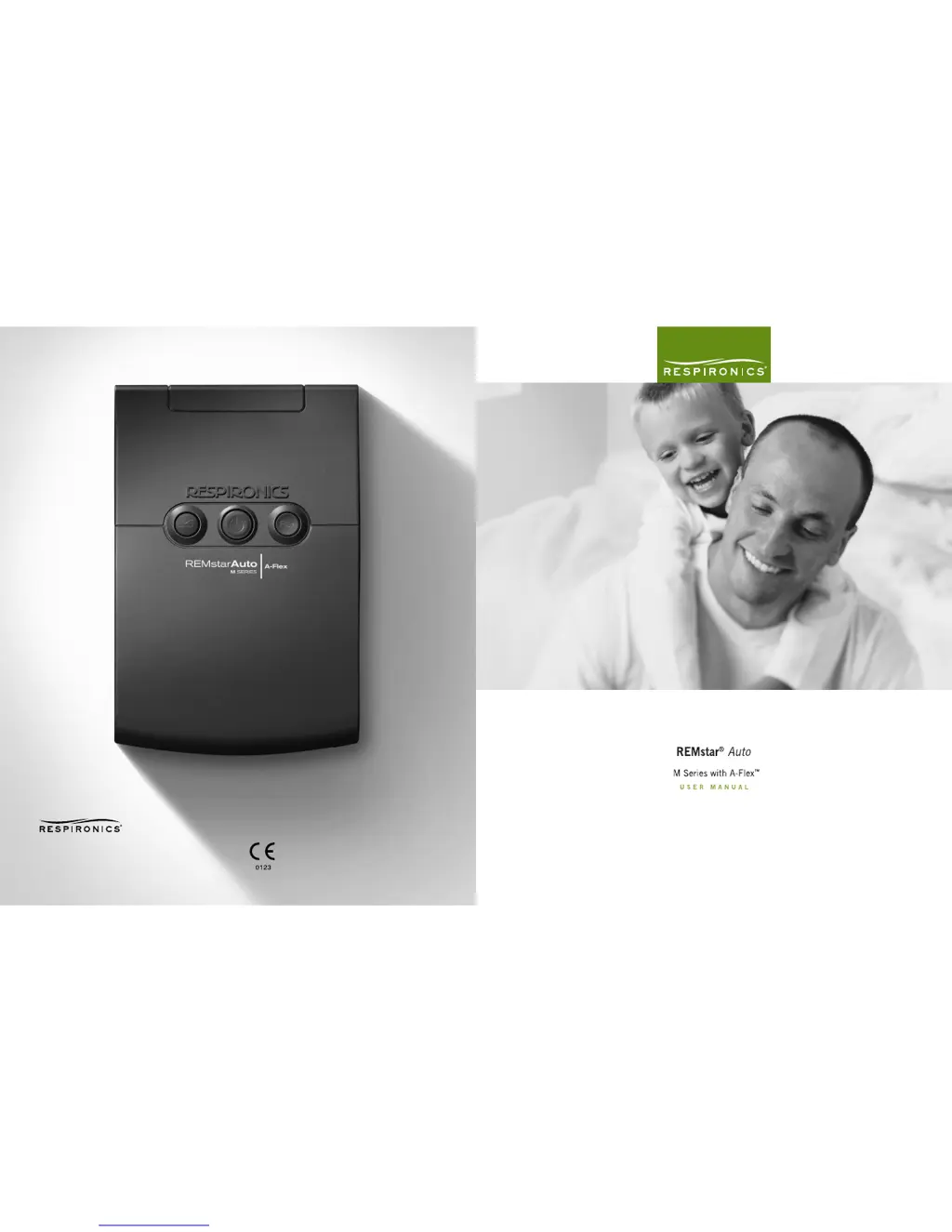
Respironics REMstar Auto M Series system - User Manual

Respironics REMstar Auto M Series system
55 pages
Print Icon
To Next Page IconTo Next Page
Loading...
1 0 0 1 M u r r y R i d g e L a n e
M u r r y s v i l l e , PA 1 5 6 6 8
w w w. r e s p i r o n i c s . c o m
Re s p i r o n i c s D e u t s ch l an d
Ge w e r b e s t r a s s e 1 7
82 2 1 H e r r s c h i n g , Ge r ma n y
1 0 2 0 1 2 1
A M 9 / 1 2 / 0 6
E N - U S , F R - C A , E S - L A , P T - B R
1040442
JR 1/15/07

Questions and Answers

  • D
    David MortonAug 14, 2025
    Why does my Respironics REMstar Auto M system Medical Equipment reset and reboot automatically?
    • E
      Elizabeth DavisAug 14, 2025
      If your Respironics Medical Equipment device shuts down and restarts automatically during therapy, it is equipped with troubleshooting software that monitors performance. This reset is not dangerous and ensures you receive your prescribed therapy. However, if the device is damaged, it will shut down permanently and display a 'Service Required' error, indicating it should be returned to your home care provider.
  • V
    Vanessa GomezAug 17, 2025
    Why is the air out of my Respironics REMstar Auto M system mask so warm?
    • A
      Aaron CollinsAug 18, 2025
      If the air coming out of your Respironics Medical Equipment mask feels warmer than usual, the air filters may be dirty, or the device may be operating in direct sunlight or near a heater. Clean or replace the air filters. Ensure the device is properly ventilated and away from bedding or curtains that could block airflow. Keep it away from direct sunlight and heating equipment. The temperature of the air may vary somewhat based on your room temperature.
  • L
    Linda MartinAug 21, 2025
    What to do if my Respironics Medical Equipment falls off the nightstand?
    • D
      danielle71Aug 21, 2025
      If your Respironics Medical Equipment device has fallen off your table or nightstand, it may not have been properly seated, or the tubing placement may have caused it to fall. Always place your device on a hard, flat surface, ensuring the feet can adhere to the surface. Keep the device level and away from the edge. If using a humidifier, place the device and humidifier below your head and mask to allow condensation to drain back into the water chamber. If water gets into the device, drain all water and ensure it is completely dry before reapplying power. Use proper hose management to prevent falls. Let the device dry completely before restarting it. If the device does not operate correctly after falling, contact your home care provider.
  • F
    fodomAug 27, 2025
    Why is the display on my Respironics REMstar Auto M system Medical Equipment device erratic?
    • M
      Marilyn WernerAug 27, 2025
      If your Respironics Medical Equipment device display is erratic, it may have been dropped or mishandled, or it may be in an area with high Electromagnetic Interference (EMI). Unplug the device and power supply, then reapply power. If the problem continues, relocate the device to an area with lower EMI emissions, away from electronic equipment such as cellular phones, cordless phones, computers, TVs, electronic games, and hair dryers. If the problem still occurs, contact your home care provider.
  • A
    April JonesAug 31, 2025
    What to do if my Respironics REMstar Auto M system won't turn on when I press the button?
    • L
      leemarkAug 31, 2025
      If your Respironics Medical Equipment device does not operate when you press the button, and the airflow does not turn on, there may be a problem with the blower. Ensure the device is powered correctly. If the audible indicator sounds and the button backlights turn on when you apply power, but the airflow does not turn on, contact your home care provider for assistance.
  • A
    Amy HuangSep 3, 2025
    Why doesn't the Ramp feature work on my Respironics REMstar Auto M system Medical Equipment?
    • A
      ajacksonSep 3, 2025
      If the Ramp feature does not work when you press the Ramp button on your Respironics Medical Equipment, your home care provider may not have prescribed Ramp for you, or your CPAP pressure may already be set to the minimum setting. Discuss this feature with your home care provider to see if they will change your prescription. If your provider has enabled Ramp, but the feature still does not work, check the pressure setting on your Active Display screen. If it is set to the minimum setting (4.0 cm H2O), the Ramp feature will not work.
  • E
    Eric RobertsonSep 6, 2025
    How to treat nose dryness using Respironics REMstar Auto M system?
    • T
      Tracy MartinezSep 6, 2025
      If you have throat or nose dryness while using Respironics Medical Equipment, the air may be too dry. Increase the room humidity. Consult with your health care professional about using a Respironics humidifier with the device. If you have a humidifier, refer to its instructions to ensure it is working properly.
  • Z
    Zachary PetersonSep 10, 2025
    What to do for ear pain from Respironics Medical Equipment?
    • J
      Jennifer CookSep 10, 2025
      If you experience nasal, sinus, or ear pain while using Respironics Medical Equipment, you may have a sinus or middle ear infection. Stop using the device and contact your health care professional.
  • M
    Mary MarshallNov 22, 2025
    Why won't my Respironics REMstar Auto M system turn on?
    • J
      Jennifer RamosNov 23, 2025
      If nothing happens when you apply power to your Respironics Medical Equipment device, and the audible indicator does not sound, and the backlights do not light, there may be no power at the outlet, or the device may be unplugged. If using AC power, check the outlet and ensure the device is properly plugged in, with the AC power cord correctly connected to the power supply and the power supply cord securely connected to the device’s power inlet. If the problem continues, contact your home care provider. If using DC power, ensure your DC power cord and battery adaptor cable connections are secure. Check your battery to see if it needs to be recharged or replaced. If the problem persists, check the DC cord’s fuse. If the problem still occurs, contact your home care provider. If you are using ...

Summary

Chapter 1: Introduction

Intended Use

Explains the device's purpose for treating Obstructive Sleep Apnea.

Warnings, Cautions, and Contraindications

Details important safety information, potential risks, and usage restrictions.

Chapter 2: Device Controls and Displays

Controls and Displays

Describes the primary control buttons and display interface of the device.

Chapter 3: Setup

Installing the Air Filters

Step-by-step guide for installing the device's air filters.

Connecting the Breathing Circuit

Instructions for connecting the mask, tubing, and other circuit components.

Supplying Power to the Device

Explains how to connect the device to AC or DC power sources.

Chapter 4: Device Operation

Starting the Device

Provides instructions on how to power on and begin therapy with the device.

Using the Ramp and Flex Features

Explains how to utilize the ramp, C-Flex, and A-Flex comfort features.

Changing the Device Settings

Guides users on navigating and modifying device settings.

Chapter 5: Device Alerts and Troubleshooting

Troubleshooting

Provides solutions for common problems encountered with the device.

Chapter 7: Cleaning and Maintenance

Cleaning or Replacing the Filters

Guide on maintaining the device's air filters.

Respironics REMstar Auto M Series system Specifications

General IconGeneral
Device TypeCPAP Machine
BrandRespironics
ModelREMstar Auto M Series
Pressure Range4-20 cm H2O
Auto-AdjustingYes
ModesCPAP
HumidifierOptional
Data StorageYes
Altitude CompensationYes
Electrical Requirements100 – 240 VAC, 50/60 Hz
Power SupplyAC power cord

Related product manuals