EasyManua.ls Logo

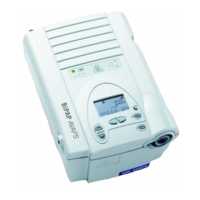
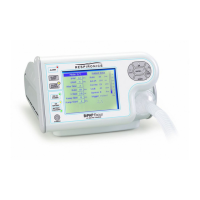
Respironics BiPAP Vision - Service Manual

Respironics BiPAP Vision
244 pages
Print Icon
To Next Page IconTo Next Page
Loading...
BiPAP Vision Ventilatory Support System
SERVICE MANUAL

Table of Contents

Questions and Answers

  • C
    Charles LongAug 19, 2025
    How to troubleshoot a Respironics Medical Equipment unit that will not power on?
    • D
      Daniel KaneAug 19, 2025
      If your Respironics Medical Equipment unit isn't powering on, several factors could be at play. Begin by inspecting the power cord for proper insertion and any signs of damage; replace it if necessary. Next, check the fuses and replace any that are blown. If these steps don't resolve the issue, the PSS, main power switch, AC inlet, or transformer might be the cause. In such cases, consider replacing the PSS, testing the continuity of the switch and replacing if needed, or replacing the AC inlet or transformer.
  • B
    Bobby DelgadoAug 21, 2025
    What to do if the fuses keep failing in my Respironics Medical Equipment?
    • S
      slawsonAug 21, 2025
      If the fuses in your Respironics Medical Equipment are failing, start by replacing them. If the issue persists, disconnect the transformer from the PSS; if the fuses continue to fail, replace the transformer. If both the fuses and transformer are operational, the PSS may be the problem, and you should replace it.
  • R
    Ryan MartinAug 23, 2025
    Why does my Respironics Medical Equipment turn on and off intermittently?
    • S
      Stephen ChanAug 23, 2025
      If your Respironics Medical Equipment experiences intermittent on/off conditions and the main power indicator blinks sporadically, first verify the proper input voltage setting and inspect the power cord for secure insertion and any damage; replace the cord if needed. Next, test the main power switch for continuity and replace it if necessary. Also, remove the top cover and check that all wiring connections are properly inserted.
  • R
    Rachel HendersonAug 26, 2025
    Why is the outlet air temperature too warm on my Respironics Medical Equipment?
    • J
      Jeffery LucasAug 26, 2025
      If the outlet air temperature of your Respironics Medical Equipment is too warm, it could be due to a high ambient temperature. Try reducing the ambient temperature or relocating the unit. Another possible cause is the inlet filter. Replace the inlet filter.
  • B
    Brandi TuckerAug 28, 2025
    What to do if the display is blank but the power is on for Respironics Medical Equipment?
    • P
      Pamela ButlerAug 28, 2025
      If the display on your Respironics Medical Equipment is blank but the power is on, the LCD may need to be replaced. Alternatively, the DC may be the cause, in which case, it should be replaced.
  • N
    nelsonalyssaAug 30, 2025
    What to do if the touch pad on my Respironics Medical Equipment is not responding?
    • S
      shannon23Aug 30, 2025
      If the touch pad on your Respironics Medical Equipment is not responding, the touch pad itself may need replacement. Another possible cause is the DC, which may also require replacement.
  • E
    Edward MoonSep 1, 2025
    Why is the rotary encoder not adjusting the selection on my Respironics Medical Equipment?
    • R
      Rachel McculloughSep 1, 2025
      If the rotary encoder on your Respironics Medical Equipment does not adjust the selection, the rotary encoder may need to be replaced. Another potential cause is the DC, which may also require replacement.
  • R
    Randy SheltonSep 4, 2025
    What to do if Respironics BiPAP Vision ventilator operation is interrupted and then resumes?
    • E
      Erin WallaceSep 4, 2025
      If the ventilator operation is interrupted and then resumes, especially after a power loss, check the power source and power cord connections. For software versions 11.12, 12.8, 13.8 and higher, normal operation resumes following a power loss of any length of time when the power switch remains ON. For earlier software versions (11.0 - 11.11, 12.0 - 12.7, and 13.0 - 13.7), normal operation resumes following a power loss of approximately 10 seconds or less.
  • J
    Jennifer DrakeSep 6, 2025
    Why is the outlet air temperature too warm in my Respironics BiPAP Vision?
    • J
      Jessica GarciaSep 6, 2025
      If the outlet air temperature is too warm, it could be due to a high ambient temperature. Try to reduce the ambient temperature or relocate the ventilator. Alternatively, a defective inlet filter, blower, transformer, or PC board could be the cause. In this case, replace each part separately to see if the problem is resolved. If not, reinstall and try replacing another part.
  • R
    Ryan LoganSep 8, 2025
    How to fix noise issues with Respironics BiPAP Vision?
    • M
      Michael MillerSep 8, 2025
      Noise issues with the Respironics Medical Equipment may arise from a blower that is out of calibration. Performing a blower/valve calibration might resolve this. Another potential cause is a defective inlet filter, blower, transformer, or PC board. Try replacing each part separately to see if the problem is resolved. If not, reinstall and try replacing another part.

Summary

Warnings, Cautions, and Notes

Warnings

Identifies hazardous conditions that could cause injury or damage.

Cautions

Highlights conditions that could cause device damage or shorten service life.

Theory of Operation

PSS Board

Details the Power Supply Subsystem (PSS) board functions and features.

Periodic Maintenance

Internal Alarm Battery

Information on the internal alarm battery, charging, and error codes.

Component Removal;Installation

MC Board

Steps for removing and reinstalling the Main Control (MC) board.

Troubleshooting

Troubleshooting Common Problems

Describes common problems, their causes, and corrective actions.

Alarm Troubleshooting

Lists alarms, their possible causes, and corrective actions.

Troubleshooting Check Vent Error Codes

Flowchart and table for troubleshooting Check Vent error codes.

Troubleshooting Vent Inop Error Codes

Flowchart and table for troubleshooting Vent Inop error codes.

Testing and Calibration

System Final Test

Verifies ventilator operation and accuracy of measurements.

Appendix B Specifications

Respironics BiPAP Vision Specifications

General IconGeneral
Humidifier CompatibilityIntegrated heated humidifier
Device TypeBiPAP
ModesS, CPAP
Ramp Time0 to 45 minutes
Rise Time1 to 5
AlarmsHigh Pressure, Low Pressure, Apnea, Power Failure, Circuit Disconnect
DisplayLCD
Power Supply100-240V AC, 50/60 Hz
Weight4.5 lbs

Related product manuals