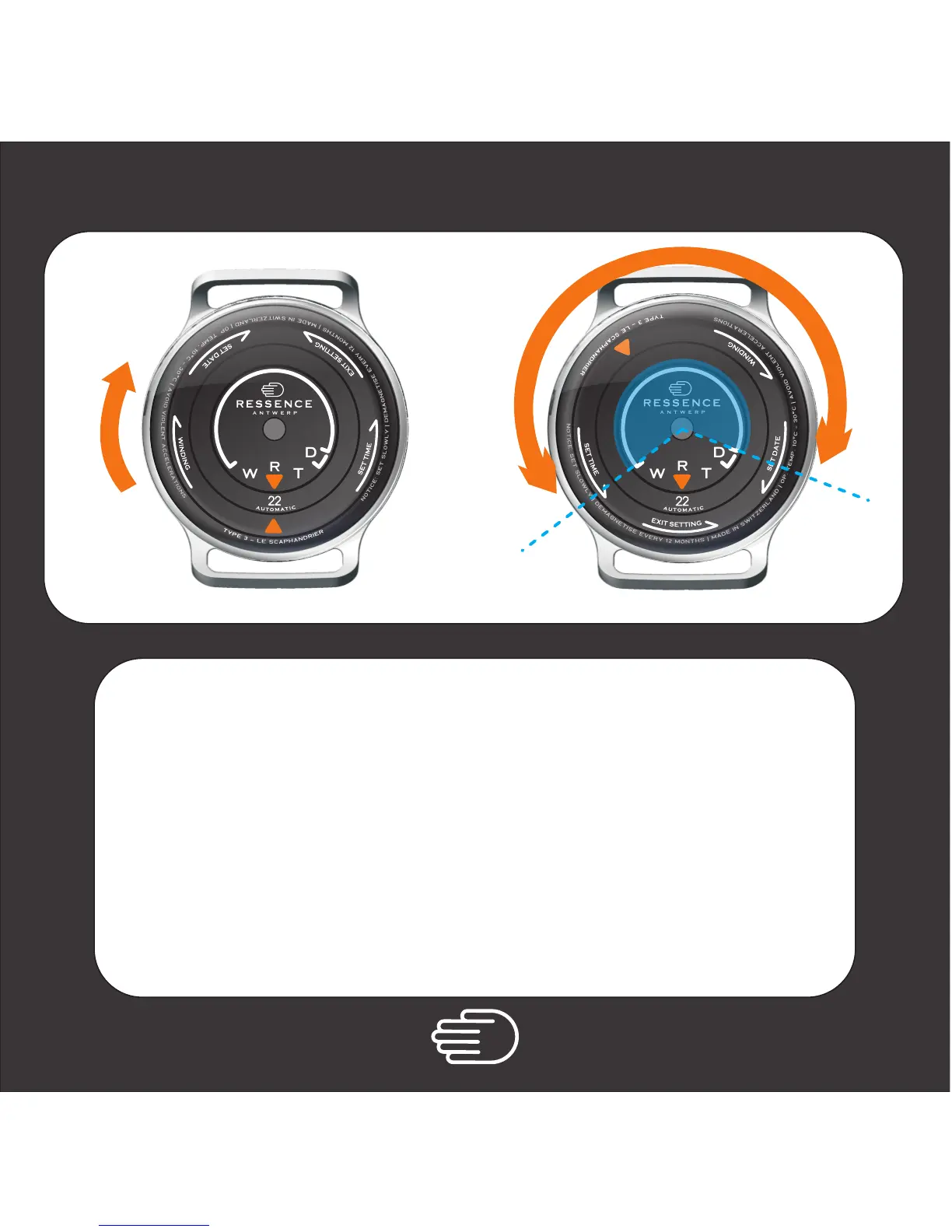
Manual Winding
a n t w e r p
W
D
T
R
1.
2.
3.
Turn the back case clockwise and bring the cursor
into the blue area.
then
SLOWLY rotate the cursor back and forth within the blue area.
Do this 3 times to activate the watch.
The automatic winding will take over from here.
then
Turn the back case CCW* to the normal running position.
( Two orange cursors face each other )
* counter clockwise
a n t w e r p
W
D
T
R
1.
2.



 To Next Page