1.
2.
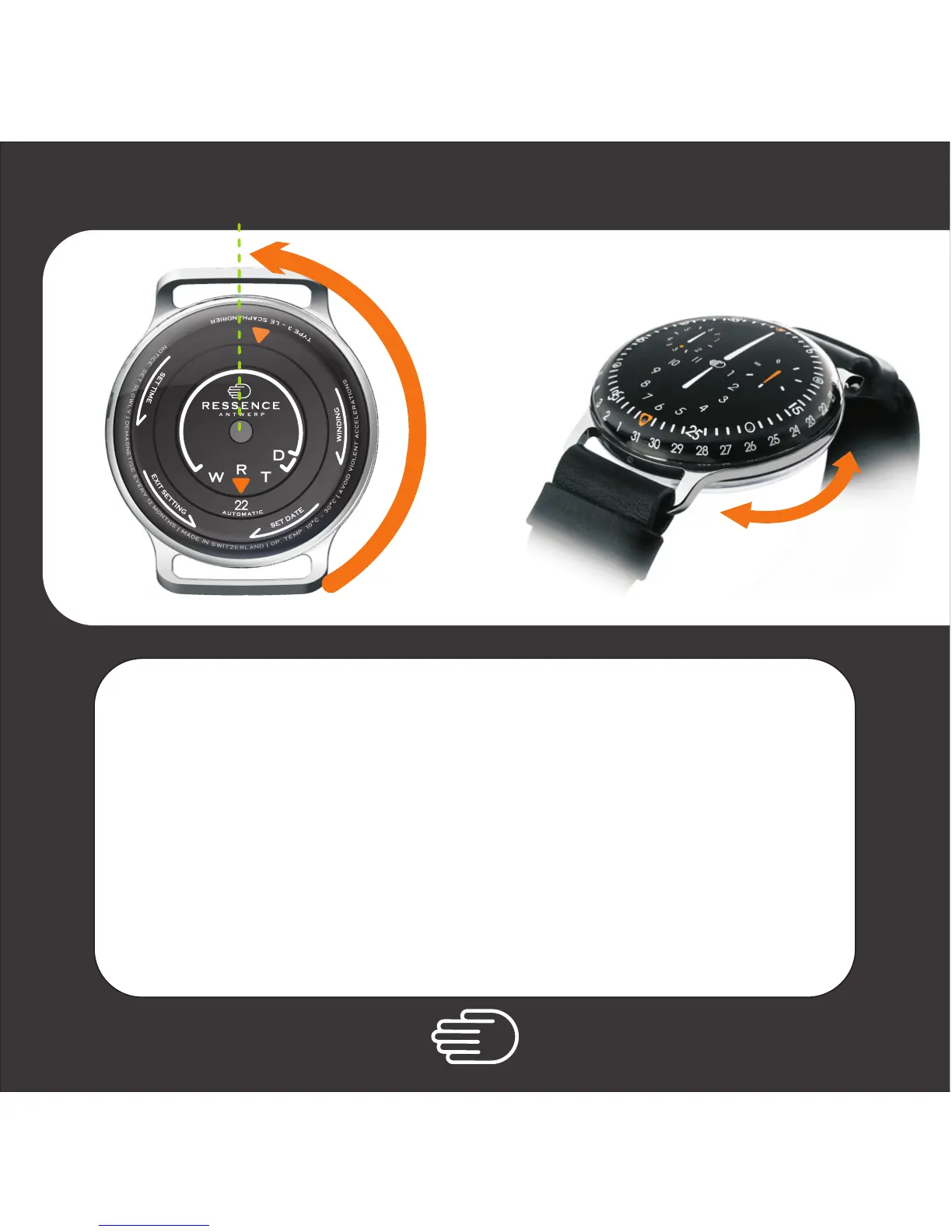
Turn the back CCW* starting from the normal running position
and bring the cursor at about 12h ( North ).
Advanced: If a lot of hours need to be caught up, set the cursor at 3h ( East )
If a lot of hours need to be recovered, set the cursor at 9h ( West )
then
Turn the watch around Dial UP and set the time by
turning the back case in both directions to the required position.
then -
* counter clockwise
Time Setting
a n t w e r p
W
D
T
R
1. 2.



 To Next Page