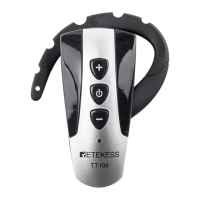
3
1. Open the package, connect the call button keypad to power, it executes the self-testing procedure,
then power icon turns on.
2. When guest places an order, the service people give one receiver to him(her) and note down the
number.
3. While the order is ready, the waiter press keypad to call the guest (number), the corresponding
receiver gets the information and prompts vibration/buzzer/light for 5 min, remind the guest to
complete the order.
4. At last, the guest returns the pager to the waiter and the service is completed.
Operation instruction
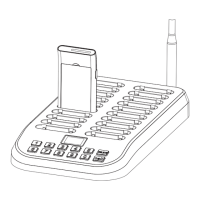
1. The keypad call button is connected to the power supply through the power adapter, host digital
screen display “000”, the pager is inserted into the charging slot of the host, the pager is opened
and charged, and the red light of the pager indicator is often lit.
2. After the charge of the pager is full, the indicator light is shown to be a green light.
3. After the pager is taken out, the pager enters the waiting call state, indicating that the light blue light
flashes once every 3 sec.
4. When the host is called, the pager receives the call information. It flashes every 0.3 sec by vibrant,
buzzing and blue lights for reminding.
5. The pager reminding time is 30 sec, can short press the side button of the pager to close the reminder,
or insert the host charging slot to close the reminder.
6. The pager in the charging process, when the host call, the light blue light of reception indicator
flashes every 0.3 sec for a reminder.
7. When the power of the pager is low, the red light of the indicator is flicker once every 1sec.
8. When the pager is inserted into the host charging slot, press 999 on the keypad call button and then
press the call key, the pager in all the charging slots can be turned off.
Function Description
1. Pairing - The pager is in standby state, short press the “Set” button, the blue indicator light of the
receiving pager is always bright, then press the call number on the keypad, the pager gets the signal
and blue lamp turns off and accompanied by buzz and vibration reminding, which represents the
success of the code.
2. Deleting - The pager is in standby state, press and holds on the “Set” button for 3 sec, the receiving
indicator light goes from blue to extinguish, then release the button, all the paired call buttons will
be deleted.
Pairing method
The receiving pager is in the standby state, short press the mode button on the pager, change the
reminder mode. There are five kinds of modes, the default is the vibration, the buzzing, and the LED
lights, the other four are Vibration and buzz; Vibration; Vibration plus light; Beep and lamplight.
Reminder mode switching


 To Next Page
 Loading...