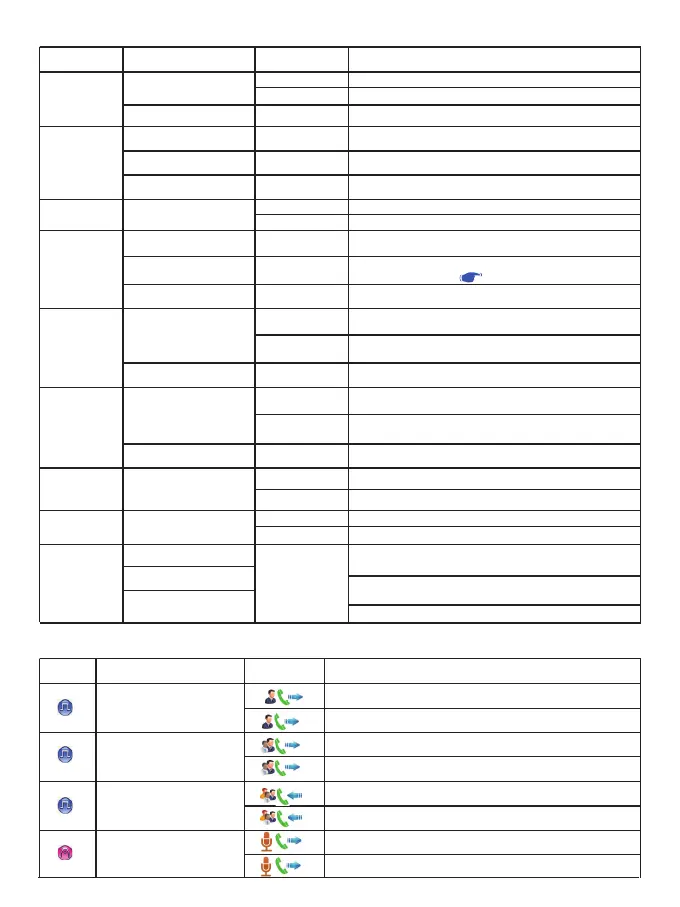
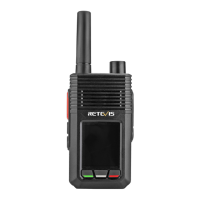
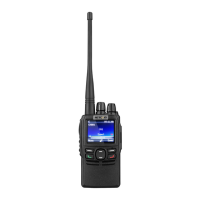
The following buttons can be set for the noted functions.
Transmit / Receiving ICONS
The following icon appears on the radio screen to indicate the radio status.
Status
Standby
In Menu Mode
Standby(Channel Mode)
In Menu Mode
Standby (VFO Mode)
Standby
In any status
Standby (VFO Mode)
Standby
Standby
In Menu Mode
Standby
In Menu Mode
Standby
Standby
Standby
In Menu Mode
Edit (SMS)
Operations
Short press
Long press (3S)
Short press
Short press
Short press
Short press
Short press
Long press (3S)
Short press
Short press
Long press (3S)
Short press
Long press (3S)
Short press
Short press
Long press (3S)
Short press
Short press
Long press (3S)
Short press
Long press (3S)
Rotate
Description
Access to Menu
[Lock] or [Unlock]
[Confirm] or [Selections]
Access to Zone list
Return to previous menu
※ Edit "VFO" parameters
Function works based on programmed preset
Function works based on programmed preset
Cancel or Exit current operation mode
※ Set the VFO mode, channel space and frequency
according to the icon on the LCD display.
※ Switch between Channel display and VFO mode
Upward select channel / frequency
and set other parameters
Turn on Scan: Upward increase scanning
channel / frequency
Select menu and other set parameters
Downward select channel / frequency
and set other parameters
Turn on Scan: Downward decrease
scanning channel / frequency
Select menu and other set parameters
Function works based on programmed preset
Function works based on programmed preset
Function works based on programmed preset
Function works based on programmed preset
※ Decrease / Increase to select channel /
frequency and other parameters
※ Decrease /Increase to select menu
and other parameters
※ Move left and right to select editing characters, etc.
Keys
[MENU]
[BACK]
PF3(Green key)
PF4 (Red key)
Up key
Down key
Side key [PF1]
Side key [PF2]
[ENC] (Selector)
Type
Private call
Group Call
All Call
—
Mode ICON
Terminal product status
Sending a private call
Receiving a private call
Sending a group call
Receiving an group call
Sending an All Call
Receiving an All Call
Sending an analog transmission
Receiving an analog transmission
04


 To Next Page