MEN
U
Lock
M
EN
U
Lock
MEN
U
Lock
ME
NU
Lock
M
E
NU
Lock
ME
NU
Lock
ME
NU
Lock
RPT-SPK
ON
DS
32
MEN
U
Lock
MEN
U
Lock
VFO
Ca
l
l
M R
M
EN
U
Lock
M
EN
U
Lock
VFO
Ca
l
l
M R
MEN
U
Lock
ME
NU
Lock
M
E
NU
Lock
ME
NU
Lock
ME
NU
Lock
M
E
N
U
Lock
VF
O
Cal
l
M
R
M
E
N
U
Lock
VF
O
Cal
l
M
R
M
E
N
U
Lock
VF
O
Cal
l
M
R
M
E
N
U
Lock
VF
O
Cal
l
M
R
M
E
NU
Lock
VF
O
C
all
M
R
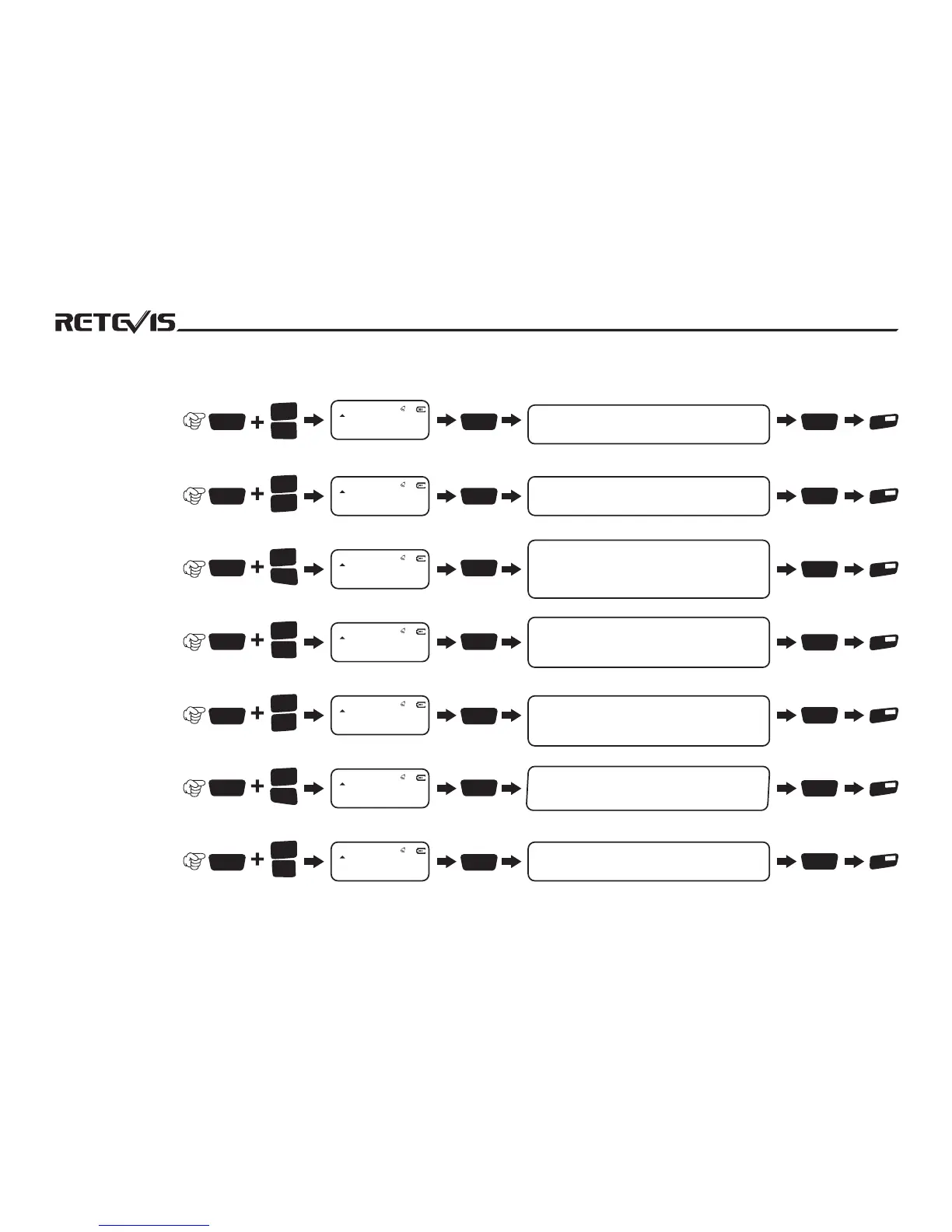
ON to indicates aster start repeater,radio
speaker also start monitoring function OFF
indicates close speaker monitoring function
3
VOX
2
P.save
3
VOX
3
VOX
3
VOX
4
TXP
3
VOX
5
SQL
3
VOX
6
RPT
3
VOX
7
N/W
3
VOX
8
TOT
RPT-PTT
ON
DS
33
RPT-MOD
DOUBLE
DS
34
VOL-MOD
OFF
DS
35
DST
ON
DS
36
TX.SEL
EDIT
DS
37
STE
ON
DS
38
32 Repeater
Speaker set
33 Repeater PTT
Switch Set
34 Repeater Mode
35 Volume Mode Set
36 DTMF Side
Signalling Switch
37 Priority Transmitting
Channels Set
38 Sound Tail
Elimination Set
ON indicates PTT transmitting is still available
while under repeater mode. OFF indicates
close this function
SINGLE relay mode is signal direction, means A
frequency receiving while B frequency transmitting.
DOUBLE is dual direction,means A frequency
receiving while B frequency transmitting,Also B
frequency receiving while A frequency transmitting
MAIN indicates the main frequency sound is louder
when receiving SUB indicates the sub frequency
sound is louder when receiving . OFF indicates both
main and sub frequency have same sound
When select ON, DTMF tone can be heard, OFF
Indicates DTMF tone is not being monitored
EDIT indicates priority transmit at main frequency
channel, BUSY indicates priority transmit at current
frequency channel which is receiving.
NO.Menu Name
Enter Menu
Setting
Screen Display
Rotate Channel Knob to
select parameter(notes)
Confirm
Return
State
23
Find Tail Eliminator Type, select ON to open this
function, select OFF to close tail tone.
STEP
5.00K
DS
01
NO.Menu Name
Enter Menu
Setting
Screen Display
Rotate Channel Knob to
select parameter(notes)
Confirm
Return
State
1010101010101010101010


 To Next Page