EasyManua.ls Logo

Retevis RT53 - User Manual

Retevis RT53
18 pages
Print Icon
To Next Page IconTo Next Page
Loading...
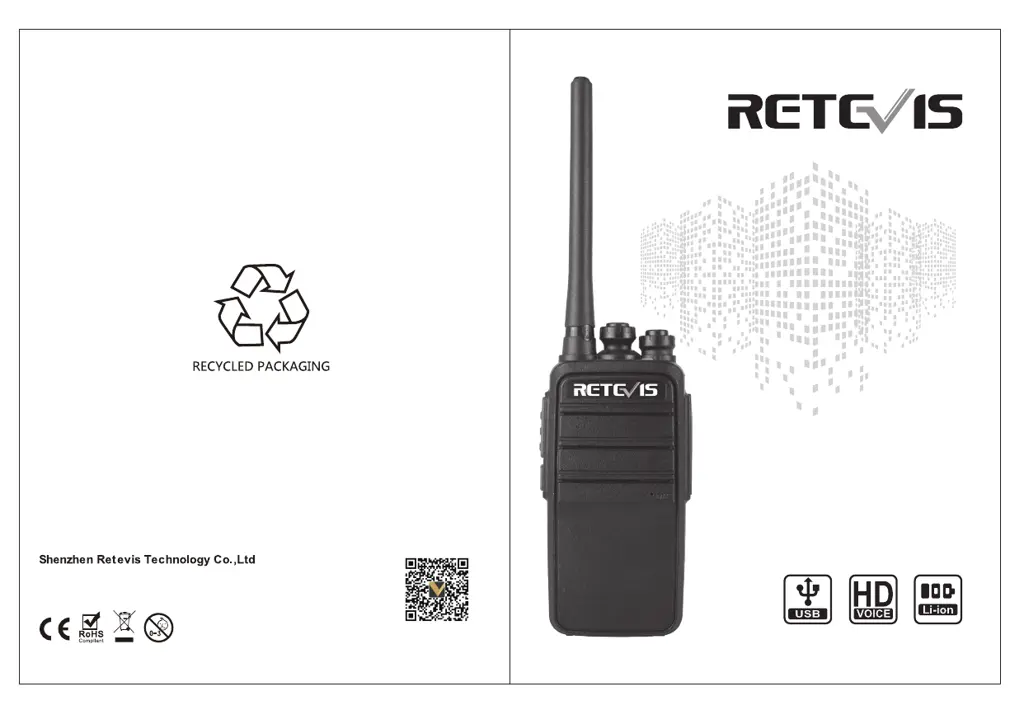
USER'S MANUAL
RT53
DIGITAL TWO WAY RADIO
MADE IN CHINA
Address: 7/FZhonghaixin Science&Technology ParkNo.12 Ganli 6th
Road Jihua StreetLonggang District, ShenzhenChina
Web:www.retevis.com E-mail:kam@retevis.com
Facebookfacebook.com/retevis

Questions and Answers

  • S
    Stacy Spears DVMAug 3, 2025
    What to do if single/group call doesn't work on Retevis RT53?
    • D
      David GarciaAug 3, 2025
      If single call or group call does not work in the digital channel on your Retevis Two-Way Radio, ensure the frequency, channel, color code, and time slot are the same for all members.
  • R
    robertomillerAug 8, 2025
    Why can't I talk to others in my group on my Retevis RT53 Two-Way Radio?
    • A
      Allen DunnAug 8, 2025
      If you can't talk to members in the same group using your Retevis Two-Way Radio, it might be due to a frequency mismatch. Try resetting to the same frequency as the others. Also, ensure you are all on the same digital or analog channel. If you are too far away from each other, move closer.
  • J
    james64Aug 12, 2025
    What to do if I hear other sounds in the channel on my Retevis Two-Way Radio?
    • D
      David GarzaAug 12, 2025
      If you are experiencing other sounds in the channel that are not from your group members when using your Retevis Two-Way Radio, it could be due to interference from the same frequency. Try changing to a new frequency or adjusting the squelch. Alternatively, the signal might not be set yet; ensure the signal is set for all radios in the group.
  • B
    Bianca WalshAug 17, 2025
    How to fix a Retevis RT53 that isn’t starting?
    • M
      Marcus TaylorAug 18, 2025
      If your Retevis Two-Way Radio isn’t starting, the battery might not be installed correctly. Remove and reinstall the battery to ensure proper contact. If that doesn't work, the battery may be depleted; try charging it or replacing it with a new one. Also, check the battery contacts for damage or dirt, and clean them if necessary.
  • L
    Lisa ChristensenAug 23, 2025
    What to do if the sound is low or intermittent on my Retevis Two-Way Radio?
    • A
      Ashley BernardAug 23, 2025
      If the sound from your Retevis Two-Way Radio is small or intermittent, or only present when receiving a signal, the battery voltage may be low. Try charging or replacing the battery. Also, check that the volume isn't set too low and increase it. Ensure the antenna is tightly secured by turning off the radio and reinstalling the antenna. Finally, the speaker may be damaged or dirty, try to clear the speaker.
  • G
    Gabrielle FoxAug 28, 2025
    Why is my Retevis Two-Way Radio making loud noise?
    • J
      Jerry MartinezAug 28, 2025
      If you are experiencing loud noise on your Retevis Two-Way Radio, it could be because you are too far away from other members; try getting closer. Poor location, such as being blocked by tall buildings or being in a basement, can also cause this. Move to a more open environment and restart the radio. Additionally, environmental or electromagnetic interference could be the cause; avoid devices that might be interfering with the radio.

Summary

Key Features

Radio Specifications

Details UHF frequency range, DMO dual-slot, and digital/analog compatibility for the radio.

Communication & Audio

Covers digital signaling functions, sound quality, and power switching capabilities.

Advanced Functions

Includes alarm function, repeater support, and customizable side buttons.

Product Familiarization

Button Descriptions

Details the function of the PTT and side buttons on the radio for user interaction.

Programmable Button Functions

Lists shortcut names and their purposes for programmable buttons on the radio.

Security and Preparation

RF Radiation Safety and Compliance

Covers RF hazards, regulations, and safe operating instructions for radio use.

Battery Charging and Initial Use

Step-by-step guide for charging the battery and its initial use for optimal performance.

Battery Management

Operation and Safety

Instructions for normal battery use, safety precautions, and extending battery life.

Storage and Installation

Guidelines for storing batteries and installing accessories like antennas and batteries.

Battery Status Check

How to check remaining battery power using voice prompts on the radio.

Basic Operation

Power, Volume, and Zone Selection

Covers turning the radio on/off, adjusting volume, and switching operational zones.

Channel and ID Management

Details switching between digital/analog, selecting IDs, and managing group/single calls.

Call Reception and Reply

Instructions for receiving and replying to group, single, and all calls on the radio.

Call Procedures

Initiating Calls

Covers starting walkie-talkie, group, and single calls using channel selection.

One-Touch Calling

Using the dedicated button for quick initiation of group or single calls.

Emergency Alarm Function

Emergency Alarm Operation

How to use the emergency alarm feature for help in critical situations.

Alarm Type and Modes

Details different alarm prompt types and selectable modes available for alerts.

Emergency Alert Operations

Sending Alerts

Procedures for sending emergency alerts with and without voice transmission.

Receiving Alerts

How to receive and acknowledge incoming emergency alerts on the radio.

Individual Operation

Enabling Individual Operation

Guides on enabling the individual operation feature for lone workers.

Disabling Individual Operation

Instructions for disabling the individual operation feature on the radio.

Operation and Functions

Making Calls

Covers digital and analog channel call procedures and general advice for optimal reception.

Channel and Feature Management

Details zone selection, transmission power, scanning, and emergency alarm features.

Main Technological Specifications

Transmission & Reception Specs

Details key parameters for radio transmission and reception, including sensitivity and power.

General Specifications

Covers frequency range, memory, voltage, dimensions, and vocoder type.

Troubleshooting Guide

Common Operational Issues

Addresses problems like startup failure, audio issues, and communication failures.

Interference and Noise Resolution

Solutions for channel interference, loud noise, and poor signal reception.

Maintenance and Cleaning

Maintenance Guidelines

Procedures for storing and handling the radio to prevent damage and ensure longevity.

Cleaning Instructions

Steps for cleaning the radio's exterior and charging contacts to maintain performance.

Safety Information

RF Energy Exposure Guide

Explains RF energy awareness and safe usage guidelines for portable two-way radios.

Disclaimers and Importer

Legal disclaimers, company information, and EU importer details.

Regulatory Information

Radio Licensing and FCC Rules

Covers radio licensing requirements and FCC compliance rules for operation.

CE and Restriction Information

Details EU conformity, restrictions, and product usage in member states.

RF Exposure and Compliance

RF Exposure Information

Provides information on RF exposure limits and compliance for radio users.

Operating Instructions

Guidelines for controlling exposure and operating the radio safely.

Safety Precautions and Warnings

Operational Safety

Covers hand-held mode, phone mode, and electromagnetic interference/compatibility.

Hazard Warnings

Addresses choking hazards and conditions requiring the radio to be powered off.

Hearing Protection

Guidelines for using the radio volume and headsets to protect hearing from loud noises.

Safety Precautions and Advice

Avoiding Burns and Battery Hazards

Cautions about potential burns from antennas, batteries, and long transmissions.

Charger and General Safety

Forbids improper charger use and advises on reducing risks during maintenance.

Accessories and Importer Information

Information on using designated accessories and EU importer contact details.

Retevis RT53 Specifications

General IconGeneral
Channel Capacity16
Power Output5W
Operating Voltage7.4V
Antenna Impedance50Ω
Modulation ModeFM
Audio Power1W
Battery TypeLi-ion
Waterproof RatingIP54
Maximum Deviation±5kHz
Receiver Sensitivity<0.2 µV
Frequency Range400-480 MHz
Spurious Radiation< -36 dBm

Related product manuals