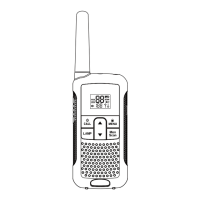
2) Press the [MENU] button to enter the MENU item;2) Press the [MENU] button to enter the MENU item;
3) Press the [▲]/[▼] button to select : WIDE/NARROW;
4) Press [MENU] button to confirm;
5) Press [PTT] or [MONI] button exit to the menu mode.
Power Saving Mode
1) Press the [MENU] button to enter into the MENU mode. Press the [▲]/[▼] button to select 10 and display
SAVE;
2) Press the [MENU] button to enter the MENU item;
3) Press the [▲]/[▼] button to select : ON/OFF;
4) Press [MENU] button to confirm;
5) Press [PTT] or [MONI] button exit to the menu mode.
Transmission time limit (TOT)
1) Press the [MENU] button to enter into the MENU mode. Press the [▲]/[▼] button to select 11 and display
TOT;
2) Press the [MENU] button to enter the MENU item;
3) Press the [▲]/[▼] button to select: OFF/30S/60S/90S/120S/150S/180S;
4) Press [MENU] button to confirm;
5) Press [PTT] or [MONI] button exit to the menu mode.
Busy Channel Lockout (BCLO)
1) Press the [MENU] button to enter into the MENU mode. Press the [▲]/[▼] button to select 12 and display
BCLO;
2) Press the [MENU] button to enter the MENU item;
Menu Item List
09
3) Press the [▲]/[▼] button to select : ON/OFF;
4) Press [MENU] button to confirm;
5) Press [PTT] or [MONI] button exit to the menu mode.
Ringtone
1) Press the [MENU] button to enter into the MENU mode. Press the [▲]/[▼] button to select 13 and display
RING;
2) Press the [MENU] button to enter the MENU item;
3) Press the [▲]/[▼] button to select : OFF/1/2/3/4/5/6/7/8/9/10;
Note: Each time you select a call tone, you can listen to the call tone
4) Press [MENU] button to confirm;
5) Press [PTT] or [MONI] button exit to the menu mode. Press the / button to send the selected ring tone.
Weather Forecast Menu Setting
1) Press the [MENU] button to enter into the MENU mode. Press the [▲]/[▼] button to select 14 and display
WEATHE;
2) Press the [MENU] button to enter the MENU item;
3) Press the [▲]/[▼] button to select: OFF/ON;
4) Press [MENU] button to confirm;
5) Press [PTT] button exit to the menu mode.
- If the menu item is selected as ON, the radio enters the weather forecast mode.
- If the menu item is selected as OFF, the radio enters the weather forecast mode.
Wheather Forecast Channel Setting
In wheather forecast receiving mode. Press the [▲]/[▼] button to select wheather forecast channel
Menu Item List
10


 To Next Page