EasyManua.ls Logo

Retigo Blue Vision Series - User Manual

Retigo Blue Vision Series
52 pages
Print Icon
To Next Page IconTo Next Page
Loading...
Combi ovens
Blue Vision
OPERATING MANUAL
READ THIS MANUAL BEFORE USE
Question and Answer IconNeed help?

Do you have a question about the Retigo Blue Vision Series and is the answer not in the manual?

Summary

Common Screen Descriptions

Basic Screen Interface

Explains the main screen interface and its elements.

Manual Mode Interface

Description of the manual cooking mode interface and its controls.

General Safety During Use

Safe Operation and Pre-Use Checks

General safety rules, initial checks, and operating precautions.

Safety Equipment and Protective Measures

Environment, Equipment, and Protections

Safe environment, required gear, and built-in safety features.

Specific Hazards and Precautions

Control, Door, Fan, and Chamber Safety

Hazards related to controls, door, fan, inner wall, and cooking chamber.

Residual Risks and Hazard Management

Electrical, Mechanical, and Chemical Hazards

Risks associated with electrical, mechanical parts, and detergents.

Manual Cooking Mode Operations

Preheating and Cooking Mode Selection

Settings for preheating and choosing cooking modes.

Manual Cooking Parameter Settings

Time, Temperature, and Fan Speed

Details on setting cooking time, temperature, and fan speed.

Program Cooking Mode

Cooking According to Programs

Step-by-step guide to cooking using pre-set programs.

Creating and Editing Cooking Programs

Creating a New Program

Steps for creating a custom cooking program.

Managing Saved and Favorite Programs

Editing, Renaming, and Deleting Programs

Procedures for editing, renaming, or deleting existing programs.

Favorite Programs and Automatic Start

Setting Automatic Program Start

Configuring programs to start automatically.

Easy Cooking Mode

Simplified Cooking Process

Step-by-step guide to using the simplified Easy Cooking mode.

Extras: Low-Temperature Baking

Low-Temperature Cooking Procedure

Steps for using the low-temperature baking function.

Extras: Drawer Timing

Manual Drawer Timing Setup

How to manually set times and temperatures for individual drawers.

Saving Programs to USB Drive

Saving All Programs

Instructions for saving all programs from the oven to a USB drive.

Copying Programs from USB Drive

Overwriting All Programs

Replacing existing oven programs with those from a USB drive.

Customizing the Main Screen (Profiles)

Creating and Editing Custom Profiles

Steps to personalize the main screen by creating or modifying profiles.

Automatic Washing System Overview

Understanding Automatic Washing

Key information and guidelines for using the automatic washing system.

Starting and Managing Automatic Washes

Starting the Washing Program

Steps to initiate and manage the automatic washing process.

Error Message Table

Common Error Codes and Solutions

List of error messages and their corresponding troubleshooting steps.
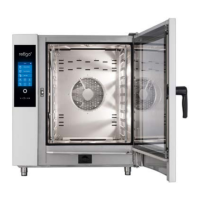
Retigo Blue Vision Series Specifications

General IconGeneral
BrandRetigo
ModelBlue Vision Series
CategoryOven
LanguageEnglish

Related product manuals