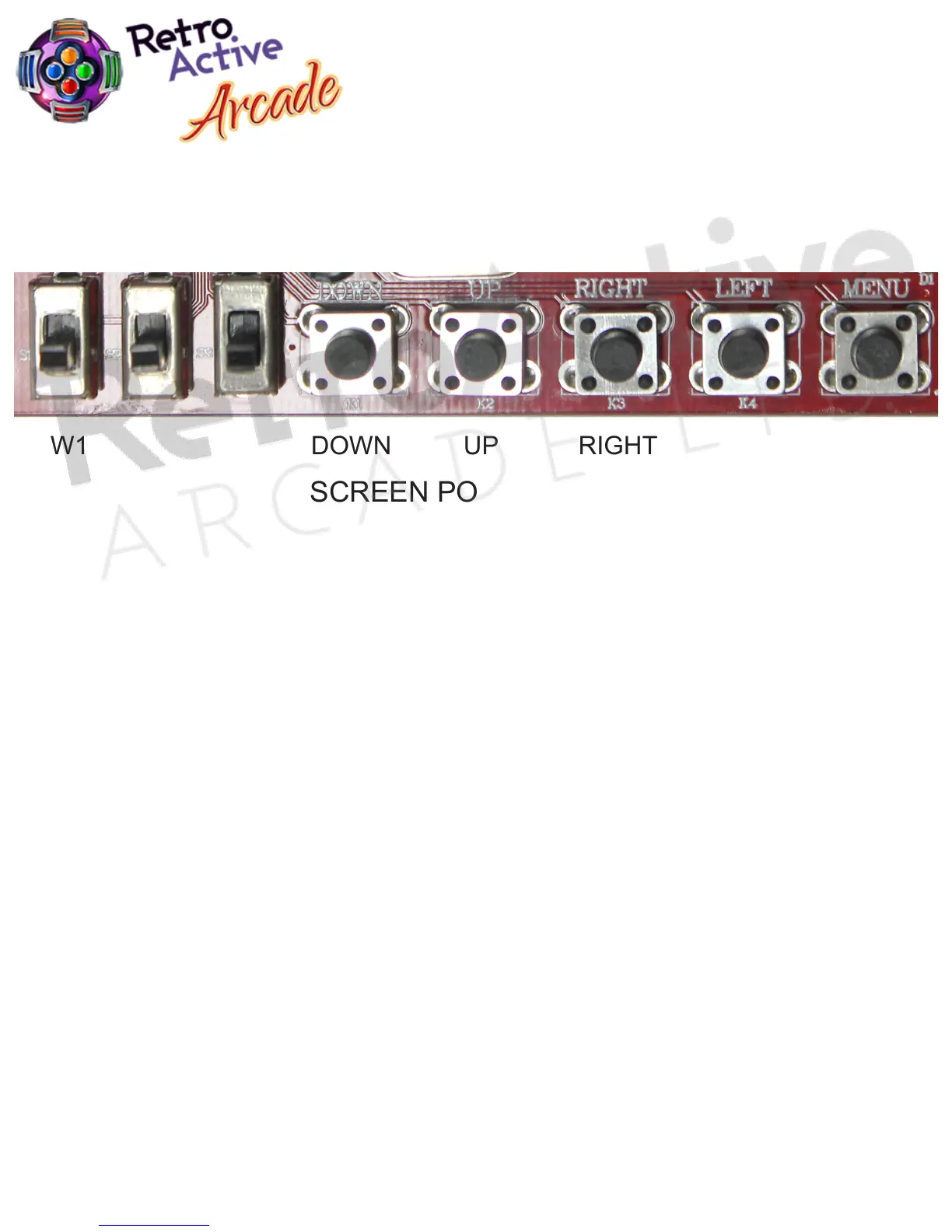
6. OPERATION MENU
A. “MENU” opens the OSD menu and also acts as the “Enter/Select” button.
B. “UP” moves the screen up.
C. “DOWN” moves the screen down and can also decrease the image size.
Pressing this button once will cause and auto scan CGA/EGA signal.
Pressing and holding the button for 5 seconds and releasing it will reset the system.
Note: This operation is invalid when you open OSD menu.
D. “LEFT” increases.
E. “RIGHT” decreases.
F. “S1” switch is for switching between NTSC to PAL signals.
G. For more functions and optional controls see additional options shown within the OSD menu.
VGA to CGA Converter
GBS-8100 Ver. 2
SCREEN POSITION ADJUSTMENT BUTTONS
GBS-8100
BUTTON LAYOUT
RIGHTUPDOWNSW1 LEFT MENU
Page 5


 To Next Page