Disassembly, Assembly and Repair Instructions
14
3.3 Replacing the Control PCB GP2
These instructions describe how to replace the control board GP2 as of amendment index “I”
After exchange, check the interfaces are functioning properly and replace the identification plate to a new
one.
3.3.1 Required tools:
Allen key 2,5mm
Allen key 4mm
Phillips head screwdriver
Hexagonal socket wrench A/F 7
3.3.2 Required spare parts:
05.748.0179 control board GP2
or 05.748.0179 control board GP2 for TFT display
4 x 05.009.0060 cover cap
3.3.3 Description of the procedure
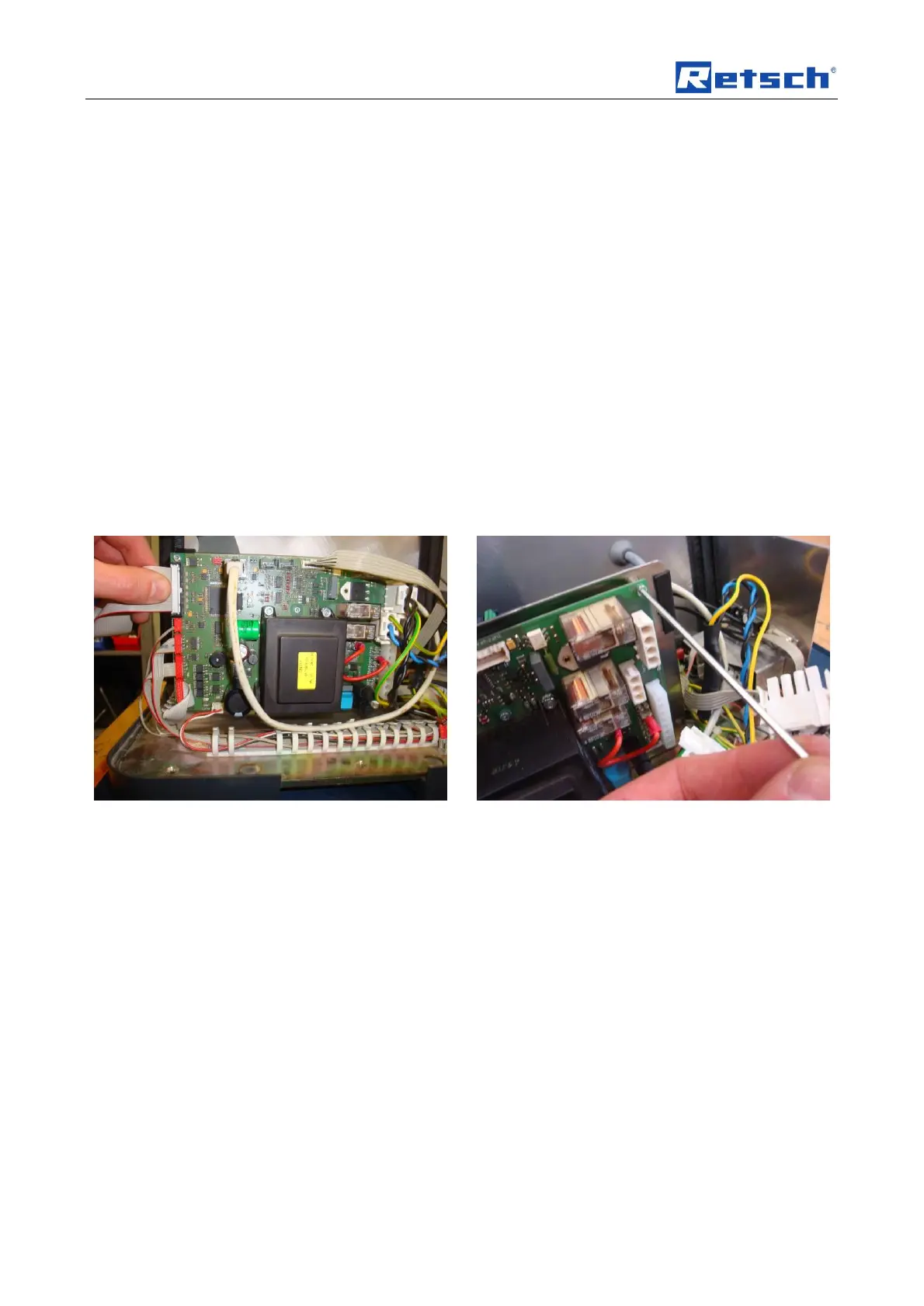
Disconnect the ZM200 from the mains supply and
open the housing. Take all connectors off the control
PCB.
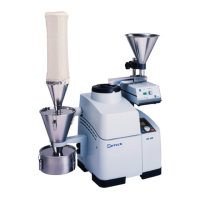
Use an Allen key to loosen all 6 screws fastening the
control PCB to the component carrier.


 To Next Page