Disassembly, Assembly and Repair Instructions
31
3.10 Software (Firmware) Update
Pos: 3.30 /00015 R eperatur- u nd Montageanleit ungen/0000 5 Reparaturanleit ungen/05010 R ep Kapitelsa mmlung CryoMill/ 00010 Demontag e, Montage und Reparature n/10010 Rep Mo dul Software U pdate CryoMill @ 1\mod_1 244193202729_ 6.doc @ 10817 @ 3333
3.10.1 Required tools:
Laptop or PC
Update cable USB 03.025.0042
3.10.2 Required spare parts:
Current firmware software
3.10.3 Procedure
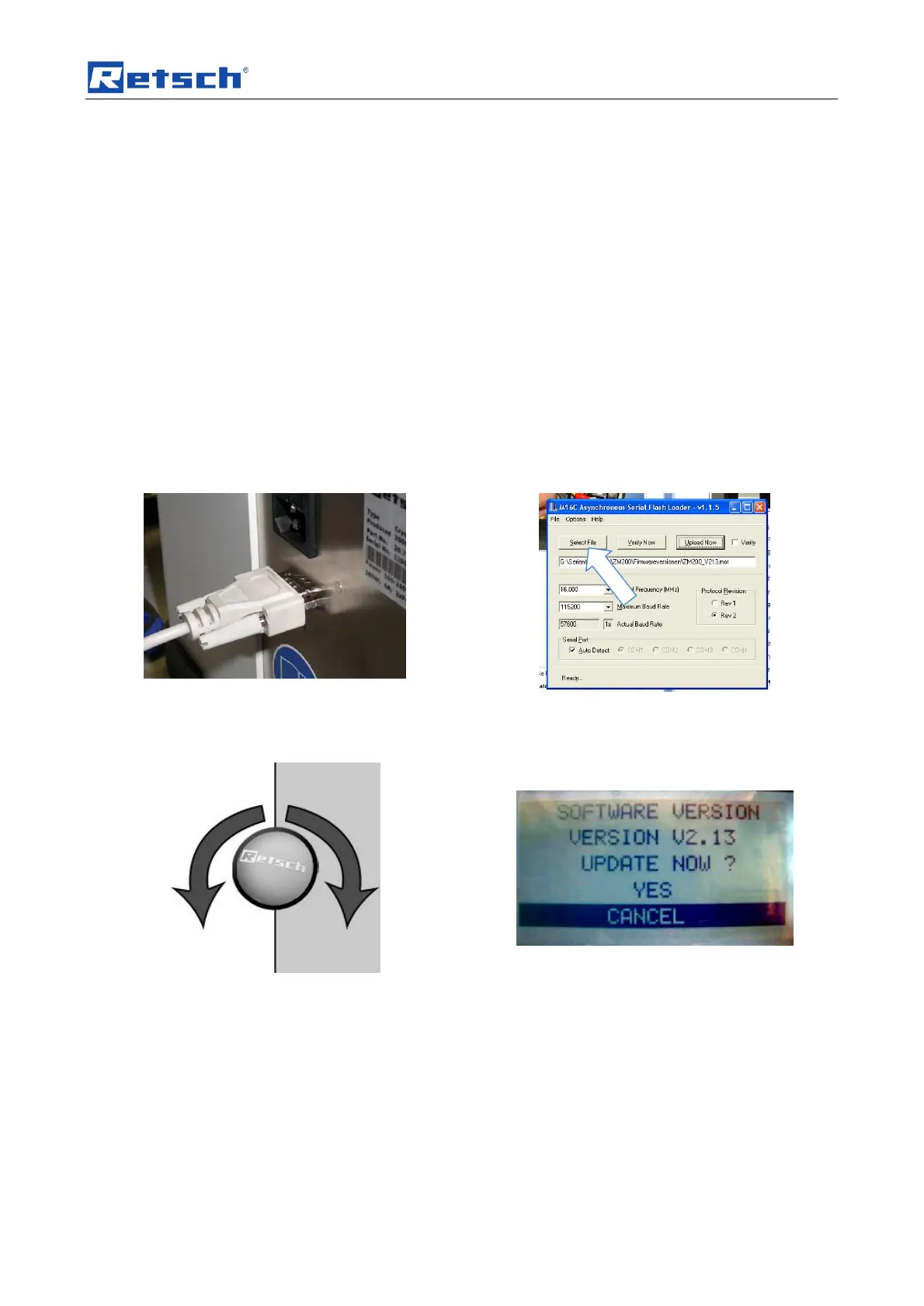
Use a USB cable to connect the laptop (PC) to the
device and switch on the device.
Now start the Bootloader software: m16c_flash on the
laptop (PC). Click on the “Select file“ button to choose
the right firmware file.
Use the operating knob on the device to select the
“MENU - SETTINGS - SERVICE - OPERATING
SOFTWARE”
Please click Yes twice in response to the enquiry! The
machine will now wait for data.


 To Next Page
 Loading...