7
QUICK START GUIDE
ADD CAMERA TO THE APP
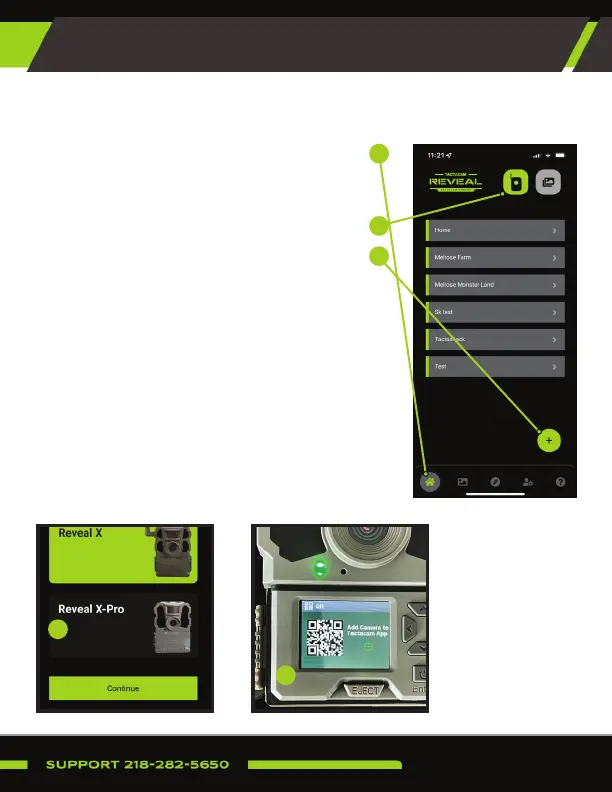
1. Navigate to your Reveal app and login
using your Reveal account credentials.
Click the home icon.
2. Click the camera icon at the top.
3. From the camera page click the (+) in the
bottom right hand corner.
4. Select Reveal X-Pro and continue.
5. Follow the in-app prompts to activate
your Reveal. Ensure the SIM selected
(Verizon or AT&T) mirrors (or is the same
as) the SIM card already inserted in the
camera.
6. The app will prompt you to scan the QR
code located on the display screen.
1
2
3
4
6
Select the Reveal Pro3 and continue.


 To Next Page