3
Light indicator status:
Getting started
To start using your RevJams DISCOTEK Wireless Bluetooth Speakers, please
follow the steps below:
1. Ensure that your Bluetooth Speaker is fully charged.
2. Pair your Bluetooth Speaker with a Bluetooth-enabled device prior to use (See
Pairing to Bluetooth Devices instructions) or connect via a 3.5mm AUX cable
Charging your Bluetooth Speaker
Your RevJams Wireless Bluetooth Speaker comes with a built-in rechargeable
battery and a Micro USB charging cable.
The speaker can be charged either directly from an AC power supply (not included)
or through your PC via a micro USB cable (included). The battery indicator will
turn red when charging and turn off once charging is complete. Initial charging
time is approximately 3-5 hours.
The device may not work properly during charging, so please ensure to fully charge
the battery and disconnect the Micro USB cable before use.
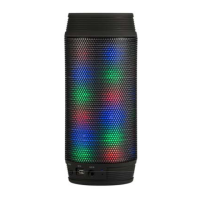
Status Indicator
Charging RedLight
Chargingcomplete NoLight
BluetoothPairingMode BlueLight
AUXFunctioninuse Greenlight


 To Next Page