Local Web UI
The local Web UI allows managing an Executive Elite base DSP unit through a
web browser. The local web UI can be accessed either through the IP network
if the Executive Elite base DSP unit is connected to the LAN using an Ethernet
cable, or through the USB connector in the front of the base DSP unit.
Running the local web UI requires Java to be installed on the computer that is
opening the browser page.
NOTE: Supported web browsers are Microsoft Internet Explorer, Google
Chrome, and Mozilla Firefox.
Connecting to the local web UI
When connecting a Computer for the first time using the USB interface, the PC
may need to install driver software to enable web access through the USB port.
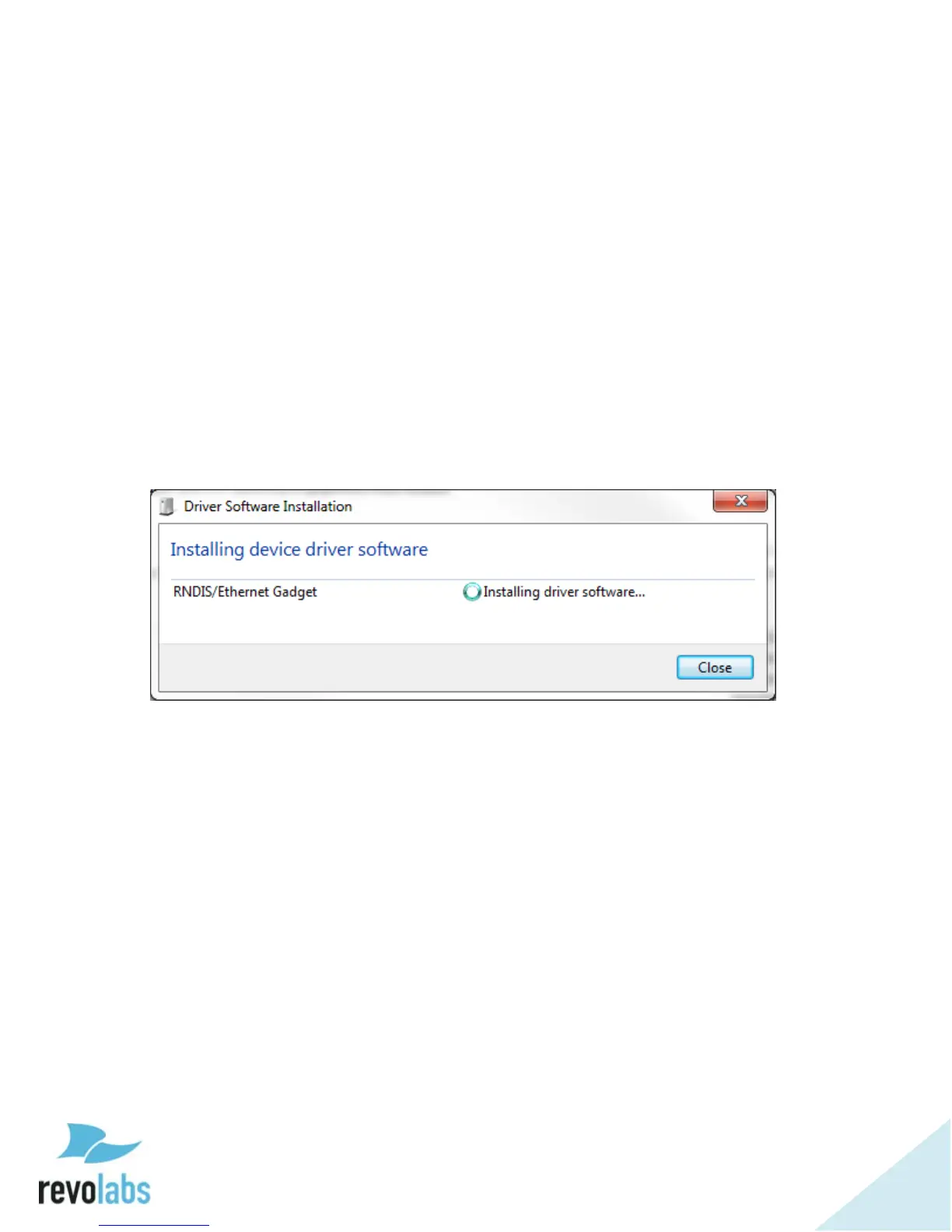
This installation could take several minutes. During this time an installation
message like this might be shown on the Computer:
NOTE: If you do not see this or a similar message, the driver may not have
been successfully installed. If this occurs, connection to the web
interface of the Executive Elite System cannot be established
through the USB port. This is likely due to your computer’s driver
update configuration. If the problem continues, please check if
your computer has ‘auto update’ disabled and/or contact your
administrator.
Once the driver is installed, the front panel LCD will show an overlay with the
IP address for the USB interface. The IP address of the USB interface can also
be found by visiting Main Menu – System Information – Network Information –
Network Information (USB).
If the Executive Elite Base DSP unit is connected to the LAN, you can also use
a computer on the same subnet with no firewall in between to access the web
UI interface. The Elite system is factory pre-configured for DHCP and will
request an IP address from your DHCP server. The IP address of the LAN
interface can be determined through the front panel interface by visiting Main


 To Next Page