You can enter a Cluster Name later through the System Configurations page of
the web user interface.
Click Next once you have provided the information on this page.
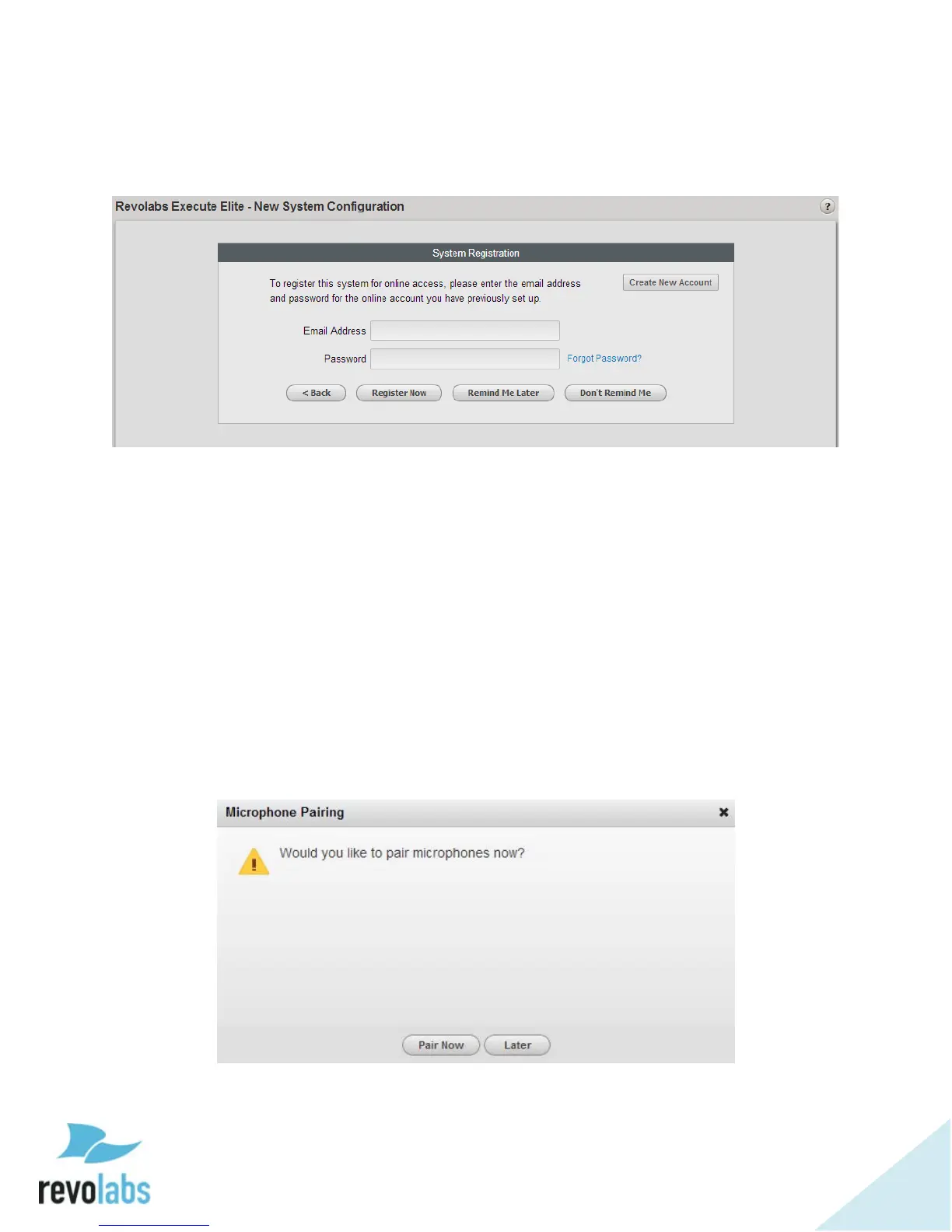
The New System Configuration page allows registering the Executive Elite with
an existing revoCloud account. If a registered user email and password are
provided, the Elite Base DSP unit establishes communication with the Cloud
Server and adds its information to the system registry on the server.
The Create New Account button will bring up a registration window to create a
new account on the Cloud Server. Further details on this process are provided
in the revoCloud section of this document.
If the Elite System will not be registered with the Cloud Server at this time,
Remind Me Later will close the window, and remind the user to register after
the next login. “Do not Register” will skip the registration, and will not remind
the user to register the system later. The Elite System can always be registered
at a later time through the local management interface.
After leaving the System Registration page, a popup will appear, asking if
microphones should be paired now or later.
If the microphones are ready to begin pairing, a short pairing wizard will walk
the installer through the process of pairing them to the available channels. If


 To Next Page