2022/12/13 03:27 7/16 ReVolt Bass - User Guide
User's manuals - https://wiki.two-notes.com/
Each of the channels can be activated by pressing the CLEAN, DIRT, and DRIVE footswitches. The LED
above the footswitch will light up when the channel is active:
Green for the CLASSIC CLEAN channel
Orange for the VINTAGE DIRT channel
Blue for the MODERN DRIVE channel
Simultaneously pressing the CLEAN and the CRUNCH switches will bypass ReVolt.
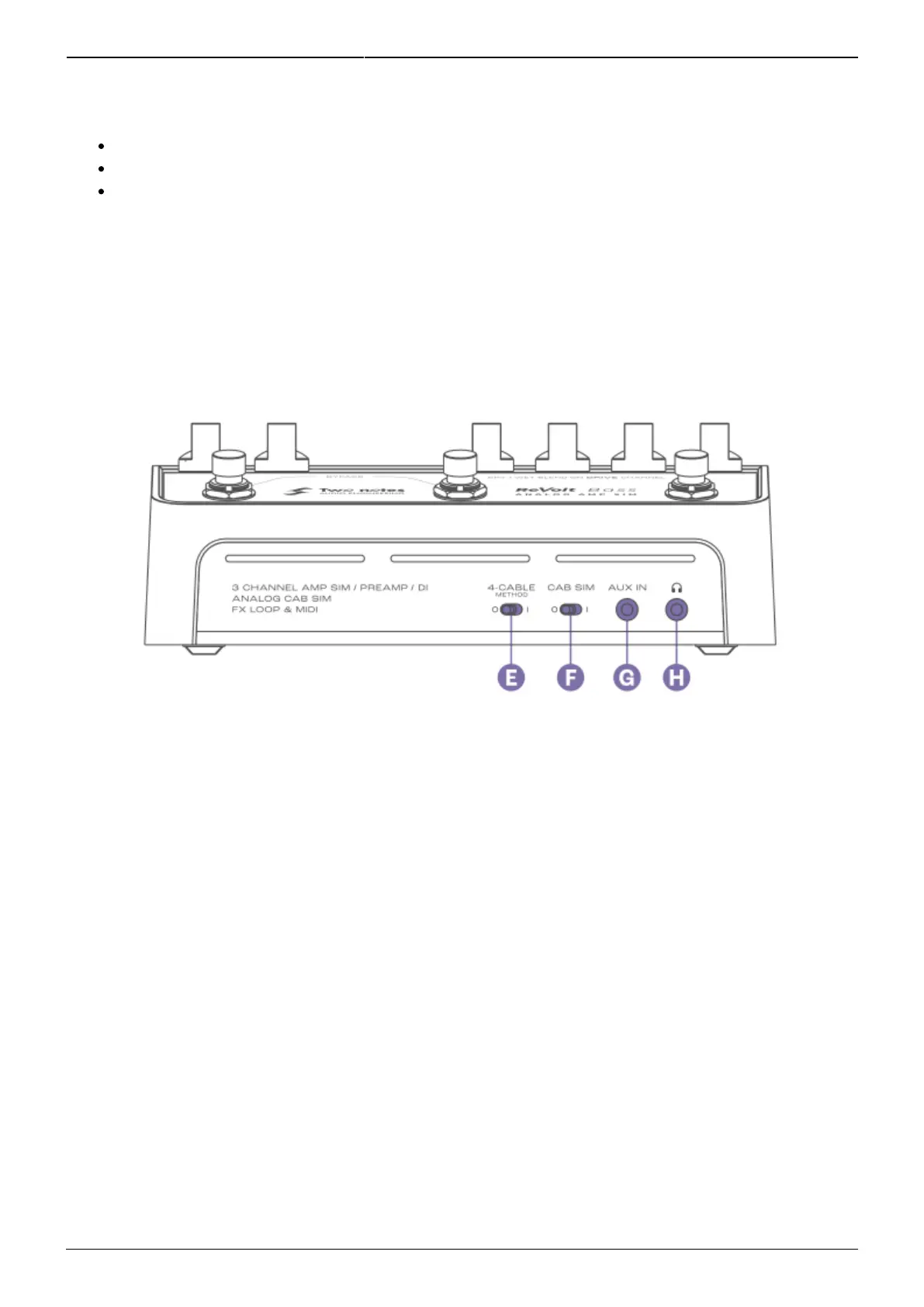
3. Front Panel
E - 4-CABLE METHOD
This switch determines the behavior of ReVolt’s effects loop alongside its bypass behavior. See the
section Supercharge your amp with the 4 cable method for comprehensive setup guidelines for this
feature.
F - CAB SIM
Enables the analog cabinet simulation applied to the BALANCED and Headphone outputs of ReVolt by
engaging the CAB SIM switch (I Position). For ReVolt Bass, the analog simulation is inspired by an
Ampeg SVT-810E cabine
G - AUX IN
Connect your music player here and control the playback level via the source’s controls. This input is
stereo.



 To Next Page