Last update: 2022/12/12 11:37 test_srom_bass https://wiki.two-notes.com/doku.php?id=test_srom_bass
https://wiki.two-notes.com/ Printed on 2022/12/13 03:27
H - Headphone Output
The headphone output is a 1/8” TRS jack socket. This output is calibrated for headphones rated up to
100Ω. ReVolt’s signal is mono - the AUX IN can only be heard in stereo via headphones. The cabinet
simulation applied with the CAB SIM switch can also be heard through the headphone output.
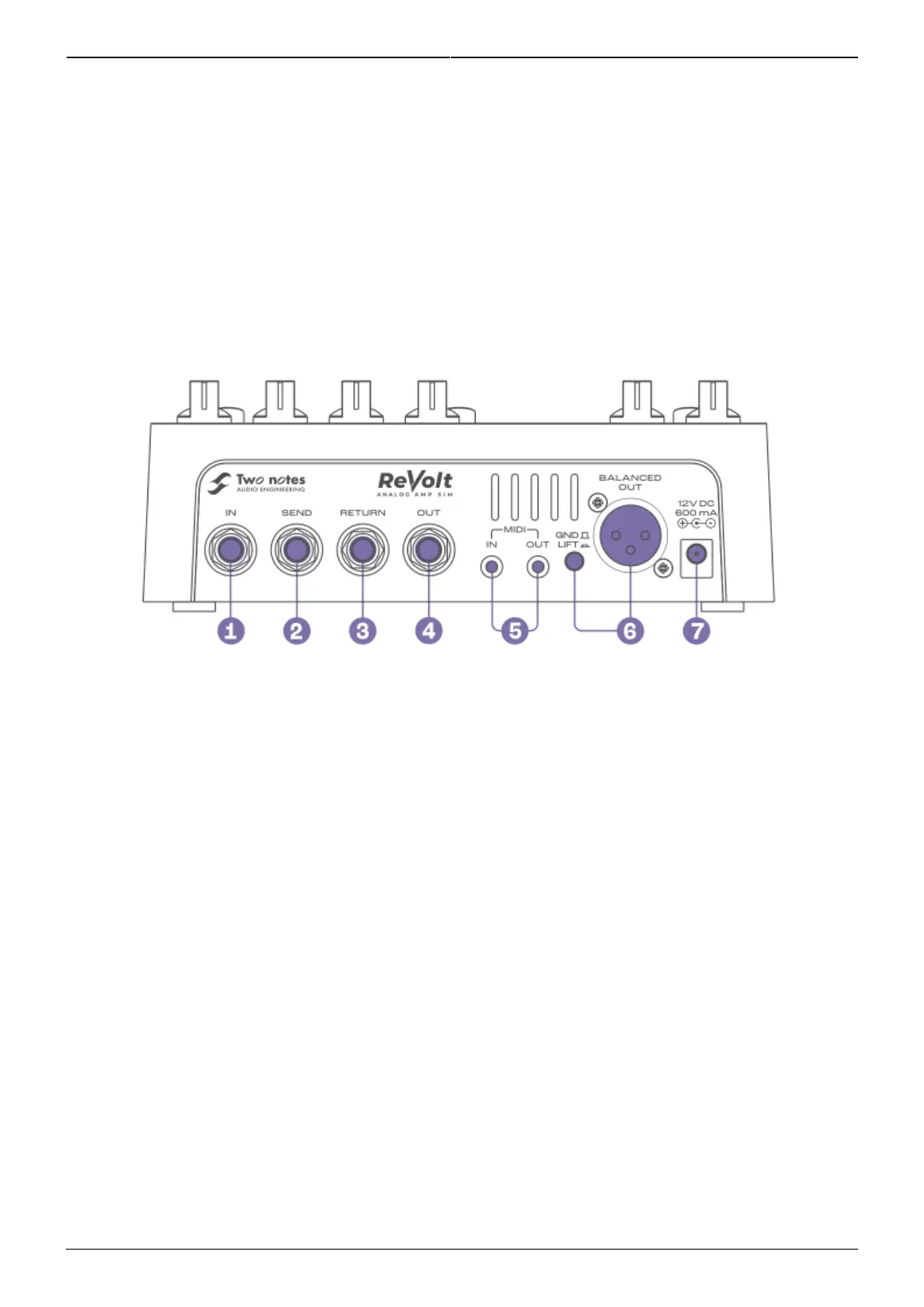
4. Back Panel
1 - IN
Connect your instrument here. The input is a ¼” TS (unbalanced) jack socket.
2 - SEND
Use this unbalanced output to connect to effects pedals or to an amp’s Instrument input when the 4-
CABLE METHOD switch (E) is activated. The SEND output is a ¼” TS jack socket.
When the 4-CABLE METHOD switch is activated, and when ReVolt is bypassed (no active channel), the
SEND outputs the dry/unaffected guitar signal to the connected amplifier/device.
3 - RETURN
Use this unbalanced input to connect the output of any external effects to ReVolt, or connect the
amp’s effects loop SEND to this input when the 4-CABLE METHOD switch (E) is activated. The RETURN
input is a ¼” TS jack socket panel-mount connector.
When using effects pedals (delay, reverb, etc.), ensure the 4-CABLE METHOD is set to O. The
processed signal of the effects will be heard when a channel is active on ReVolt.



 To Next Page