EasyManua.ls Logo

Revopoint 3D Technologies MINI - Mobile Scanning Workflows; Android Wi-Fi Connection & Scan

Revopoint 3D Technologies MINI
Print Icon
To Next Page IconTo Next Page
To Previous Page IconTo Previous Page
Loading...
MINI 3D Scanner Guide de Démarrage Rapide
17 COPYRIGHT ©2022 REVOPOINT 3D ALL RIGHTS RESERVED
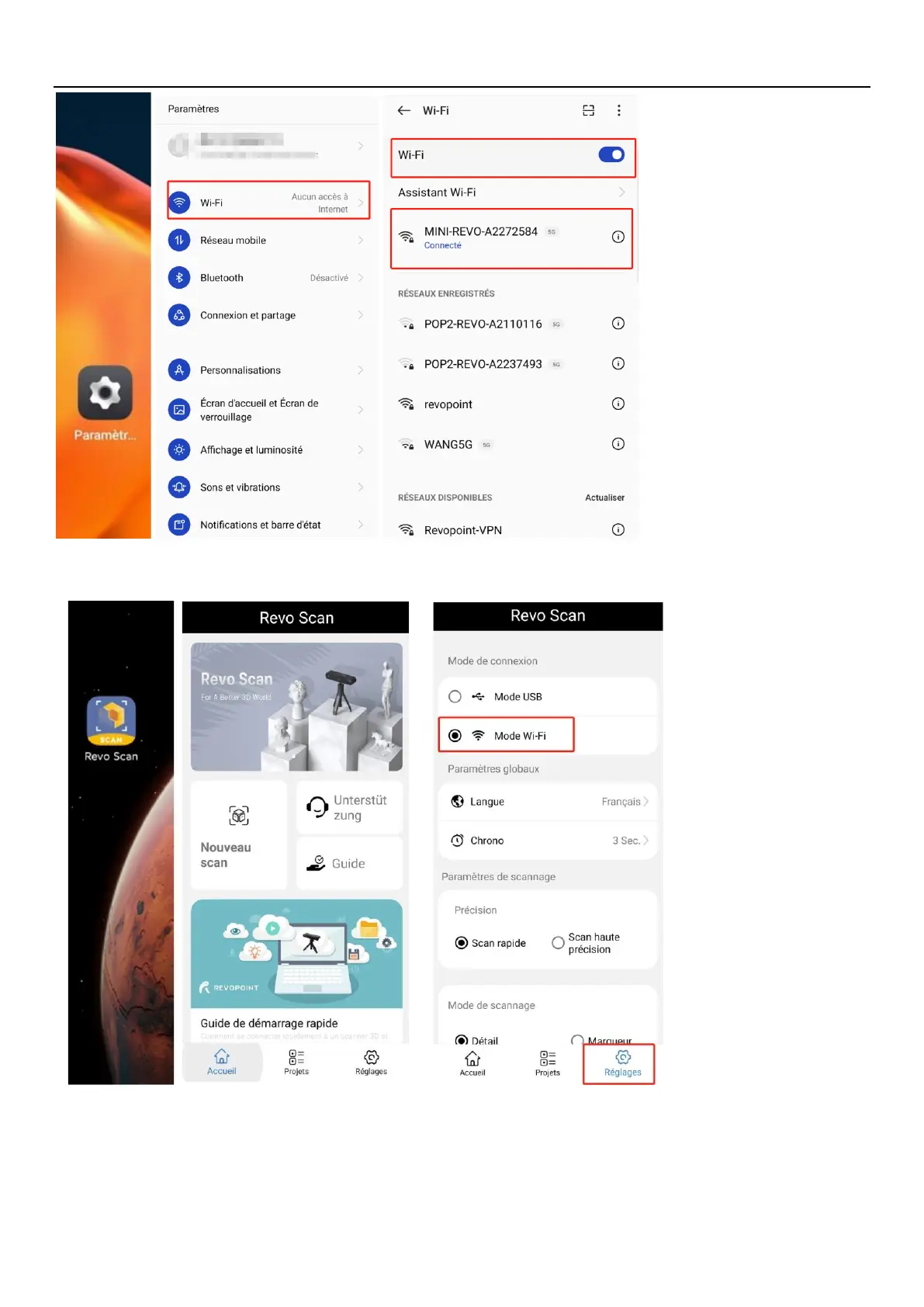
4. Open Revo Scan to confirm Connection Mode and Scan Settings;
Before scanning, select proper Accuracy, Scan Mode, Texture and Model Format according to your demand.
5. Back to Home and authorize the camera;

Other manuals for Revopoint 3D Technologies MINI

Related product manuals