MINI 3D Scanner Guide de Démarrage Rapide
COPYRIGHT ©2022 REVOPOINT 3D ALL RIGHTS RESERVED 30
4.
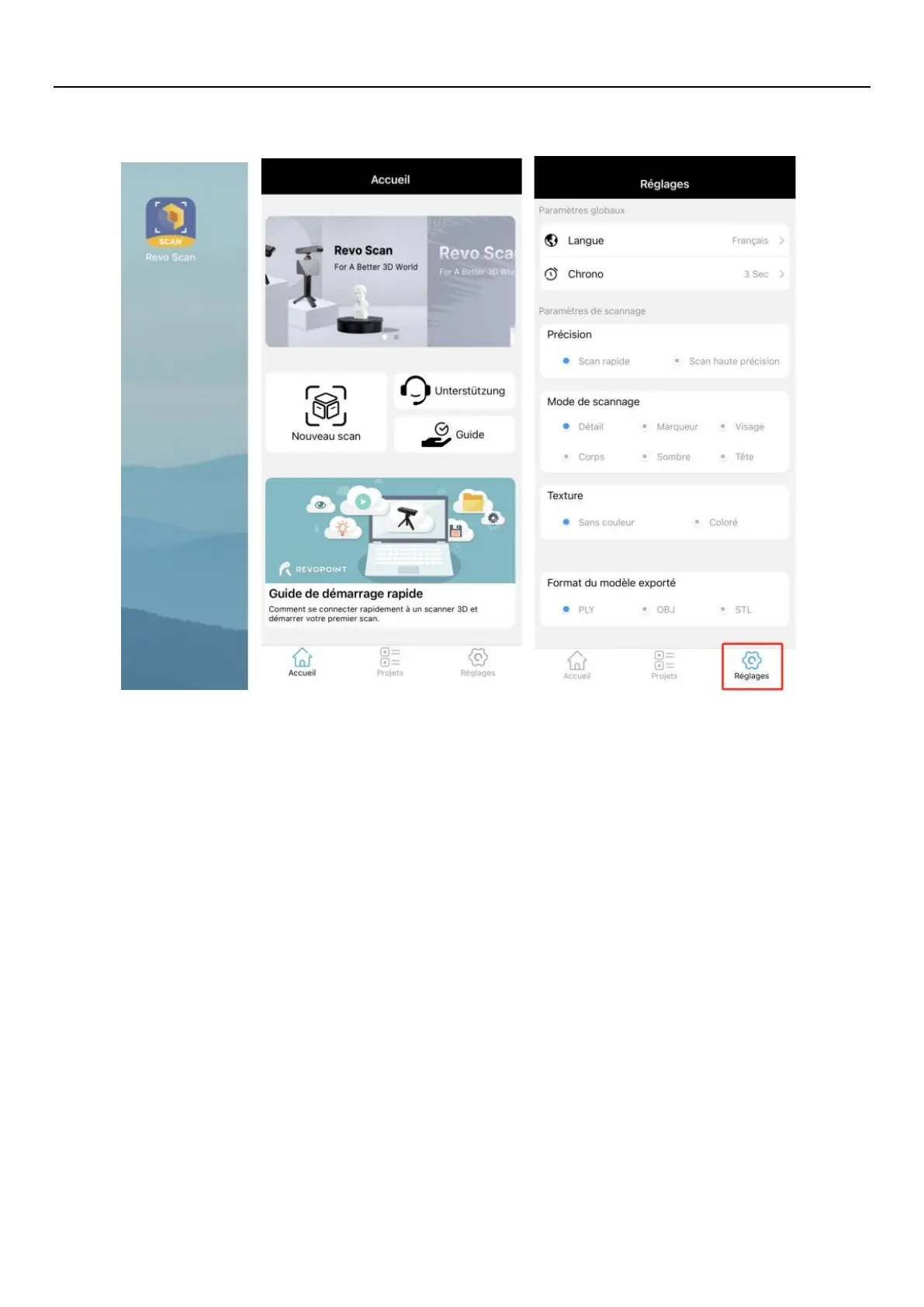
Open “Revo Scan” and confirm Settings;
Before scanning, select proper Accuracy, Scan Mode, Texture and Model Format according to your scan demand.
5. Back to Home and authorize the camera;


 To Next Page